Secure Vercel with Mondoo
Continuously scan your Vercel teams and projects for misconfigurations and security issues.
Mondoo continuously scans your Vercel teams and projects for misconfigurations and security issues. Create a Vercel integration to give Mondoo access to them.
Mondoo discovers every team the API token can access and the projects those teams own:
- Vercel Team assets cover team governance and the team's API tokens.
- Vercel Project assets cover each project's deployment protection, build and source settings, environment variables, Vercel Firewall, storage, and domains and certificates.
Mondoo doesn't discover projects owned by a personal Vercel account. Only team-owned projects are scanned.
Prerequisites
- Editor or Owner access to the Mondoo space
- A Vercel account that's a member of the teams you want Mondoo to scan
Create a Vercel access token
Mondoo authenticates to Vercel with an access token. Mondoo only reads configuration and never changes it.
-
Log in to Vercel and open the Account Tokens page in your account settings.
-
Select Create and give the token a name that identifies it as Mondoo's.
-
For the token's scope, select the team you want Mondoo to scan. To scan several teams with one integration, choose a scope that includes all of them.
-
Choose an expiration and create the token.
-
Copy the token. Vercel shows it only once.
To learn more, see How do I use a Vercel API access token? in the Vercel documentation.
Vercel access tokens aren't read-only: the token can do anything your account can do within its scope. Keep the scope as narrow as possible, treat the token like a password, and rotate it before it expires.
Add a Vercel integration
In the Mondoo App, navigate to the space where you want to add the integration. In the side navigation bar, select Integrations. In the top right, select INSTALL. On the Install Integration page, find the integration you want by browsing a category or searching by name:
-
Under SaaS Security, select Vercel.
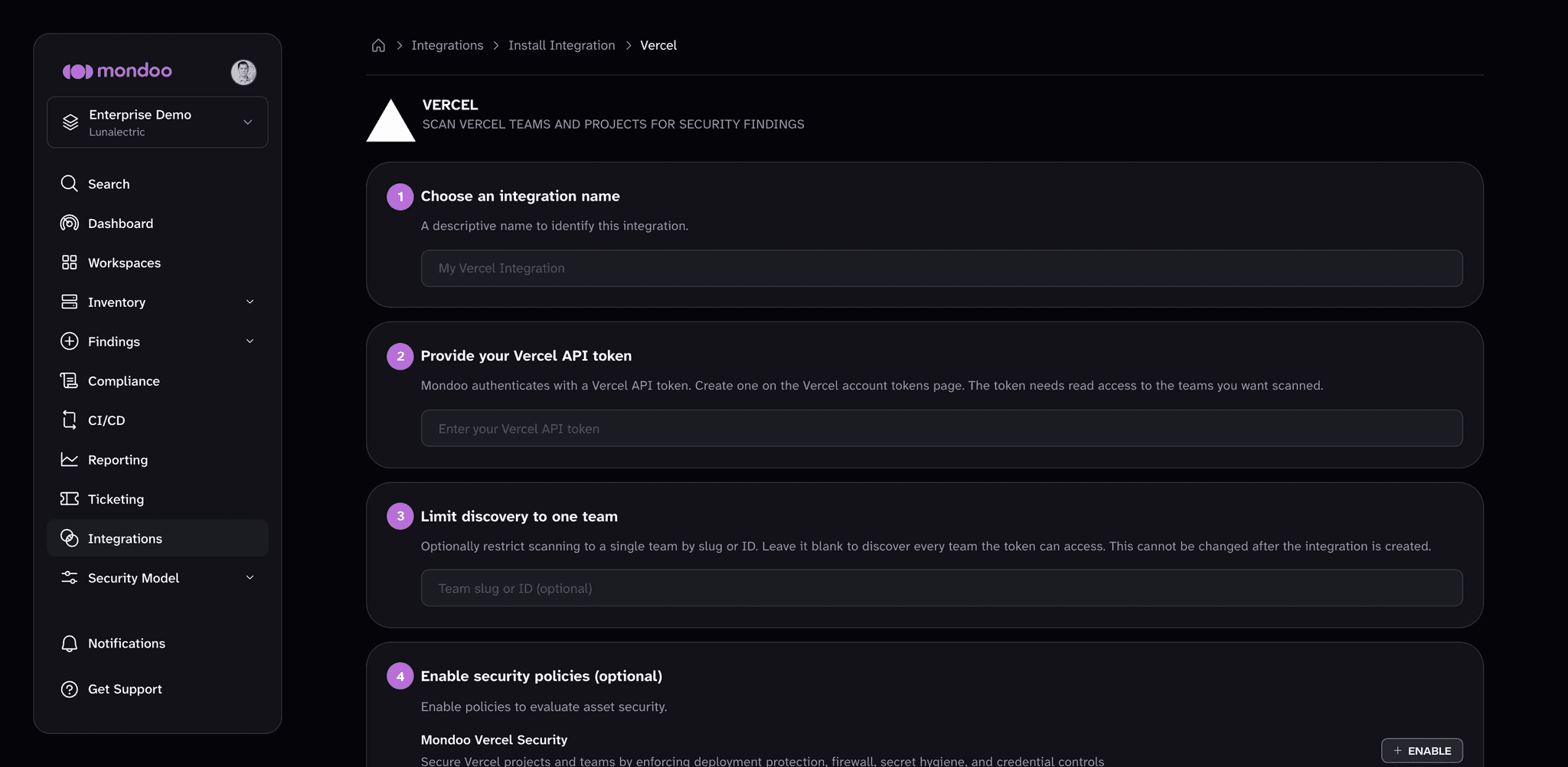
-
In the Choose an integration name box, enter a name that identifies the Vercel teams you're scanning.
-
Paste the access token into the Provide your Vercel API token box.
-
(Optional) To scan a single team, enter its slug or ID in the Limit discovery to one team box. Leave it blank to discover every team the token can access. You can't change this setting after you create the integration.
-
(Optional) Under Enable security policies, review the policies that apply to Vercel. The Mondoo Vercel Security policy checks deployment protection, the Vercel Firewall, secret hygiene, and credential controls. If a policy isn't enabled in the space yet, select ENABLE. A policy you enable here applies to the whole space, not only this integration.
-
Select CREATE INTEGRATION.
Mondoo starts the first scan as soon as the integration is created. To learn how policies work, read Manage Policies.
View results
Mondoo adds the Vercel team and project assets to the space inventory. To review them, navigate to the space and select Inventory > Assets. To see how the assets score against the policy, select Findings > Policies and choose Mondoo Vercel Security.
Manage your integration
To open the integration, navigate to the space, select Integrations > Vercel, and choose the integration.
From the integration detail page, you can:
- Scan now. Select RUN.
- Pause or resume scanning. Select the more actions menu, then Pause or Resume.
- Edit settings. Select the pencil icon to rename the integration or rotate its access token. The team scope is read-only.
- Remove the integration. Select the trash can icon and confirm. Mondoo stops scanning the Vercel teams.
Scan Vercel from the command line
The integration scans continuously from the Mondoo Platform. To scan Vercel from your workstation or a CI pipeline instead, see Secure Vercel with cnspec.