Secure MongoDB Atlas with Mondoo
Continuously scan your MongoDB Atlas organization and projects for misconfigurations and security issues.
Mondoo continuously scans your MongoDB Atlas organization and its projects for misconfigurations and security issues. Create a MongoDB Atlas integration to give Mondoo the read-only access it needs.
Mondoo adds the organization and every project in it to your space as assets:
- The MongoDB Atlas Organization asset covers organization-wide identity and access, such as multi-factor authentication, API keys, and federation settings.
- Each MongoDB Atlas Project asset covers the project's clusters, database users, network access, encryption, backups, and audit logging.
Prerequisites
- Editor or Owner access to the Mondoo space
- A MongoDB Atlas organization
- Organization Owner access in Atlas, to create an API key for the organization
Create an Atlas programmatic API key
Mondoo authenticates to the Atlas Administration API with an organization programmatic API key.
-
Log in to the Atlas console and select your organization.
-
Open Organization Settings and note the Organization ID. You need it in the next section.
-
Go to the organization's Access Manager and open API Keys.
-
Create an API key with a description that identifies it as Mondoo's, and give it the Organization Read Only role. Mondoo only reads configuration, so it doesn't need a role that can make changes.
-
Copy the public key and the private key. Atlas shows the private key only once.
-
If your organization requires an IP access list for the Atlas Administration API, add the addresses Mondoo scans from to the key's access list. Otherwise, Atlas rejects Mondoo's requests. Contact Mondoo support for the current addresses.
To learn more, see Grant programmatic access to an organization in the MongoDB Atlas documentation.
Treat the private key like a password. Don't commit it to source control, and rotate it periodically.
Add a MongoDB Atlas integration
In the Mondoo App, navigate to the space where you want to add the integration. In the side navigation bar, select Integrations. In the top right, select INSTALL. On the Install Integration page, find the integration you want by browsing a category or searching by name:
-
Under SaaS Security, select MongoDB Atlas.
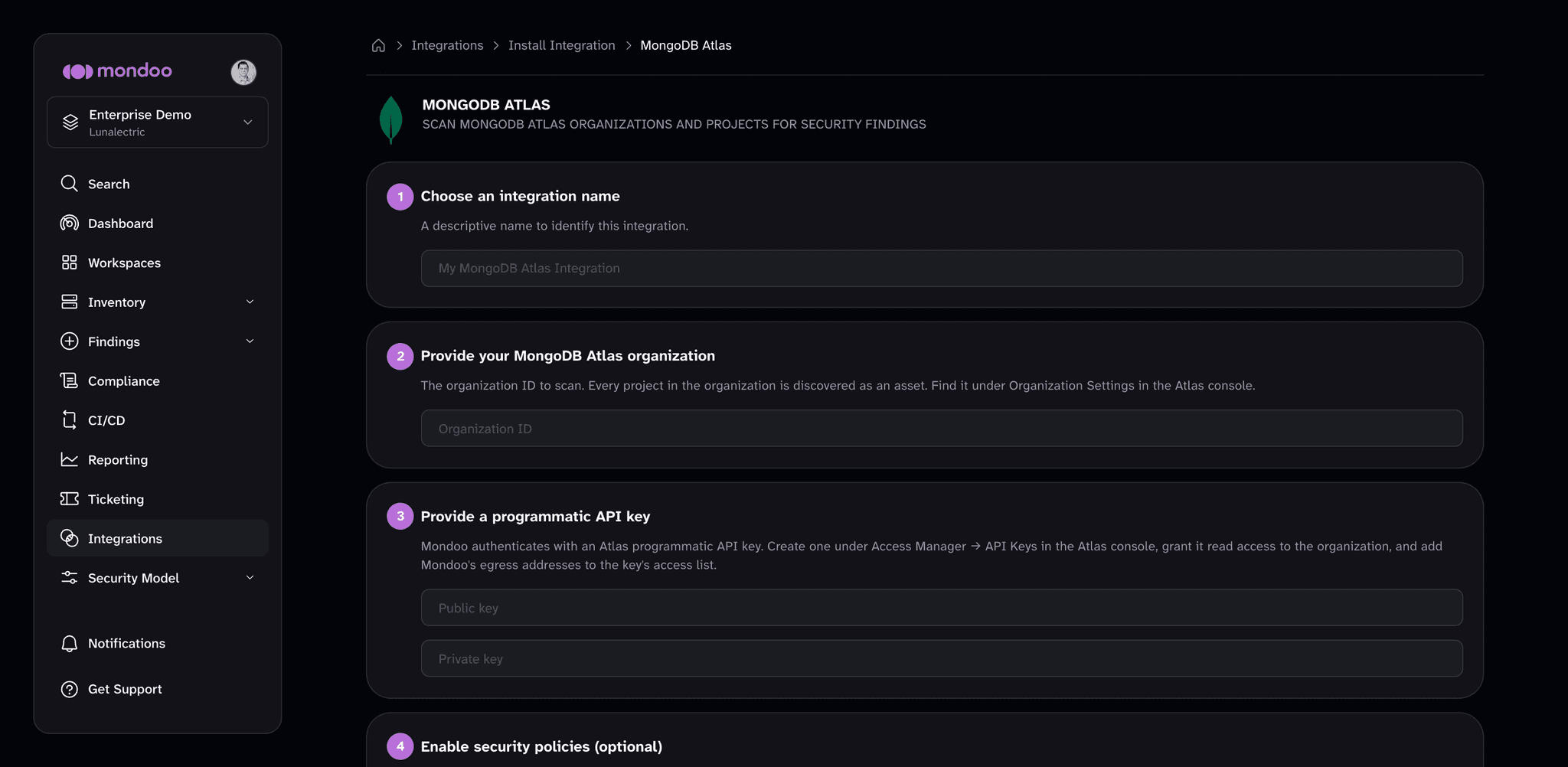
-
In the Choose an integration name box, enter a name that identifies the Atlas organization.
-
In the Provide your MongoDB Atlas organization box, enter the organization ID.
-
Under Provide a programmatic API key, enter the Public key and the Private key.
-
(Optional) Under Enable security policies, review the policies that apply to MongoDB Atlas. The Mondoo MongoDB Atlas Security policy checks access control, network exposure, encryption, backup, and audit logging across the organization and its projects. If a policy isn't enabled in the space yet, select ENABLE. A policy you enable here applies to the whole space, not only this integration.
-
Select CREATE INTEGRATION.
Mondoo starts the first scan as soon as the integration is created. To learn how policies work, read Manage Policies.
View results
Mondoo adds the organization and project assets to the space inventory. To review them, navigate to the space and select Inventory > Assets. To see how the assets score against the policy, select Findings > Policies and choose Mondoo MongoDB Atlas Security.
Manage your integration
To open the integration, navigate to the space, select Integrations > MongoDB Atlas, and choose the integration.
From the integration detail page, you can:
- Scan now. Select RUN.
- Pause or resume scanning. Select the more actions menu, then Pause or Resume.
- Edit settings. Select the pencil icon to rename the integration or rotate its API key. The public and private key rotate together, so enter both halves of the new key. The organization ID is read-only.
- Remove the integration. Select the trash can icon and confirm. Mondoo stops scanning the Atlas organization.
Scan MongoDB Atlas from the command line
The integration scans continuously from the Mondoo Platform. To scan MongoDB Atlas from your workstation or a CI pipeline instead, see Secure MongoDB Atlas with cnspec.