Secure GitLab with Mondoo
Continuously scan GitLab groups for misconfigurations and vulnerabilities.
Mondoo continuously scans GitLab groups for misconfigurations and vulnerabilities. Deploy the integration once and Mondoo keeps assessments up to date as the group changes.
To scan Kubernetes manifests, Terraform configurations, or Docker containers inside a GitLab CI/CD pipeline, read Scan in GitLab CI/CD instead.
Prerequisites
- Editor or Owner access to the Mondoo space
- Access to a GitLab group
Create a GitLab personal access token
A personal access token gives Mondoo permission to read GitLab resources on your behalf. To learn more, see Create a personal access token in the GitLab documentation.
-
Log into GitLab. In the upper-left, select your profile photo, then Edit Profile.
-
In the left sidebar, select Access Tokens.
-
Select Add new token and enter a name (for example,
mondoo-frontend-repo). -
Choose an Expiration date. Note it so you can rotate the token before it lapses.
-
Under Select scopes, check:
read_apiread_userread_repositoryread_registry
-
Select Create a personal access token and copy the value. You need it in the next section.
Add a GitLab integration
In the Mondoo App, navigate to the space where you want to add the integration. In the side navigation bar, select Integrations. In the top right, select INSTALL. On the Install Integration page, find the integration you want by browsing a category or searching by name:
-
Under SaaS Security, select GitLab.
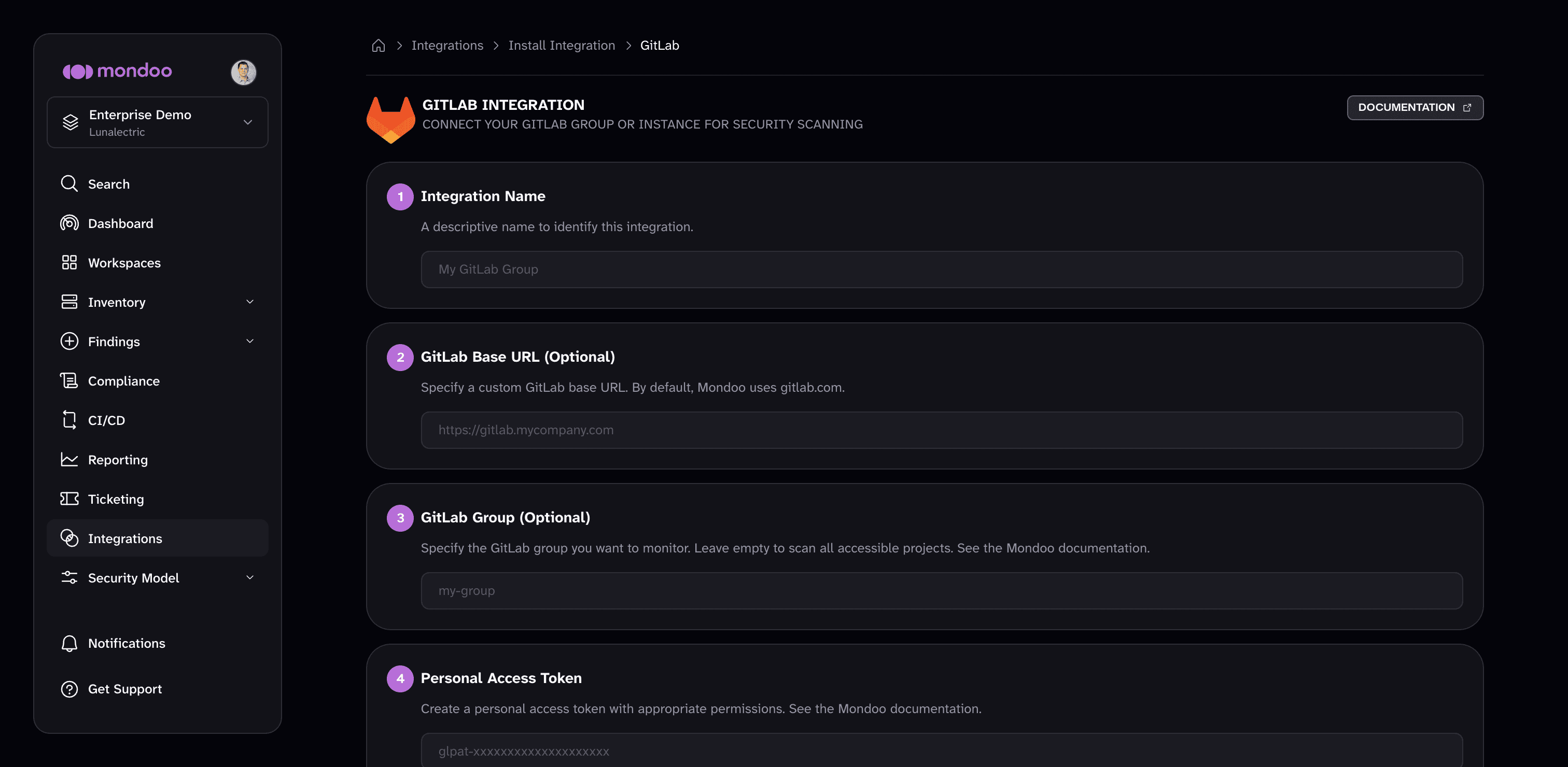
-
In Integration Name, enter a name that identifies the GitLab group or instance.
-
If you self-host GitLab, enter your custom URL in GitLab Base URL (Optional). Otherwise leave it empty and Mondoo uses gitlab.com.
-
(Optional) In GitLab Group, enter the group name from the group's URL. For example, the group at
gitlab.com/lunalectricis namedlunalectric. Leave it empty to scan all projects the token can access. -
Paste your personal access token into Personal Access Token.
-
Under Discovery Options, check what you want Mondoo to scan:
- Groups the token can access
- Projects the token can access
- Terraform files
- Kubernetes manifests
-
(Optional) Under Enable security policies (optional), enable the policies you want Mondoo to score the GitLab assets against.
-
(Optional) Under Set Annotations (optional), select + ADD ANNOTATION to add key-value pairs that Mondoo applies to every asset this integration discovers. To learn more, read Annotate assets.
-
Select START SCANNING.
Scan from a GitLab CI/CD pipeline
If your GitLab instance has inbound IP allowlists that block Mondoo's hosted integration, you can run an equivalent scan from inside a GitLab pipeline.
-
Follow the steps above to create a personal access token.
-
Store the personal access token in GitLab as a variable named
GITLABTOKEN. -
Add a scheduled pipeline job to
.gitlab-ci.yml:.gitlab-ci.yml stages: [security] cnspec-gitlab-scan: stage: security image: name: mondoo/cnspec:latest-rootless entrypoint: [''] rules: - if: '$CI_PIPELINE_SOURCE == "schedule"' script: - set -euo pipefail - cnspec version - cnspec scan gitlab --discover="groups, projects, terraform, k8s-manifests" --detect-cicd=0 --token "$GITLABTOKEN" --url "$CI_SERVER_URL"Change the
--discoverflag to control what's scanned.
After you connect
Once GitLab scanning is enabled, explore your asset inventory, then assess and improve your security to review and prioritize your findings.