Secure Okta with Mondoo
Continuously scan Okta for misconfigurations and security issues.
Mondoo continuously scans your Okta organization for misconfigurations and security issues. Deploy the integration once and assessments stay current as your Okta configuration changes.
Prerequisites
- Editor or Owner access to the Mondoo space
- Access to an Okta organization
Generate an Okta API token
Mondoo needs an Okta API token to call the Okta API. Create one by following Create an API token in the Okta documentation. Copy the token; you need it in the next section.
Add an Okta integration
In the Mondoo App, navigate to the space where you want to add the integration. In the side navigation bar, select Integrations. In the top right, select INSTALL. On the Install Integration page, find the integration you want by browsing a category or searching by name:
-
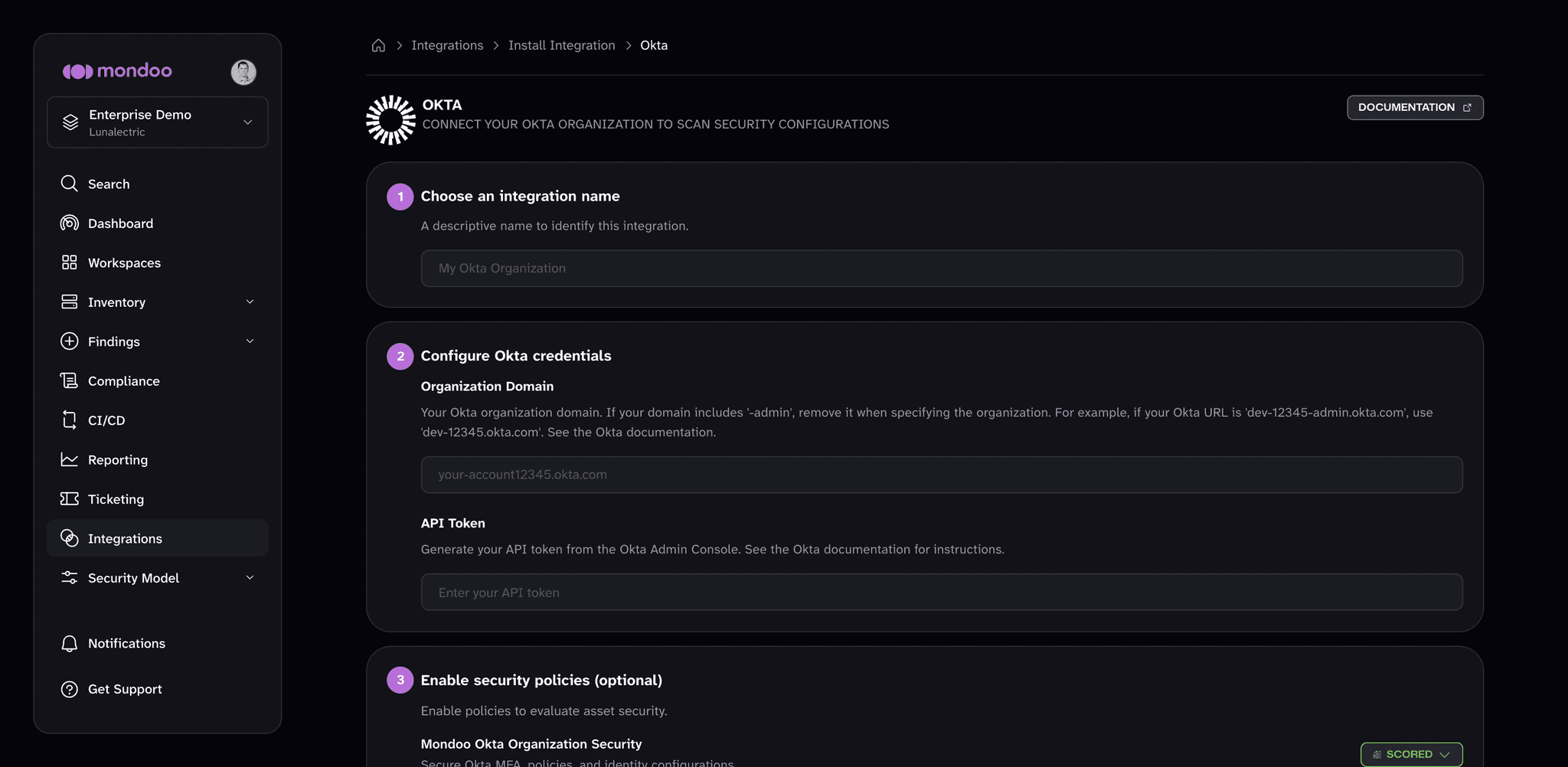
Under SaaS Security, select Okta.
-
In Choose an integration name, enter a name that identifies the Okta organization.
-
Under Configure Okta credentials, in Organization Domain, enter your Okta domain. To find this value, read Find your Okta domain in the Okta documentation.
Do not include
-adminin the domain. For example, if your Okta URL isdev-22556123-admin.okta.com, enterdev-22556123.okta.com. -
In API Token, paste the token you generated.
-
(Optional) Under Enable security policies (optional), enable the policies you want Mondoo to score your Okta organization against.
-
(Optional) Under Set Annotations (optional), select + ADD ANNOTATION to add key-value pairs that Mondoo applies to every asset this integration discovers. To learn more, read Annotate assets.
-
Select START SCANNING.
After you connect
Once Okta scanning is enabled, explore your asset inventory, then assess and improve your security to review and prioritize your findings.