Secure Cloudflare with Mondoo
Continuously scan your Cloudflare account and zones for misconfigurations and security issues.
Mondoo continuously scans your Cloudflare account and zones for misconfigurations and security issues. Create a Cloudflare integration to give Mondoo the read-only access it needs.
Mondoo discovers each Cloudflare account the API token can reach and each zone in those accounts as its own asset:
- Cloudflare Account assets cover account governance, such as enforced two-factor authentication, member two-factor status, R2 bucket public access, and API token hygiene.
- Cloudflare Zone assets cover each zone's edge settings, such as the SSL/TLS encryption mode, minimum TLS version, Always Use HTTPS, HSTS, the WAF, and DNSSEC.
Prerequisites
- Editor or Owner access to the Mondoo space
- A Cloudflare account
- Permission to create API tokens in the Cloudflare dashboard
Create a Cloudflare API token
Mondoo authenticates to Cloudflare with an API token. Mondoo only reads configuration, so give the token read permissions only.
-
Log in to the Cloudflare dashboard.
-
Go to My Profile > API Tokens and select Create Token.
-
Next to Create Custom Token, select Get started.
-
Name the token so you can identify it as Mondoo's.
-
Under Permissions, add these read permissions:
Scope Permission Access Used for Account Account Settings Read Account settings and member two-factor Account Workers R2 Storage Read R2 bucket public access Zone Zone Read Discovering zones Zone Zone Settings Read SSL/TLS, HTTPS, HSTS, and other settings Zone DNS Read DNSSEC status User API Tokens Read API token expiration, age, and IP filters -
Under Account Resources, include the accounts you want Mondoo to scan. Under Zone Resources, include all zones from those accounts, or the specific zones you want Mondoo to scan.
-
Select Continue to summary, then Create Token.
-
Copy the token. Cloudflare shows it only once.
A token without one of these permissions still works, but the checks that need the missing permission can't be evaluated. To learn more about token permissions, see Create API token in the Cloudflare documentation.
Treat the API token like a password. Don't commit it to source control, and rotate it periodically.
Add a Cloudflare integration
In the Mondoo App, navigate to the space where you want to add the integration. In the side navigation bar, select Integrations. In the top right, select INSTALL. On the Install Integration page, find the integration you want by browsing a category or searching by name:
-
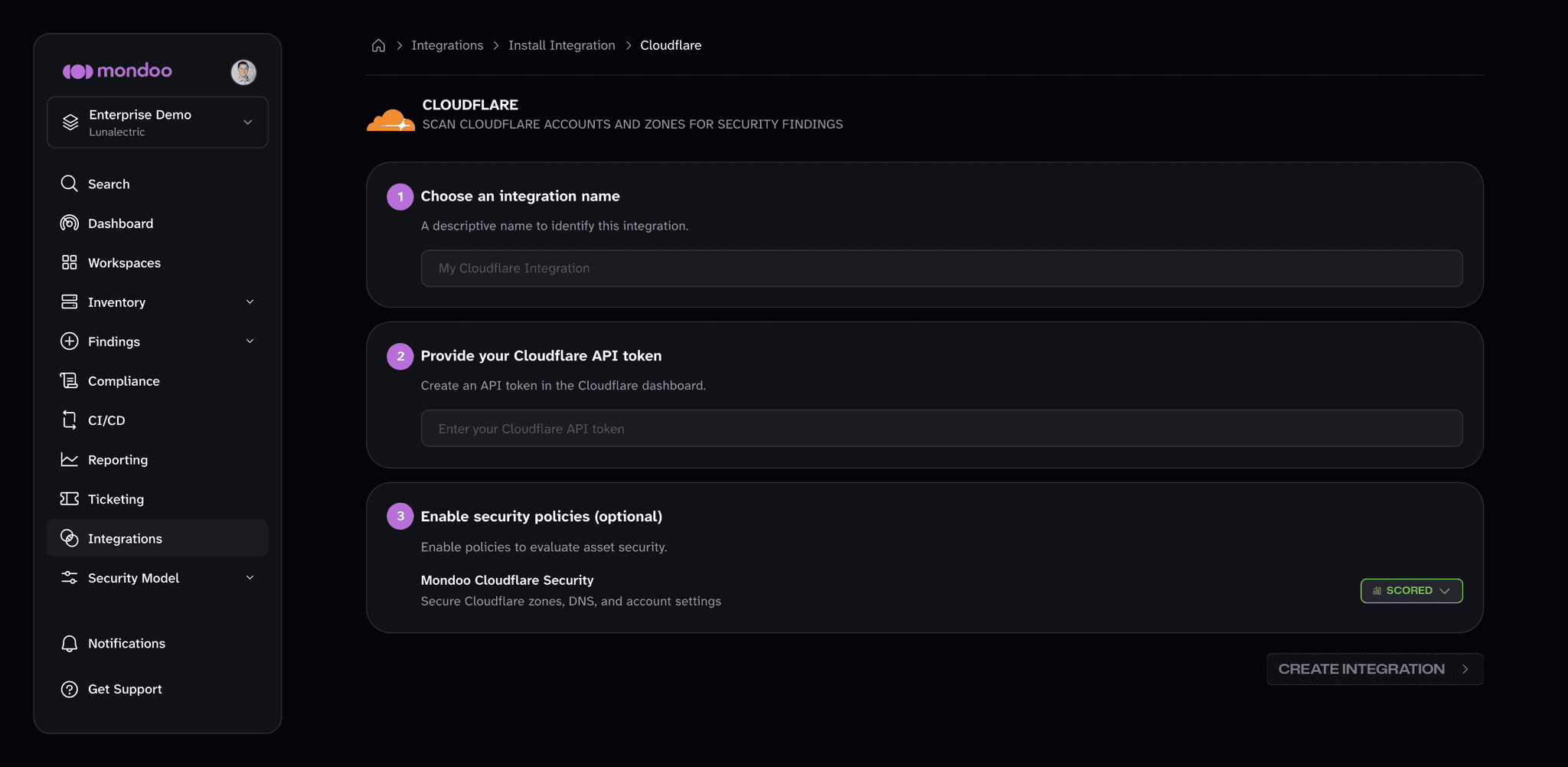
Under SaaS Security, select Cloudflare.
-
In the Choose an integration name box, enter a name that identifies the Cloudflare account.
-
Paste the API token you created into the Provide your Cloudflare API token box.
-
(Optional) Under Enable security policies, review the policies that apply to Cloudflare. The Mondoo Cloudflare Security policy checks zone TLS and HTTPS settings, the WAF, DNSSEC, HSTS, and account security. If a policy isn't enabled in the space yet, select ENABLE. A policy you enable here applies to the whole space, not only this integration.
-
Select CREATE INTEGRATION.
Mondoo starts the first scan as soon as the integration is created. To learn how policies work, read Manage Policies.
View results
Mondoo adds the Cloudflare account and zone assets to the space inventory. To review them, navigate to the space and select Inventory > Assets. To see how the assets score against the policy, select Findings > Policies and choose Mondoo Cloudflare Security.
Manage your integration
To open the integration, navigate to the space, select Integrations > Cloudflare, and choose the integration.
From the integration detail page, you can:
- Scan now. Select RUN.
- Pause or resume scanning. Select the more actions menu, then Pause or Resume.
- Remove the integration. Select the trash can icon and confirm. Mondoo stops scanning the Cloudflare account.
Mondoo doesn't support editing a Cloudflare integration. To use a different API token, remove the integration and add a new one.
Scan Cloudflare from the command line
The integration scans continuously from the Mondoo Platform. To scan Cloudflare from your workstation or a CI pipeline instead, see Secure Cloudflare with cnspec.