Navigate the Mondoo App
Learn how to move between regions, organizations, spaces, and workspaces in the Mondoo App, search, and find your account settings.
Use the Mondoo App to view and manage your organizations, spaces, and workspaces, and the security of the assets in them.
Access the Mondoo App in your web browser at https://app.mondoo.com.
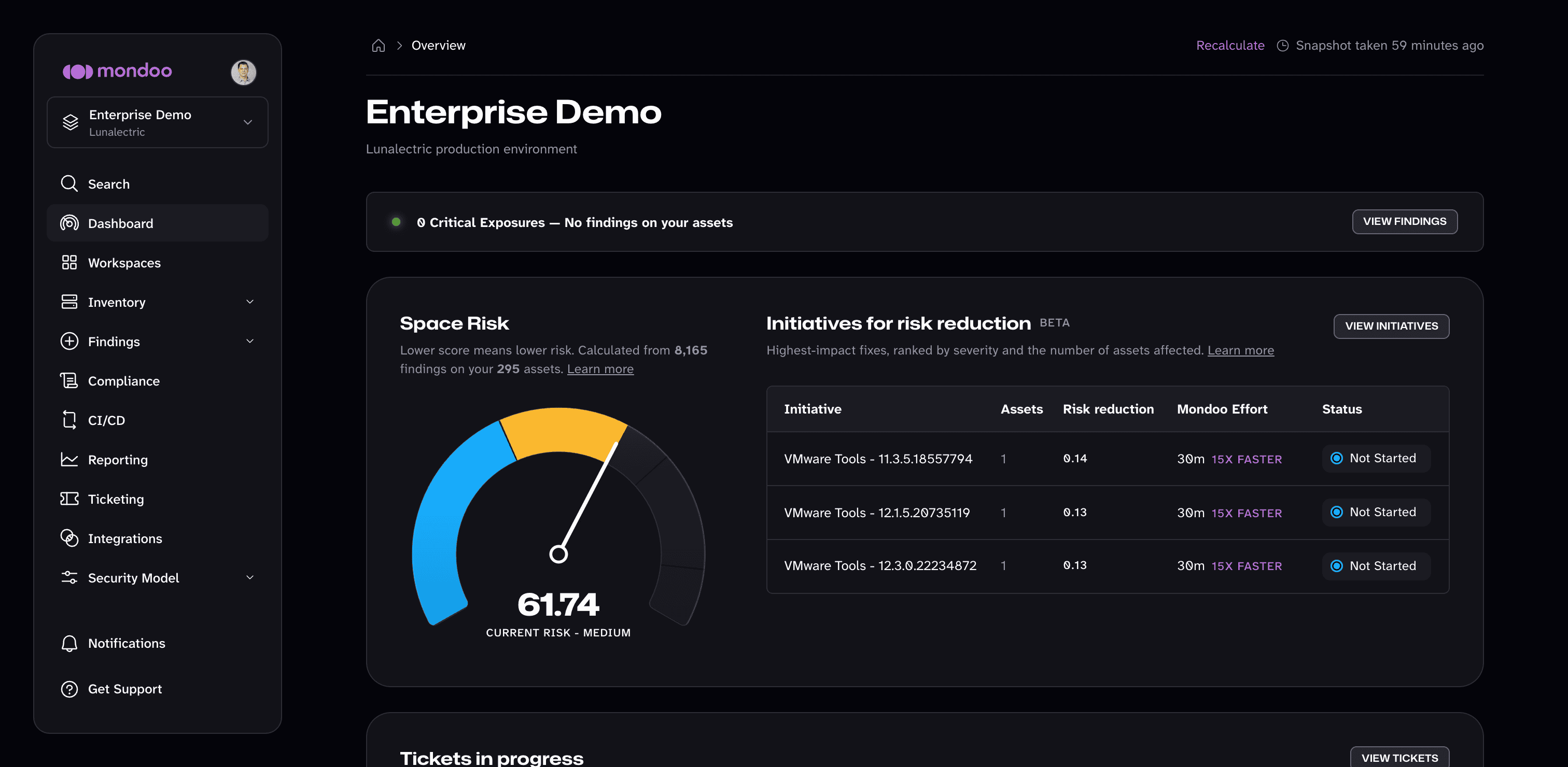
Every page has the same layout:
- The left navigation bar holds your account menu (your avatar), the scope switcher, Search, the pages for your current organization, space, or workspace, and Notifications and Get Support at the bottom.
- The main area shows the page you selected. The breadcrumb at the top of the page shows where you are within the current scope. Select the home icon in the breadcrumb to return to the overview of your current organization, space, or workspace.
To switch between light and dark mode, open the account menu (your avatar in the top-left corner) and choose a Theme: System, Light, or Dark.
Move between regions, organizations, spaces, and workspaces
The assets in your infrastructure are organized into regions, organizations, spaces, and workspaces. The scope switcher at the top of the left navigation bar shows where you are, such as the space you're in and the organization it belongs to. Select it to move somewhere else.
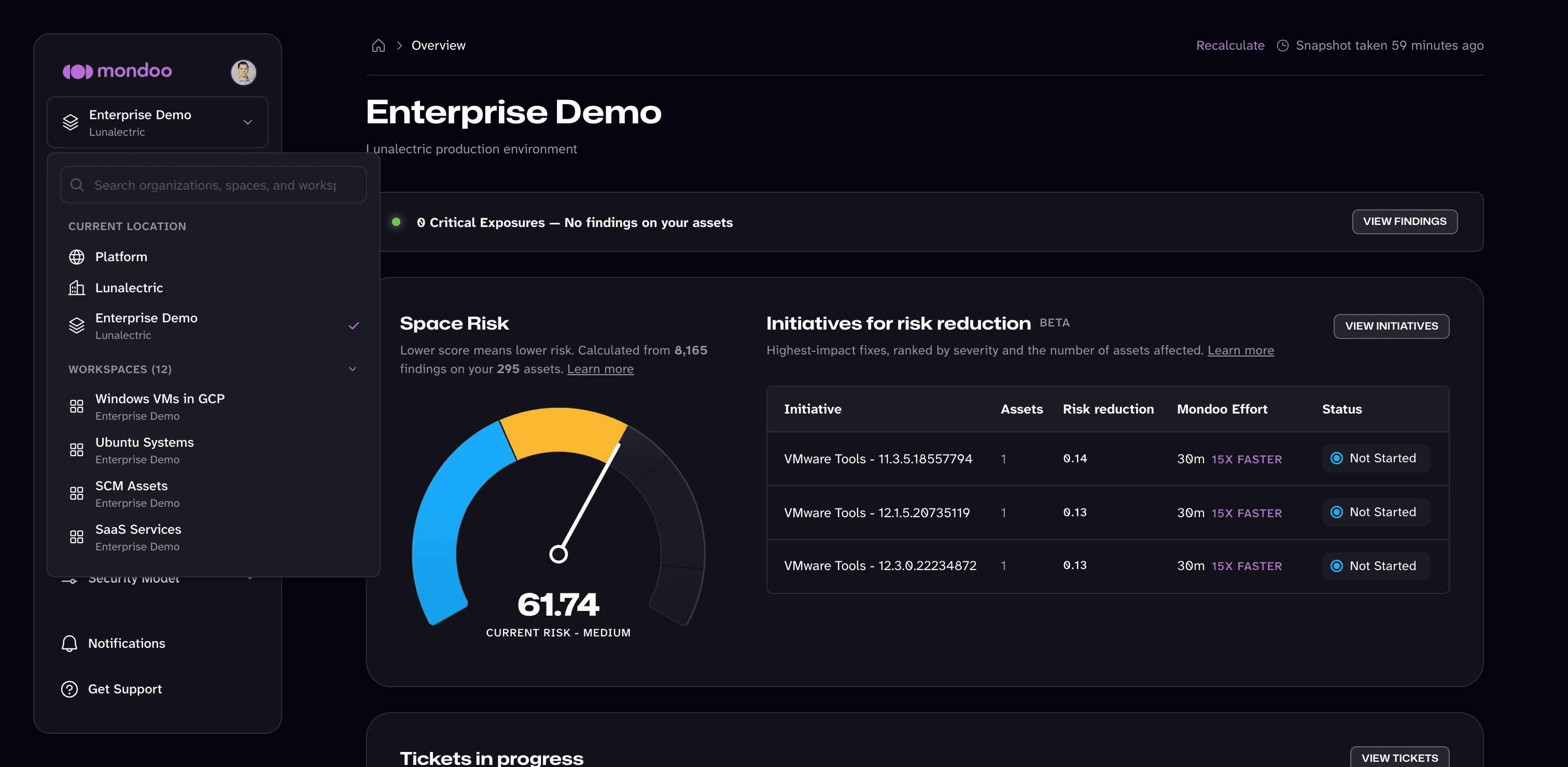
The scope switcher lists:
- Current location: the path from the platform level down to the organization, space, or workspace you're in. Select any entry to go up a level. Select Platform to open the list of all your organizations.
- Places to jump to, nearest first: the workspaces in your current space, the other spaces in your organization, and your other organizations. When you're at the platform level, it also lists the other Regions you can switch to.
To find a specific organization, space, or workspace, type its name in the search box at the top of the scope switcher.
When you switch to another organization, space, or workspace, Mondoo keeps you on the same kind of page if the new scope has one. For example, if you're viewing a space's Findings > Security page and switch to another space, you see that space's security findings. If the page doesn't exist in the new scope, Mondoo opens the scope's overview.
If you have a privately hosted Enterprise account, your account has a single region, so the scope switcher doesn't list regions.
Your organizations
Select Platform in the scope switcher, or select the Mondoo logo, to see all the organizations you belong to in the current region:
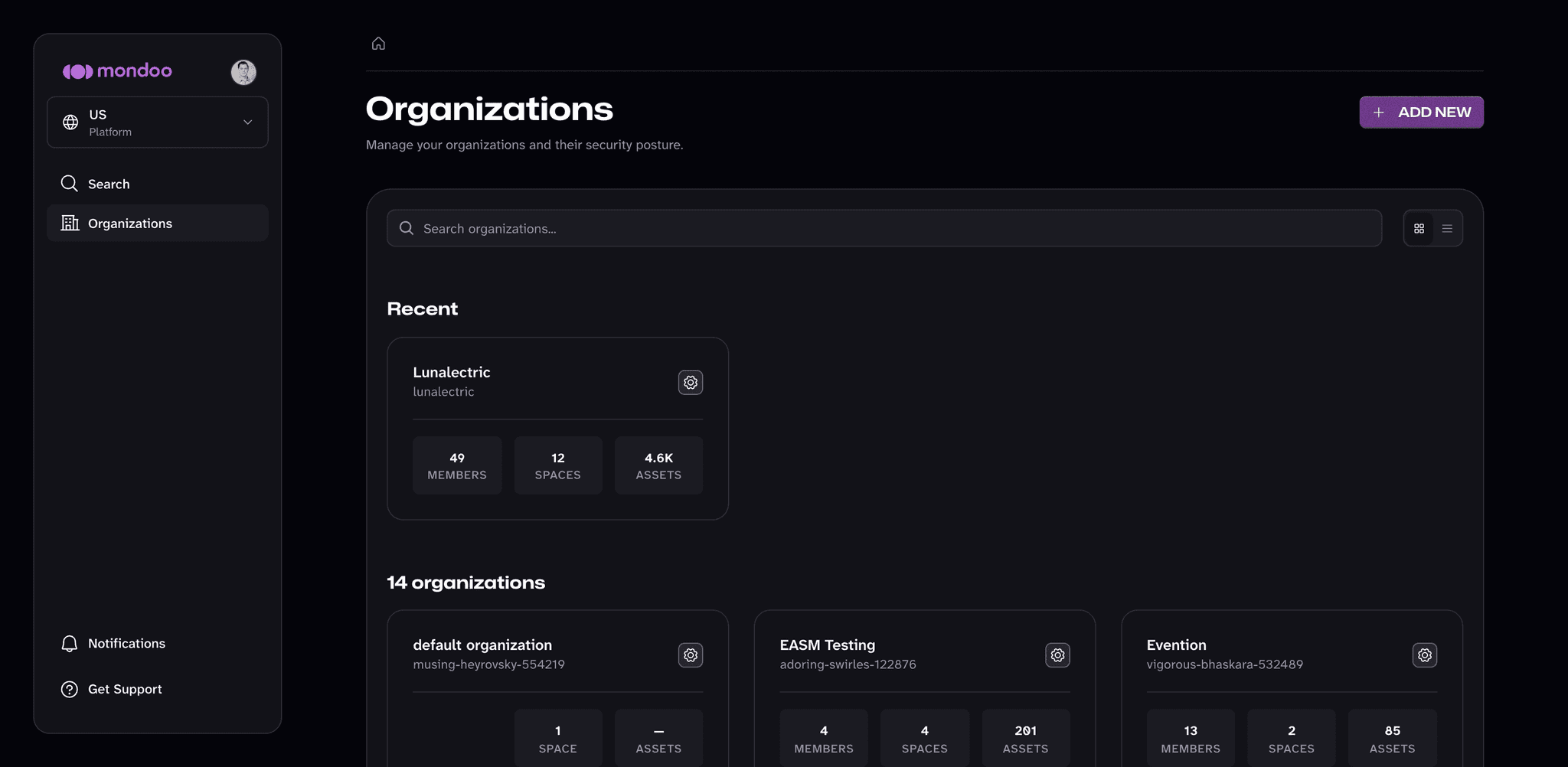
- Favorites lists the organizations you've starred. To add an organization to your favorites, select the star on its card. Favorites follow your account, so they appear in any browser you sign in from.
- Recent lists the organizations you opened most recently.
- The full list shows every organization with its number of members, spaces, and assets.
Type in the Search organizations box to filter the list, and use the buttons to the right of it to switch between the cards view and the list view. Select an organization to open its overview, or select the gear icon to open its settings. To create an organization, select ADD NEW. To learn more, read Organizations.
Pages in each scope
The pages in the left navigation bar depend on where you are. Some items expand to show more pages.
| In an... | The left navigation bar shows... |
|---|---|
| Organization | Overview, Spaces, Findings (Security), Reporting (Executive), Security Model (Risk Score Control), and Settings (General, Identity & Access, Authentication, Legal & Compliance, Usage, Credentials, API Tokens, Workload Identity, and Audit Log) |
| Space | Dashboard, Workspaces, Inventory (Assets, Software, and Query packs), Findings (Security, SLAs, Policies, and Exceptions), Compliance, CI/CD, Reporting, Ticketing, Integrations, Security Model (Risk Score Control and Service Level Control), and Settings (General, Identity & Access, Ticketing, Registration Tokens, Credentials, API Tokens, Workload Identity, and Audit Log) |
| Workspace | Back to Space, Dashboard, Inventory, Findings, Ticketing, and Settings |
The pages you can open also depend on your role in the organization or space.
Search and jump to anything
Select Search in the left navigation bar, or press ⌘K (macOS) or Ctrl+K (Windows and Linux), to open the search palette.
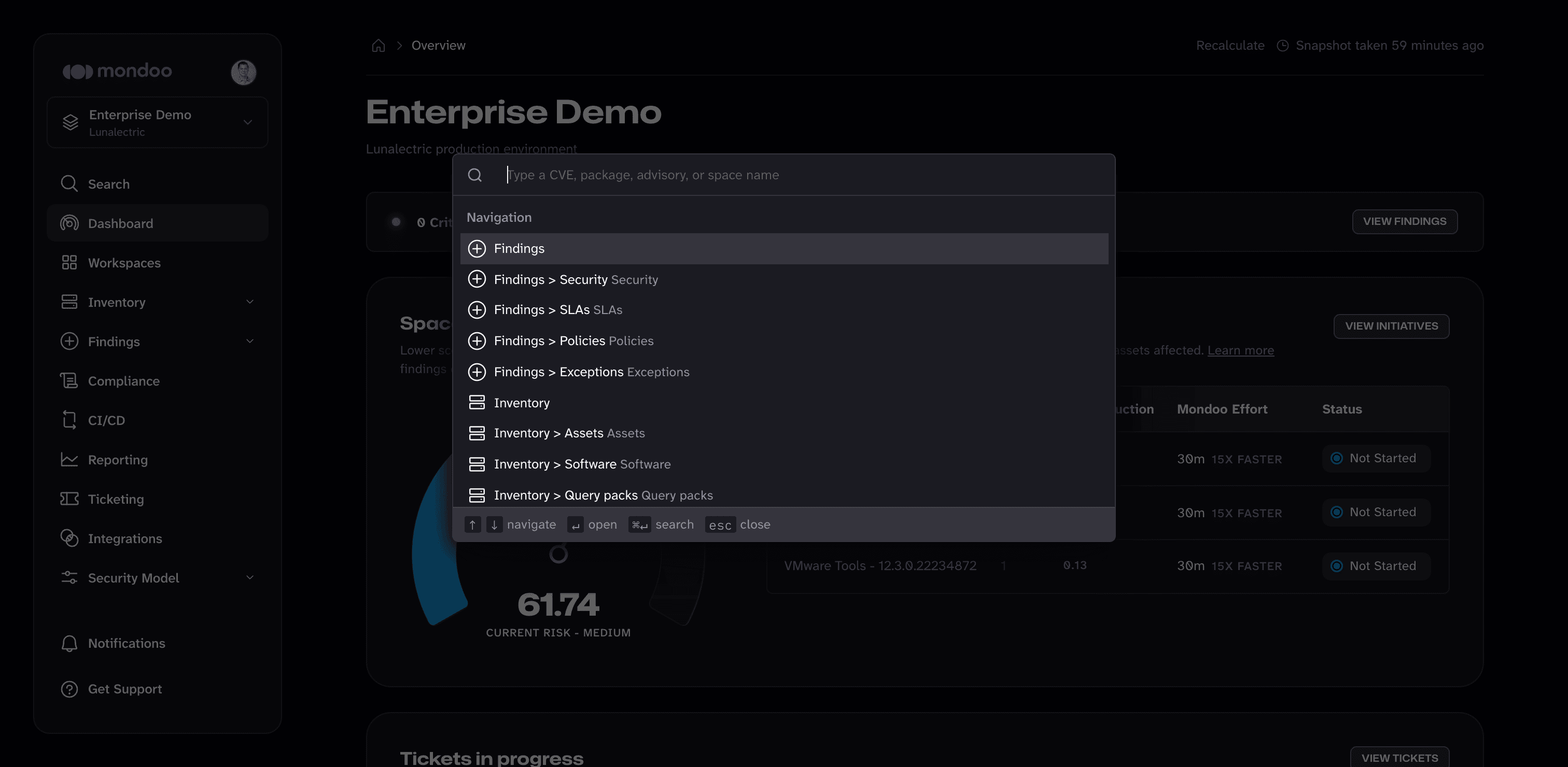
Start typing to filter the list, then use the arrow keys and press Enter to open a result. From the search palette you can:
- Go to any page in the current scope, such as Findings > Exceptions or Settings > API Tokens.
- Switch to another organization, space, workspace, or region.
- In an organization or space, search for a CVE, package, or advisory. Press ⌘Enter (macOS) or Ctrl+Enter (Windows and Linux) to see all the results on a search page. To learn more, read Search Your Inventory.
Notifications
Select Notifications near the bottom of the left navigation bar to see recent notifications, such as when someone adds you to an organization, space, or team.
Get help and resources
Select Get Support at the bottom of the left navigation bar to chat with Mondoo support or see other support options.
Open the account menu (your avatar in the top-left corner) to change your theme, manage your own settings, and reach documentation, community, and status resources.
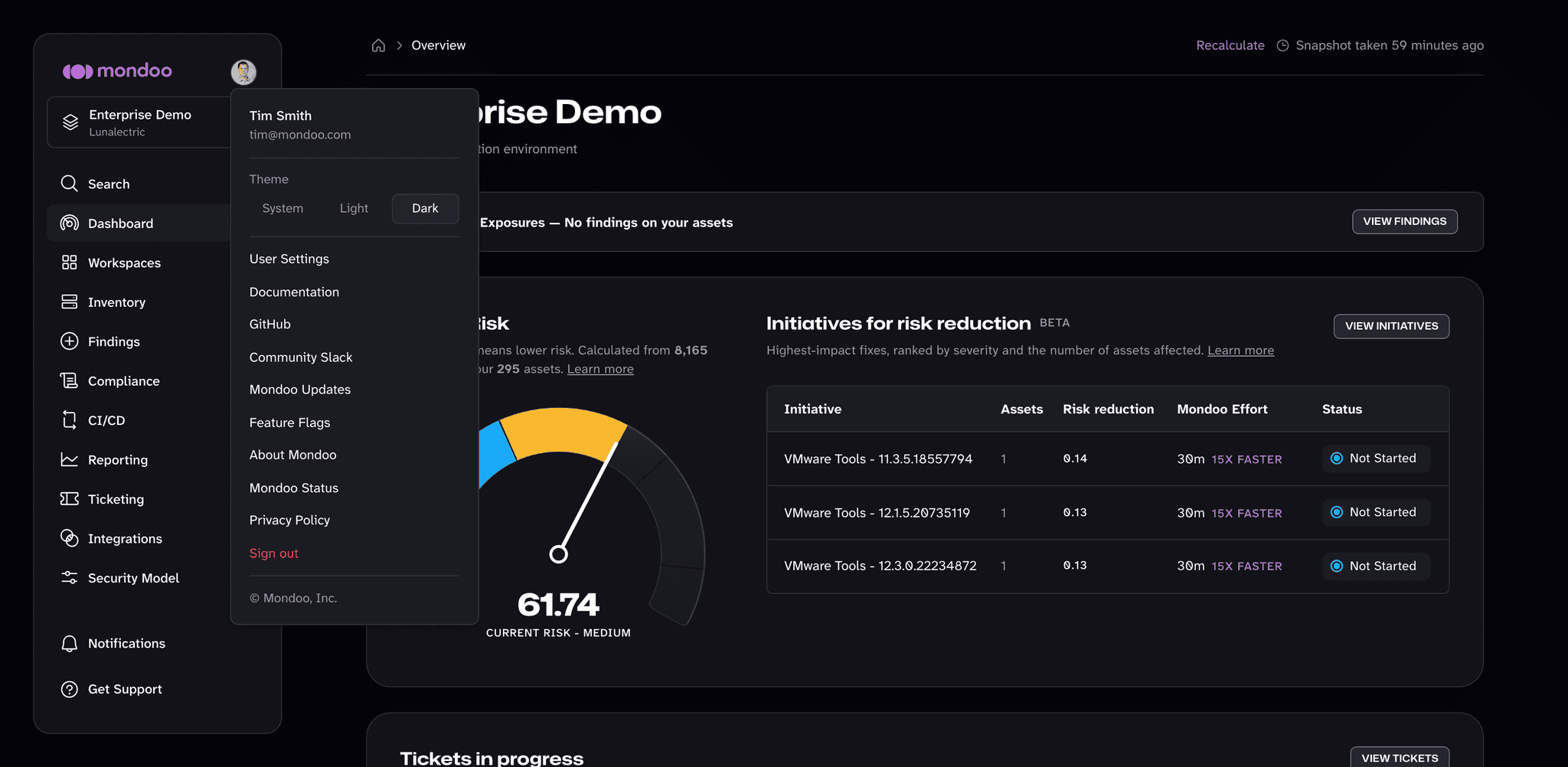
| To access... | Select... |
|---|---|
| Your own settings, such as sign-in methods and email settings | User Settings in the account menu |
| Mondoo documentation | Documentation in the account menu |
| Mondoo's open source projects | GitHub in the account menu |
| The Mondoo community on Slack | Community Slack in the account menu |
| News and product updates | Mondoo Updates in the account menu |
| Preview features you can turn on or off for yourself | Feature Flags in the account menu |
| Mondoo operational status | Mondoo Status in the account menu |
| Different support options | Get Support in the left navigation bar |
To learn more about your own settings, read Manage Your User Settings.
Try preview features
Some new Mondoo features are available as a preview before they're on by default. To try them, open the account menu and select Feature Flags. The Feature Flags window lists each preview feature with a short description and a switch.
- Choose the Default profile to start with no preview features on, then turn on only the features you want.
- Choose the Nightly profile to turn on every preview feature at once. You can still turn individual features back off.
Feature flag choices are stored in your browser, so they apply only to you and only in the browser where you set them.