Search Your Inventory
Find assets, CVEs, packages, checks, policies, and vendor advisories in a Mondoo space or organization, and jump to any page in the Mondoo App.
The Mondoo App has a single search palette that does two jobs: it jumps to any page in the app, and it searches the space or organization you're in for vulnerabilities (CVEs), packages, advisories, checks, policies, and assets.
A few examples of what that lets you do:
- Search a CVE ID like
CVE-2024-3596to see whether it affects any assets in the space. - Search a package name like
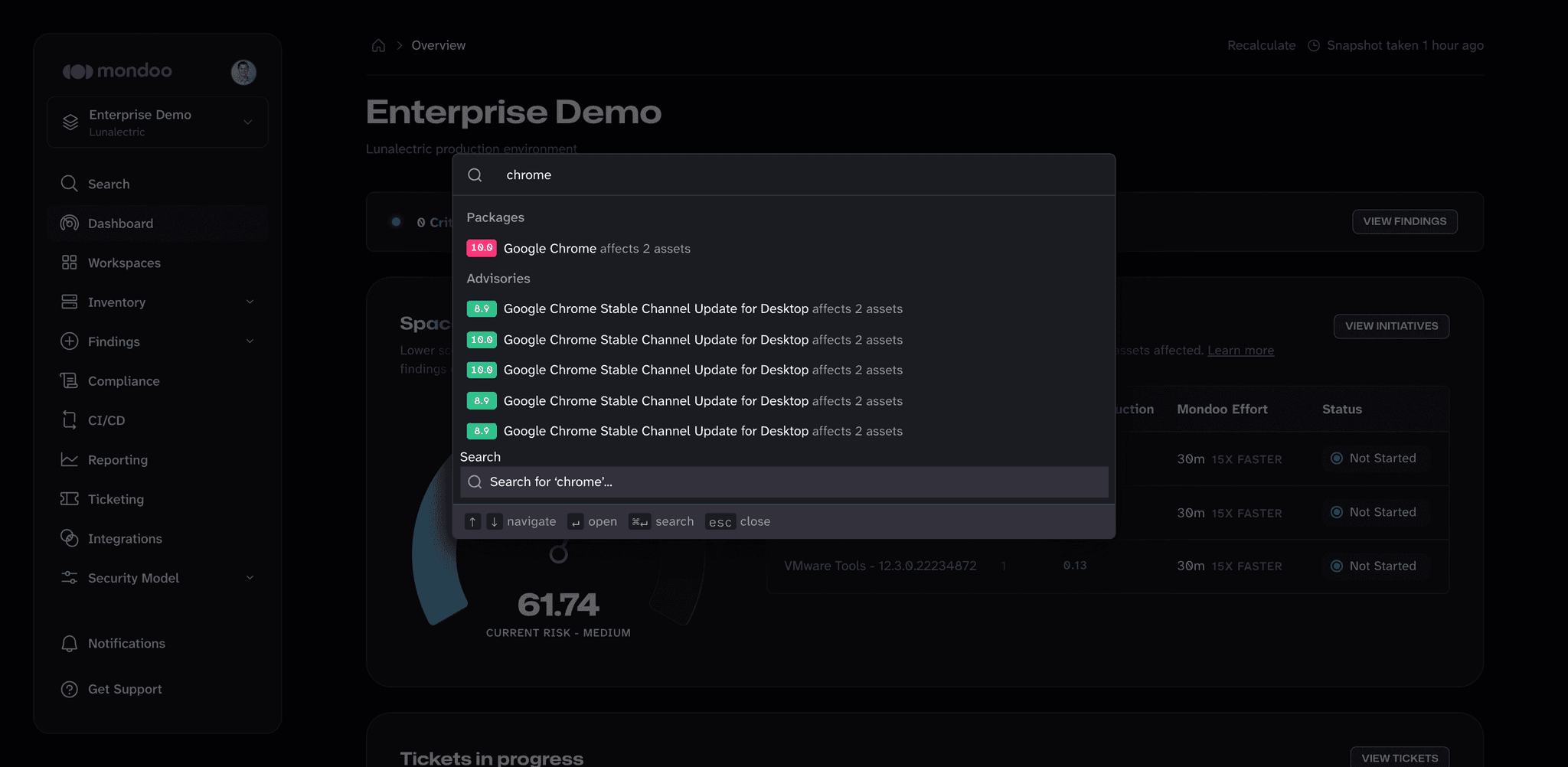
chrometo find the vulnerable software and the vendor advisories that mention it. - Search a Google Cloud project ID like
luna-commonto find every asset whose name includes it.
Open the search palette
-
In the Mondoo App, navigate to the space or organization where you want to search.
-
In the left navigation, select Search, or press ⌘K (macOS) or Ctrl+K (Windows and Linux).
-
Type your query. As you type, the palette lists:
- Matching Vulnerabilities, Packages, and Advisories in the current scope, each with its score and the number of assets it affects.
- Matching pages under Navigation, such as Inventory > Assets or Settings > API Tokens.
- Organizations, spaces, workspaces, and regions you can switch to.
-
Use the arrow keys to pick a result and press Enter to open it.
To dismiss the palette, press Esc.
When no organization or space is selected (for example, on your dashboard of organizations), the palette only offers navigation. Open an organization or space to search its data.
See all search results
To see every match, not just the top few in the palette, select Search for '...' at the bottom of the palette, or press ⌘Enter (macOS) or Ctrl+Enter (Windows and Linux).
The Search page lists all results in the current space (or organization) with their type and risk score. Use the filters above the results to narrow them to Vulnerabilities, Advisories, Checks, Policies, Assets, Software, Products, or Findings. Each filter shows how many results it contains. Select a result to open it.
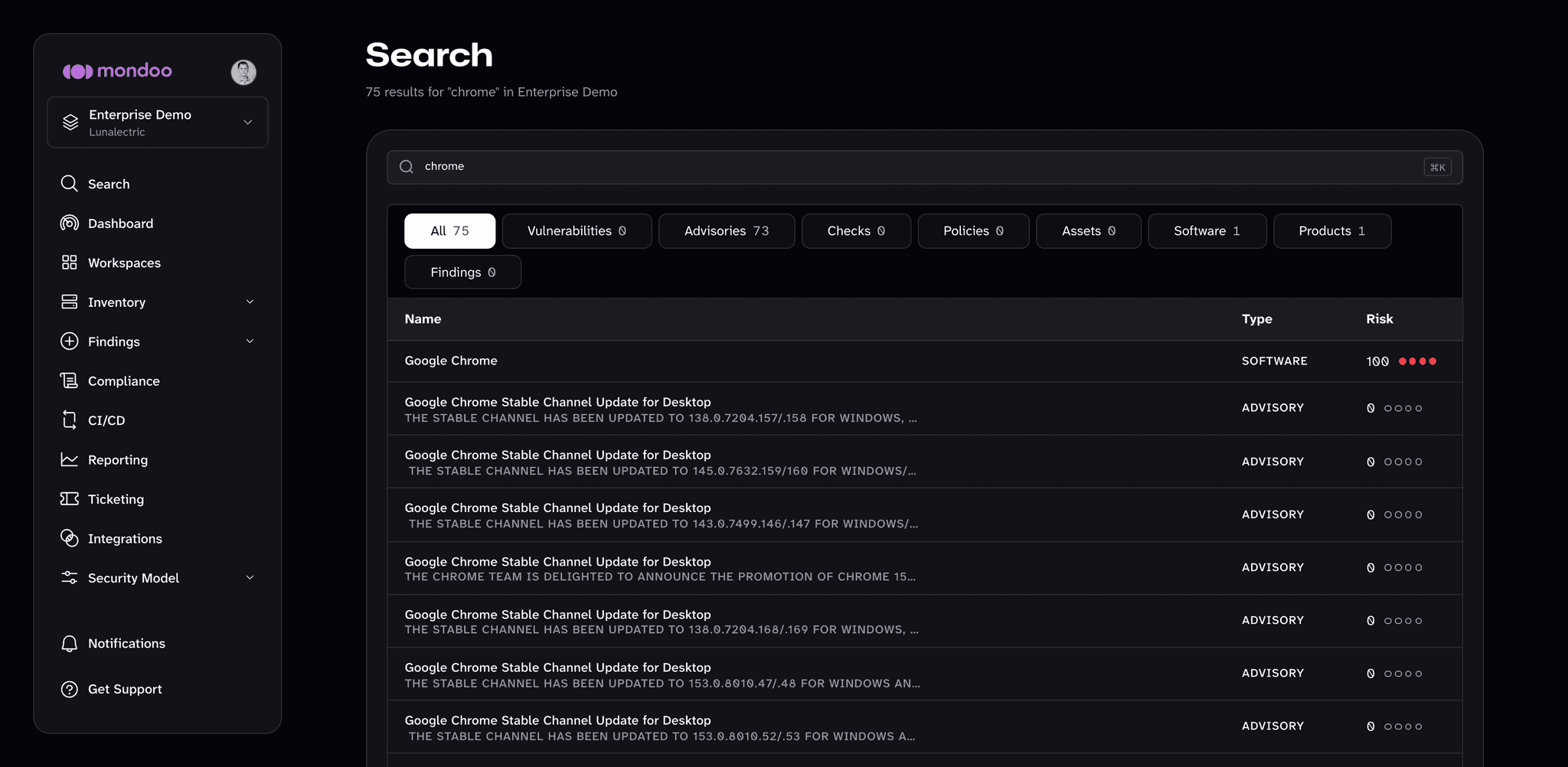
If you search from a workspace, the results cover only the assets in that workspace.
What search matches
- The match is case-insensitive and matches part of a name. For example,
luna-commonandLUNA-COMMONboth findgcp-luna-common-multi-serviceandGCP Project luna-common. - Search does not support regular expressions or boolean operators.
Search matches the names and identifiers of assets, CVEs, advisories, packages, checks, and policies. It doesn't search asset configuration data or annotations. To narrow the asset list by platform, risk, label, or other properties, use the filters on the Assets page instead.
Related
- Inventory your assets: browse and filter the assets and software in a space.