Annotate Assets
Tag assets with custom key-value metadata to group them into workspaces and tell Mondoo how critical and exposed each asset is.
A Mondoo annotation is a key-value pair you attach to an asset. Annotations let you record the things Mondoo can't discover on its own, such as owner, team, project, ticket number, or physical asset tag, so you can group assets by that context later.
Common examples:
| Key | Value |
|---|---|
owner | cosmo@lunalectric.com |
team | 01research |
build | terraform |
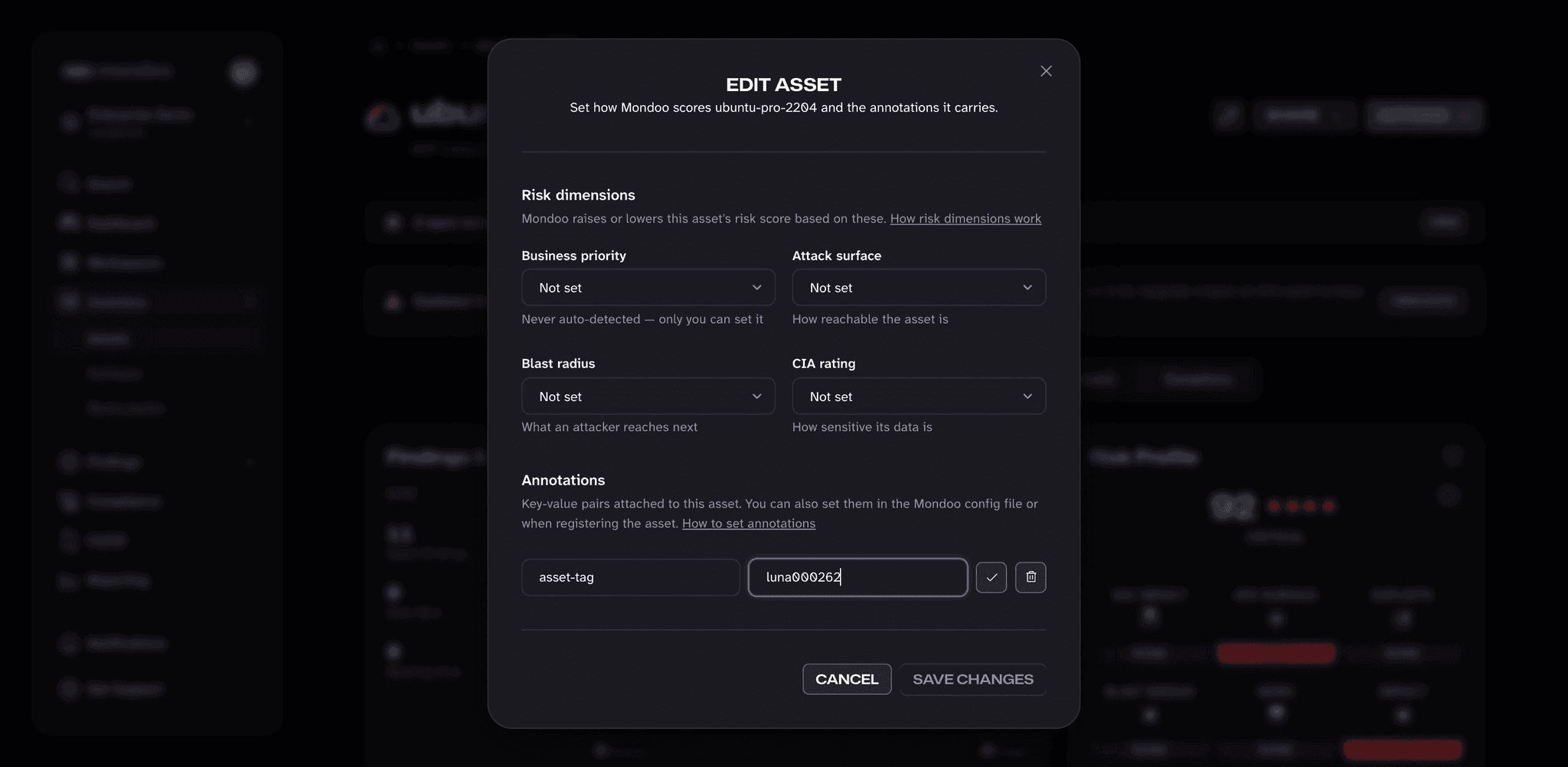
asset-tag | luna000262 |
Some keys you'll use the same value for across many assets (build: terraform). Others get a unique value per asset (asset-tag: luna000262).
Annotations show up on the asset page in the Mondoo App and get included when you export data. You can also use them to group assets: a workspace can select assets by annotation, and executive reports can break results down by an annotation key such as business-unit.
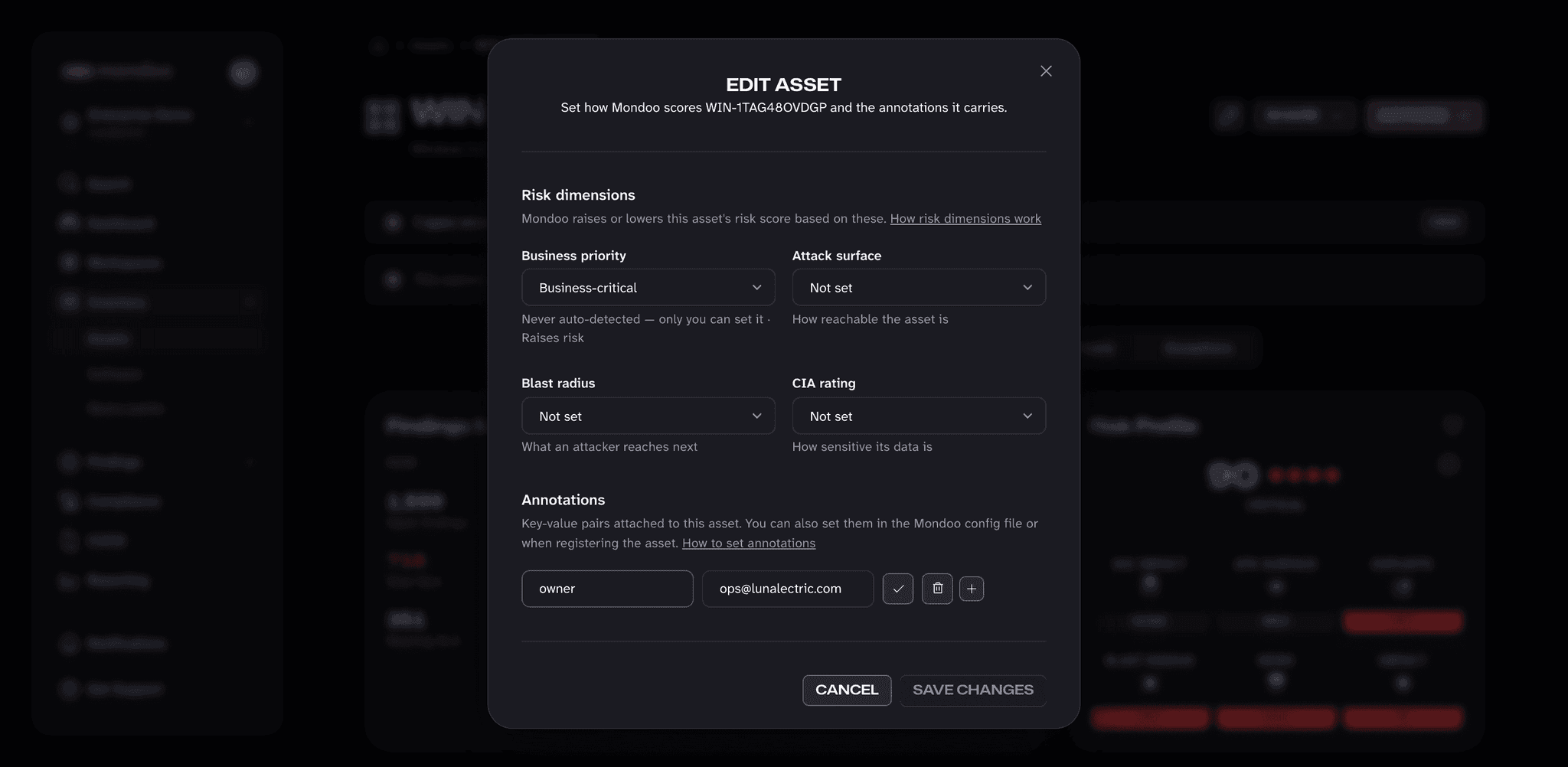
Some annotation keys also feed Mondoo's risk dimensions. For example, mondoo.com/business-priority: business-critical raises the risk score of every finding on the asset, while mondoo.com/business-priority: test lowers it. The asset's Edit asset dialog has a picker for each of these keys, so you don't need to remember the exact values.
Annotations are metadata you add in Mondoo. They aren't the same as AWS tags, Kubernetes labels, or other metadata Mondoo collects from the asset itself. Those show up separately, in the Tags list on the asset page.
Add or edit annotations in the Mondoo App
-
In the Mondoo App, navigate to the asset you want to annotate.
-
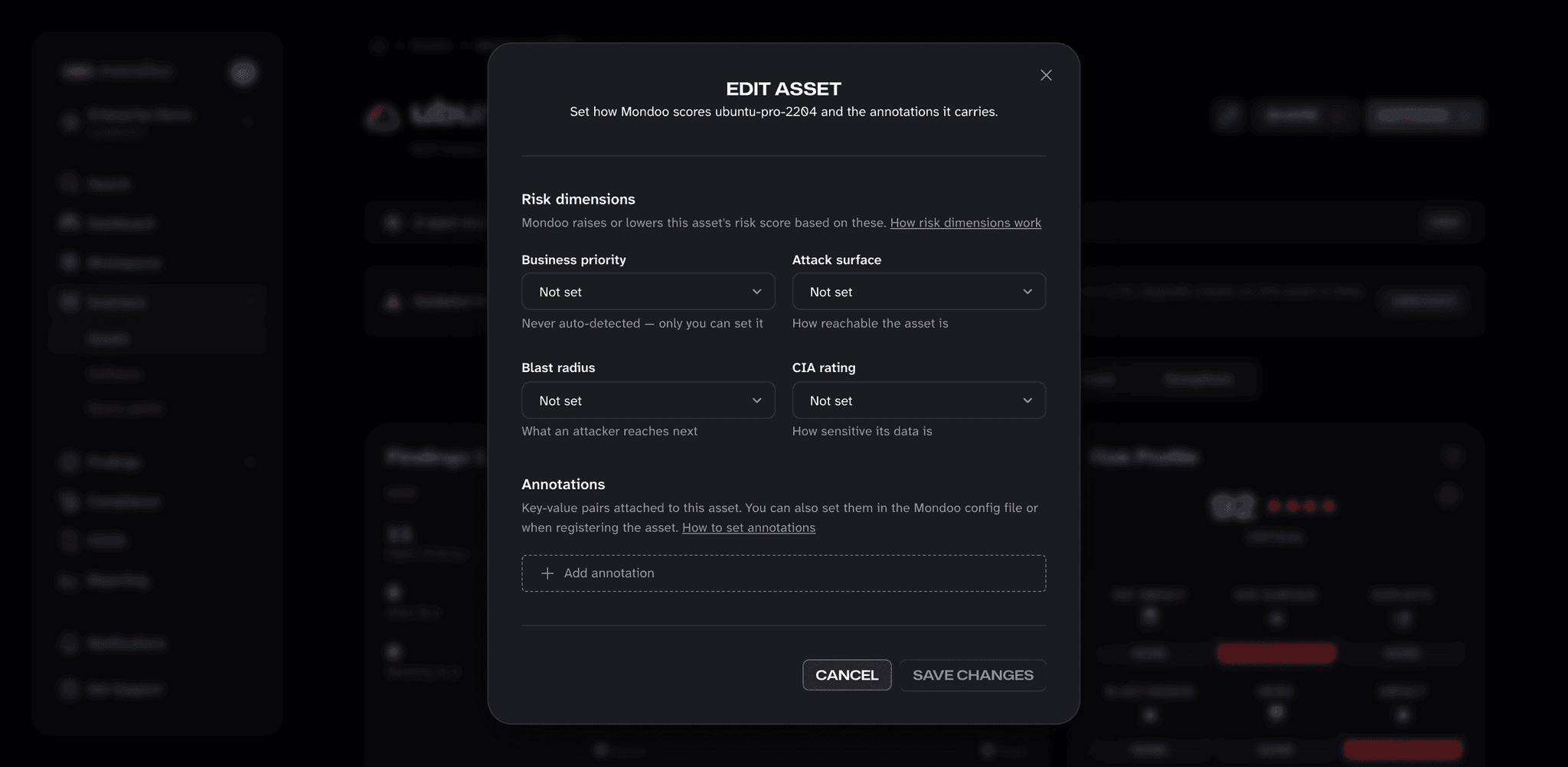
At the top of the asset page, select the pencil button next to SHARE to open the Edit asset dialog.
-
To set a risk dimension, choose a value from its picker:
Picker Annotation key Values Business priority mondoo.com/business-priorityBusiness-critical, Development system, Test environment Attack surface mondoo.com/attack-surfaceInternet-facing, Network-accessible, Localhost only, System-local, Not exposed Blast radius mondoo.com/blast-radiusDatabases & data stores, Identity & auth systems, LLM agent, Open network connections, Kubernetes orchestration, Cryptographic key access CIA rating mondoo.com/cia0 (public information) through 3 (critical data, strict CIA requirements) Mondoo saves your choice as the matching annotation. The value stays in its picker instead of appearing in the annotations list, and you can clear it by choosing Not set. To learn how each value changes the risk score, read Risk Dimensions.
-
To add any other annotation, select Add annotation (or the + button if the asset already has annotations), enter a key and value, then select the check mark.
-
To change an annotation, select it to make the key and value editable. Edit either field and confirm with the check mark, or select the trash can to delete the annotation. You can also remove an annotation directly by selecting the x on it.
-
Select SAVE CHANGES. Nothing changes on the asset until you save, and CANCEL discards your edits. Your annotations then appear in the Mondoo Annotations list at the bottom of the asset's Configuration section.
Add annotations when scanning with cnspec
If you're scanning assets with cnspec from a CI/CD pipeline, a workstation, or a server, you can set annotations at scan time instead of clicking through the UI.
From the command line
Pass --annotation key=value to cnspec scan:
cnspec scan local --annotation asset-tag=luna000264You can pass the flag multiple times to add multiple annotations.
From the local Mondoo configuration
Add an annotations block to the local mondoo.yml config on the asset. Every scan from that asset picks up the annotations.
On Linux, the file lives at:
/etc/opt/mondoo/mondoo.yml(applies to every user on the host)~/.config/mondoo/mondoo.yml(applies to one user)
On macOS:
/Library/Mondoo/etc/mondoo.yml(applies to every user on the host)~/.config/mondoo/mondoo.yml(applies to one user)
On Windows:
C:\ProgramData\Mondoo\mondoo.yml(applies to every user)C:\Users\{username}\.config\mondoo\mondoo.yml(applies to one user)
annotations:
  team: research
  owner: cosmo@lunalectric.com
From a cnspec inventory file or template
A cnspec inventory file lists the assets to scan. You can attach annotations to each asset in that file:
spec:
  assets:
    - name: web-prod-1
      connections:
        - type: local
      annotations:
        project: mars-rover
For CI/CD pipelines, an inventory template lets you pull values from environment variables so one file works for many runs:
spec:
  assets:
    - name: '{{ getenv "ASSET_NAME" }}'
      connections:
        - type: local
          discover:
            targets:
              - auto
      annotations:
        project: '{{ getenv "PROJECT" }}'
Run the scan with the variables set:
ASSET_NAME="web-prod-1" PROJECT="mars-rover" cnspec scan --inventory-template template.yamlRelated
- Risk dimensions: how the
mondoo.com/*annotation keys change risk scores. cnspec scan: full reference for the scan command.