Attack Surface
Continuously discover the hosts and exposed services behind the domains you own, rank them by risk, and fix the misconfigurations and vulnerabilities attackers see first.
Attack Surface shows you what an attacker sees when they look at your organization from the internet. You add the domains you own. Mondoo discovers their subdomains, hosts, and exposed services, checks each host for misconfigurations and known vulnerabilities, ranks everything it finds by risk, and tells you how to fix it. Failed TLS, HTTP, DNS, and email checks come with configuration you can copy and paste.
What it does
- Discover. From each domain you add, the scanner enumerates subdomains, resolves hosts, and finds open ports and exposed services.
- Assess. Every host is checked for TLS, DNS, HTTP header, and email (SPF, DKIM, DMARC) posture, plus known vulnerabilities in exposed services.
- Prioritize. Every host gets a risk score, and the space gets one overall, so you see which exposure to fix first. It's the same risk scoring as the rest of Mondoo.
- Fix. Failed TLS, HTTP, DNS, and email checks come with step-by-step remediation and configuration you can copy. Findings about exposed services explain the exposure and what to change. Discovered hosts are ordinary inventory assets, so findings, exceptions, and tickets work the way they do everywhere else in Mondoo.
What it isn't
Attack Surface is an outside-in view of internet-facing hosts. It does not replace agent-based scanning of the servers behind those hosts, and it does not scan systems you don't reach through the domains you add. For internal hosts, cloud accounts, and workloads, see Integrate your assets.
What the scanner checks
The scanner runs as a set of modules. Five are always on; the rest you can turn off per domain, and a few are off by default.
| Module | What it covers | Default setting |
|---|---|---|
| TLS security | Certificate and TLS configuration posture | Always on, can't be turned off |
| HTTP security | HTTP headers and web security posture | Always on, can't be turned off |
| DNS security | DNS configuration and inventory | Always on, can't be turned off |
| Email security | SPF, DKIM, DMARC and email posture | Always on, can't be turned off |
| Known vulnerabilities | Known vulnerabilities and exposed services | Always on, can't be turned off |
| Subdomain discovery | Enumerate subdomains of each domain | On by default |
| Port scan | Discover open ports and exposed services | On by default |
| Web technology fingerprinting | Identify web technologies in use | On by default |
| Vulnerability scanning | Active checks against known vulnerability and misconfiguration signatures | On by default |
| Subdomain takeover | Detect dangling records vulnerable to takeover | Off by default |
| Cloud resource discovery | Discover exposed AWS, Azure, and GCP resources | Off by default |
| Dynamic web application scan (DAST) | Active DAST crawl of web apps. Slow and intrusive, so it is off by default | Off by default |
Findings are scored by Mondoo's TLS, HTTP, DNS, and email security policies. They are enabled for you when you add a domain; you can review them on the integration's edit page.
Where it lives
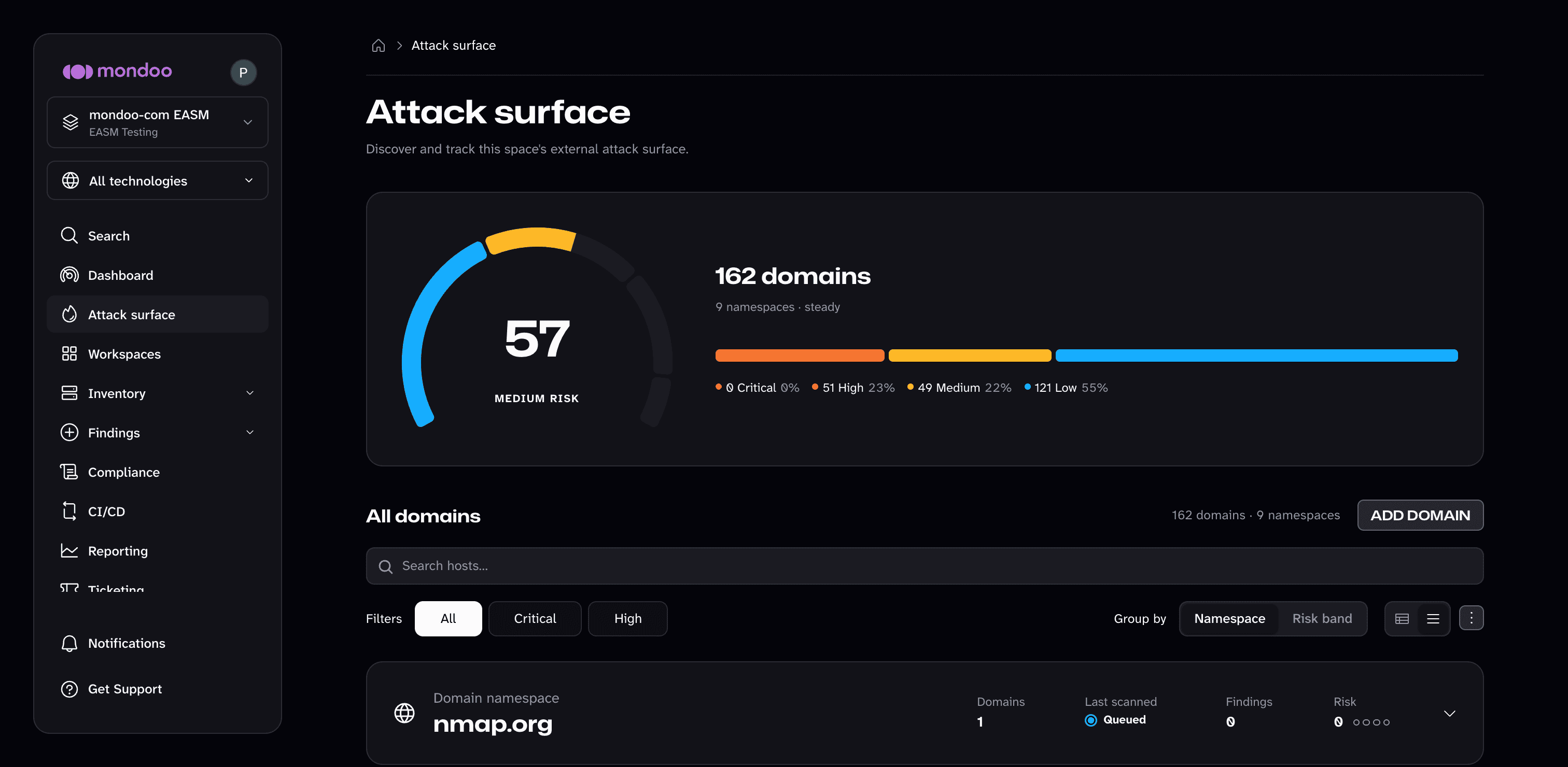
In a space, select Attack surface in the side navigation. The page has three parts:
- A risk score for the whole attack surface of the space, with a breakdown by risk band.
- An All domains section that lists every discovered domain, grouped under the domain you added. Mondoo calls each domain you add a domain namespace; the root domain and every subdomain found under it are the namespace's domains.
- An Add domain button. You can also add domains from Integrations, under Network Security.
Availability
Attack Surface is available in every Mondoo space. Adding a domain requires Editor, Owner, or Integrations Manager access to the space; viewing results requires Viewer access or higher. See Permissions.
Next steps
- Add domains: add your first domain, choose a scan cadence, and pick the scanner modules.
- Review your attack surface: read the dashboard, work the domains table, and fix findings.