Spaces
Organize assets, policies, and reports into spaces to manage team access, security models, and compliance requirements.
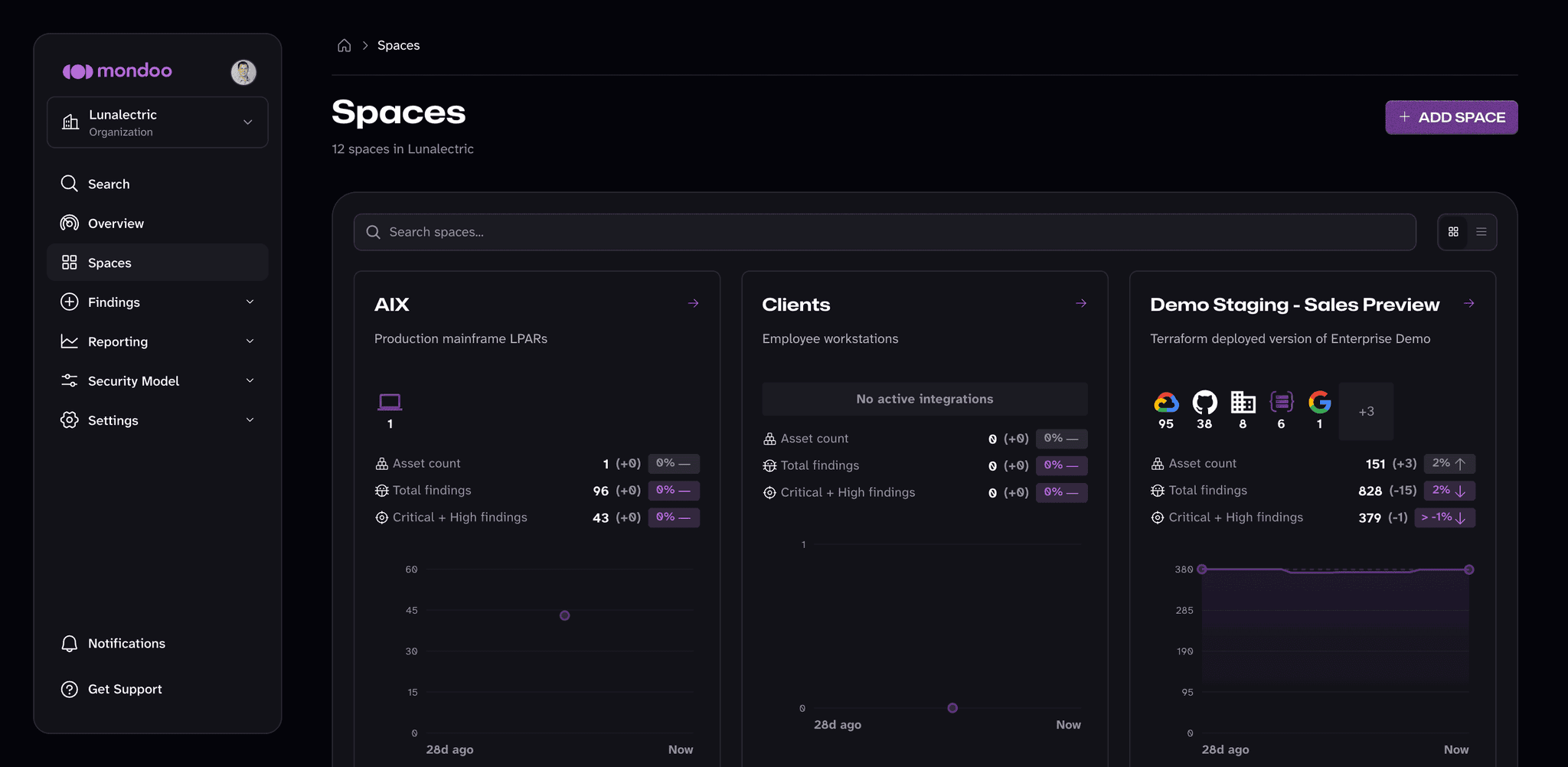
A space is a collection of assets you manage together, along with their policies, compliance frameworks, security models, and reports. Each space belongs to a single organization, and each asset belongs to exactly one space.
Spaces let you apply different security policies and controls to different parts of your infrastructure. For example:
- Use separate spaces for development, staging, and production environments so you can enforce stricter controls in production.
- Create spaces based on compliance requirements (such as HIPAA or SOC 2) to apply the right standards to the right assets.
Each space has its own role-based access control (RBAC). You grant team members access space by space, and you can give the same person different roles in different spaces. This controls exactly who can see and manage each part of your infrastructure. You also manage most Mondoo configuration (such as your security model, service accounts, and tokens) for each space.
To understand the difference between spaces and workspaces, read Plan Your Mondoo Organization - Overview.
Manage spaces
You can create new spaces as needed and use them to manage cloud account integrations, policies, and team members separately.
To see all the spaces in an organization, navigate to the organization and select Spaces in the left navigation bar. Each card shows the space's integrations, asset count, total findings, and critical and high findings, with a trend for the last 28 days. Type in the Search spaces box to filter the list, and use the buttons to the right of it to switch between the cards view and the list view. Select a space to open its dashboard.
Create a new space
-
Navigate to the organization in which you want to create a space.
-
In the left navigation bar, select Spaces.
-
In the top-right corner of the page, select the ADD SPACE button.
-
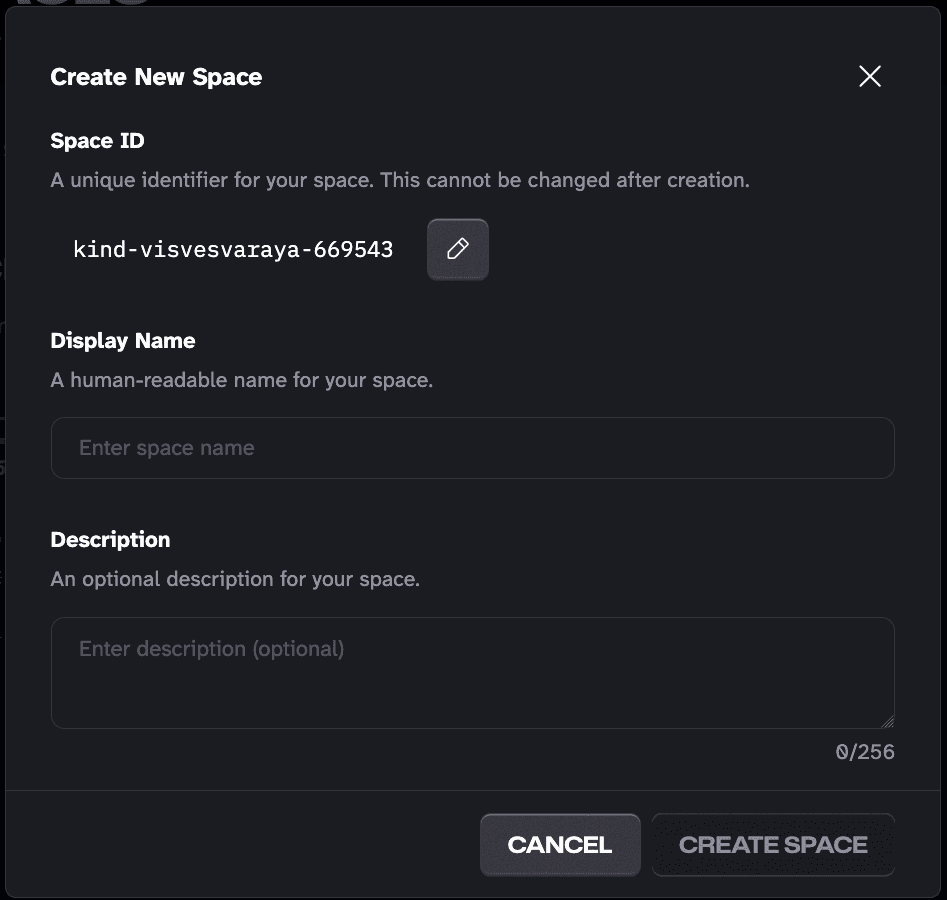
Mondoo picks a space ID. To customize the ID, select the pencil icon and enter a new ID. The ID must be between 6 and 50 characters and can include lowercase letters, numbers, and hyphens. It must start with a lowercase letter and end with a letter or number. You can't change the ID after you create the space.
-
In the Display Name box, enter a name for the space. The name can be up to 50 characters long and can include letters, numbers, single quotes, hyphens, underscores, and spaces.
-
Optionally, enter a description (up to 256 characters) to help your team understand the space's purpose.
-
Select the CREATE SPACE button.
Mondoo creates the space and opens its dashboard. A new space has no assets yet, so the dashboard shows a Browse Integrations button that takes you to the integrations catalog. To learn more, read Integrate Your Assets.
Delete a space
Deleting a space permanently removes it, including all its assets and reports. You can't undo this action.
-
Navigate to the space you want to delete.
-
In the left navigation bar, expand Settings and select General.
-
Scroll to the Danger zone at the bottom of the page. Under Delete space, check the box to confirm you want to delete the space and all its related content.
-
Select the DELETE button.
The Danger zone also has options to leave the space (remove your own access) and to delete all the assets in the space while keeping the space itself.