Regions
Choose US or EU regions in Mondoo to meet localized data protection requirements like GDPR.
A region is the geographic location where Mondoo stores and processes your data. Regions let you meet localized data protection requirements, such as GDPR in the European Union.
Every organization and space in your Mondoo account belongs to one region. Mondoo currently supports two:
- US stores and processes your data in the United States of America.
- EU stores and processes your data in the European Union.
A single Mondoo account can contain organizations in both regions. The two regions are completely isolated: Mondoo stores and processes their data separately, and you can't move assets or share data between them.
Even if you don't have region-specific requirements, you can choose to operate in the region where you're located just for faster response times.
When you first create a Mondoo account, you start in the US region.
Switch between regions
You can view only one region at a time. The scope switcher at the top of the left navigation bar shows the current region when you're at the platform level, for example US.
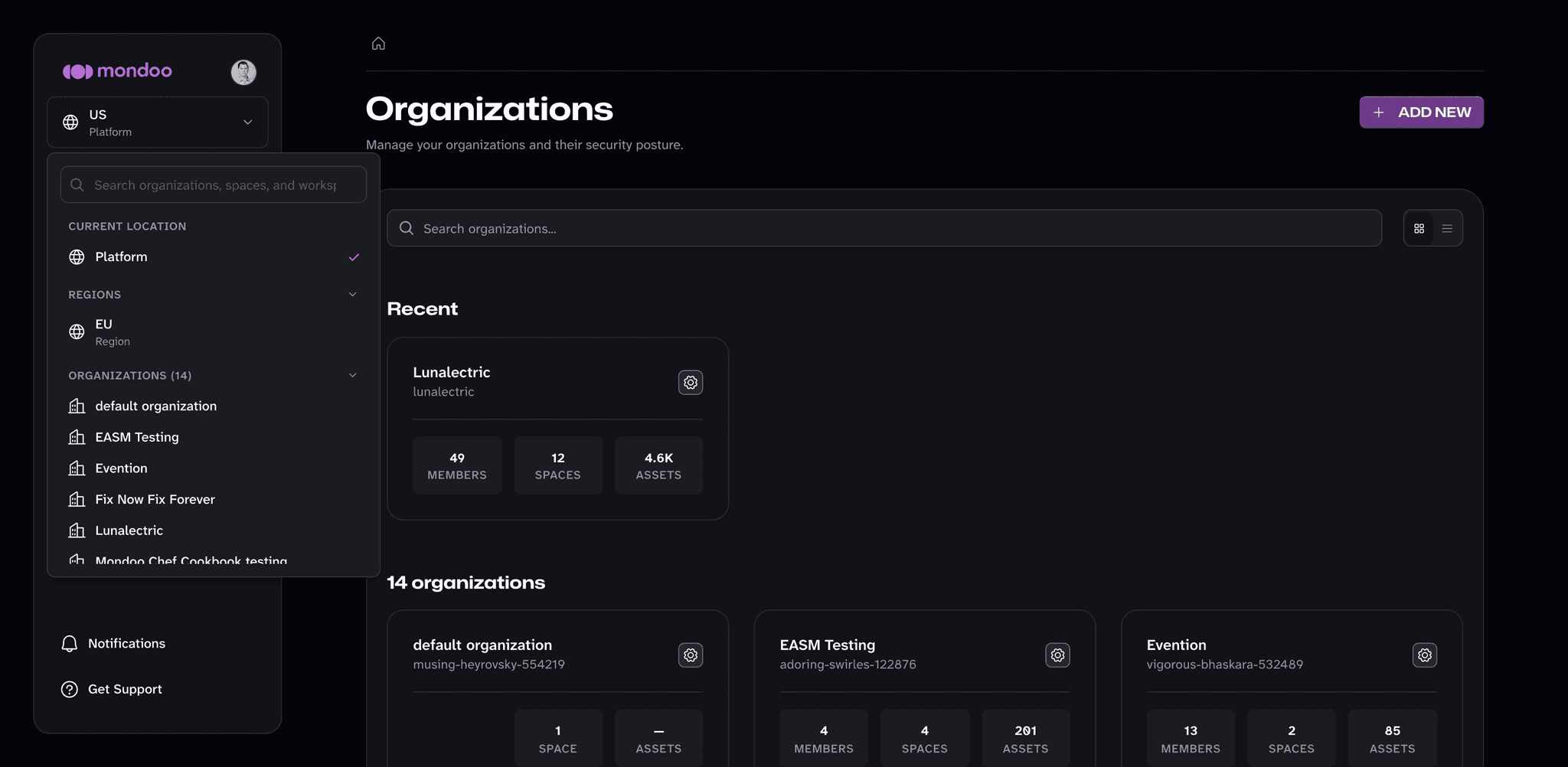
To switch to another region:
- Select the scope switcher at the top of the left navigation bar.
- If you're in an organization, space, or workspace, select Platform to go to the list of your organizations. Then select the scope switcher again.
- Under Regions, select the region you want to view, such as EU.
You can also switch regions from anywhere in the Mondoo App: Select Search in the left navigation bar (or press ⌘K on macOS or Ctrl+K on Windows and Linux), and choose a region under Switch Region.
The first time you open a region, Mondoo activates your account there automatically. You can then add an organization in that region.