Set up Ticketing and Zendesk
Connect Mondoo to Zendesk to create security remediation tickets directly from the Mondoo App.
Set up ticketing in a space to allow users in the space to keep track of security tasks and add Zendesk tickets directly from within the Mondoo App. Ticketing setup involves configuring Mondoo to integrate with Zendesk.
For an overview of ticketing, read Track and Fix Findings with Ticketing.
Mondoo offers an alternative method for sharing tickets with Zendesk: an email integration. This approach lets you tap into the automation features of Zendesk email channel. To learn how to create an email integration for ticketing, read Set up Ticketing to Email Your External Ticket System.
Prerequisites
-
Owner or Editor access to the Mondoo space
-
A Zendesk account with access to the channel where you want Mondoo to add tickets
-
An API token for Zendesk account access
To learn how to create and copy an API token, read Managing API token access to the API in the Zendesk documentation.
Add a Zendesk integration
-
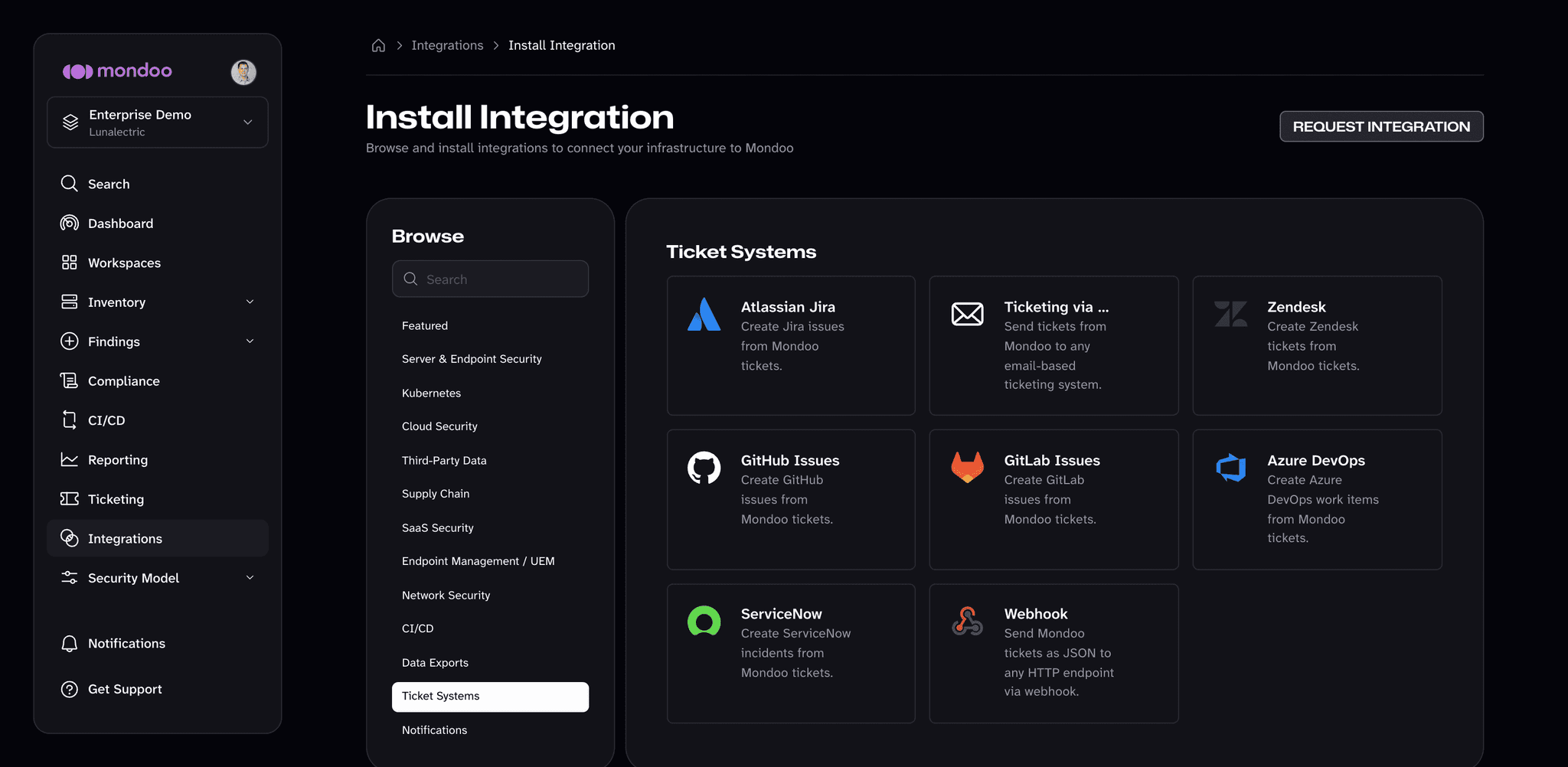
In the Mondoo App, navigate to the space where you want to set up ticketing and, in the side navigation bar, select Integrations.
-
Select INSTALL, then choose the Ticket Systems category.
-
Select Zendesk.
-
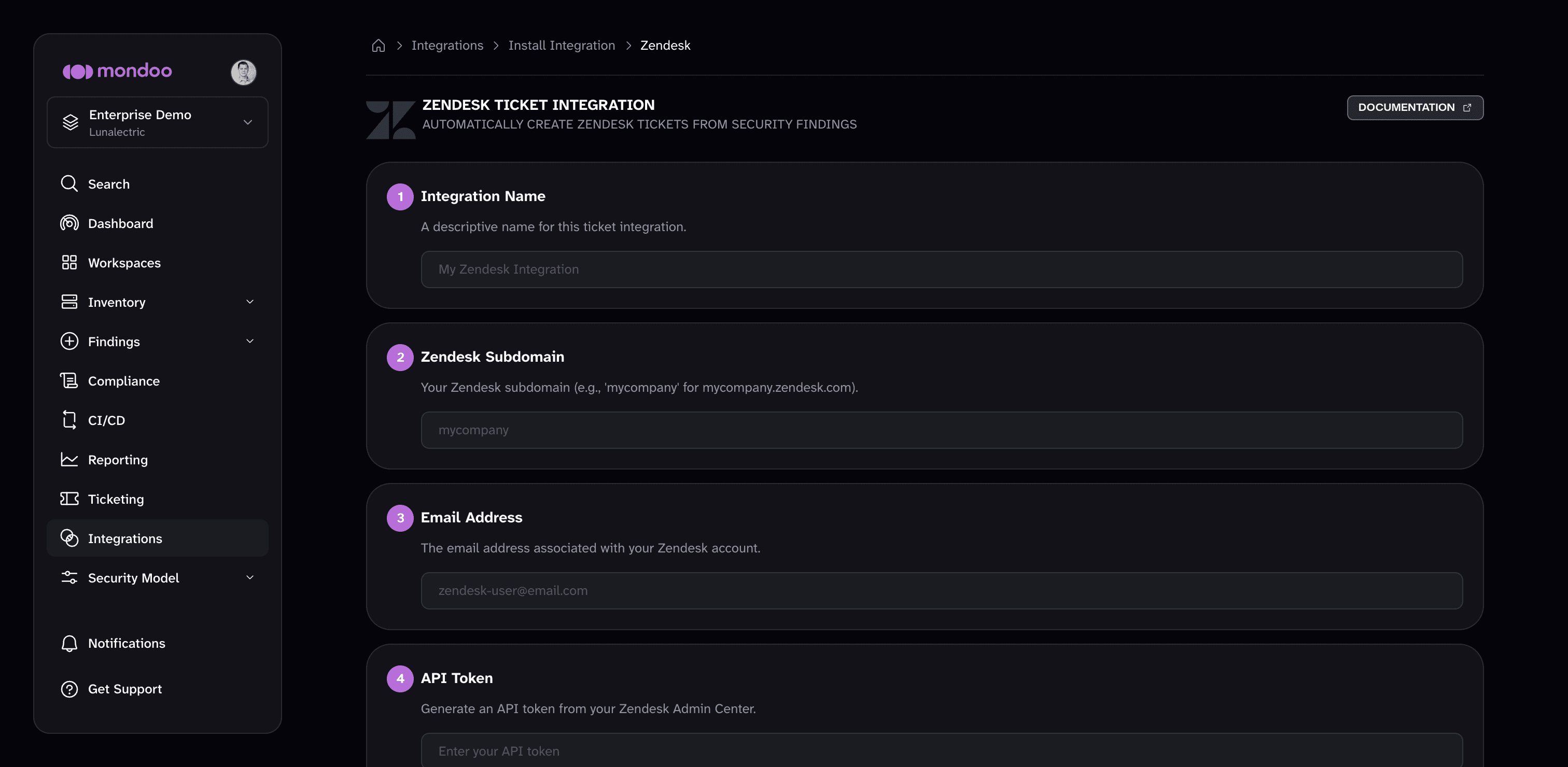
In the Integration Name box, enter a name for the integration. Make it a name that clearly shows this is a Zendesk integration.
-
In the Zendesk Subdomain box, enter your Zendesk subdomain. This is the custom part of the URL you use to access Zendesk. For example, if your Zendesk URL is
lunalectric.zendesk.comthen enterlunalectricin this box. -
In the Email Address box, enter the email address you use to log into your Zendesk instance.
-
In the API Token box, paste your API token for access to your Zendesk account. To learn how to create and copy an API token, read Managing API token access to the API in the Zendesk documentation.
-
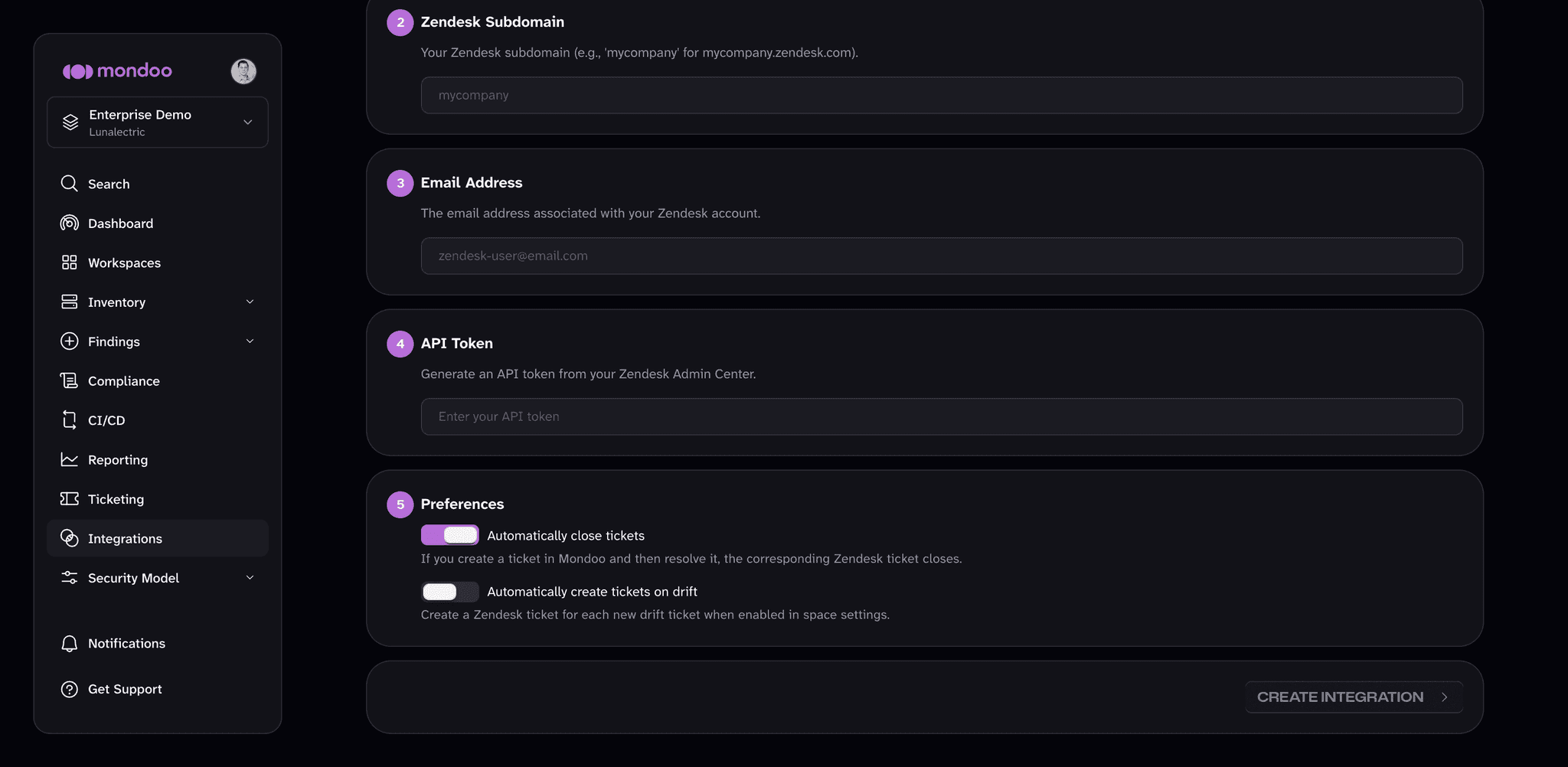
Under Preferences, choose how the integration behaves:
- Automatically close tickets is on by default for new integrations: closing a ticket in Mondoo also closes the corresponding Zendesk ticket.
- To create a Zendesk ticket for each drift ticket when an asset becomes more exposed to attack, turn on Automatically create tickets on drift. Drift tickets also require the space's Regression setting. To learn more, read Automatically create tickets on drift.
-
Select the CREATE INTEGRATION button.
Mondoo creates the integration and opens its page. To change these settings later, select the pencil icon (Edit integration) on that page.
When you create a ticket for this integration, the Create Ticket dialog asks for the Zendesk ticket's Priority and Type.