Security Pipeline Automation
Automated patching that delivers fixes as pull requests in your git repository, so your existing review process stays in control.
Preview feature
Security Pipeline is in preview and is off by default. To turn it on, open the account menu (your avatar at the top of the side navigation), select Feature Flags, and turn on Security Pipeline. A Security Pipeline entry then appears in the side navigation of your organization and of each space.
Summary
Security Pipeline turns the vulnerabilities and misconfigurations Mondoo finds into automated fixes that flow through your existing review process. Instead of pushing changes directly to systems, Mondoo opens a pull request in your git repository for every patch. You see exactly what it changes, what it fixes, and which systems it affects, and you approve it through the same review and merge workflow your team already uses.
The result: faster, safer remediation without bypassing the controls you already have in place.
What you get
When Mondoo creates a Security Pipeline for you, you get:
- Patches delivered as pull requests. Every fix lands as a reviewable, auditable PR, complete with the vulnerabilities it addresses, advisories, and affected systems.
- Your review process stays in control. Approve, reject, modify, or schedule any change before it touches a system. Nothing happens silently.
- One-click rollout. Merging the PR rolls the patch out to your fleet. No separate consoles, no extra approvals.
- Standard rollback. If a fix causes problems, you revert it the same way you revert any other change in git.
- Continuous, fleet-wide coverage. Mondoo continuously evaluates your systems against your risk profile and proposes new patches as new findings appear.
Security Pipeline uses widely adopted infrastructure automation under the hood to apply changes. The experience for your team is reviewing and merging pull requests in a git repository you own.
Supported environments
Git providers
- GitHub
- GitLab (coming soon)
Operating systems
- Linux distributions
- Windows
- macOS
How it works
Mondoo Platform continuously evaluates your endpoints for vulnerabilities and misconfigurations, prioritizes findings against your risk profile, and orchestrates the pipeline end to end.
When a fix is needed, Mondoo Platform opens a pull request in the git repository it manages for you. The PR contains everything required to apply the patch to the affected systems. Once you merge it, the rollout runs automatically.
Setup
Prerequisites
To use this automation, you first require:
- A git integration (either GitHub or GitLab). You can either point Mondoo to a repository or ask Mondoo to create a repository (see below).
- SSH keys to manage endpoints.
Set up Security Pipeline in the Mondoo App
After you turn on the Security Pipeline feature flag, set up the GitHub connection for your organization:
-
In the Mondoo App, navigate to the organization and, in the side navigation bar, select Security Pipeline.
-
Follow the setup steps:
- Create a private repository in your GitHub organization. Mondoo uses this repository to create pull requests with security fixes.
- Install the Mondoo GitHub App in your GitHub organization so Mondoo can open pull requests in the repository.
- Add the SSH public key that Mondoo shows as a deploy key with write access to the repository.
- Map your Mondoo spaces to GitHub repositories.
In a space that's mapped to a repository, select Security Pipeline in the side navigation to review the pipeline and its pull requests.
Create the git repository
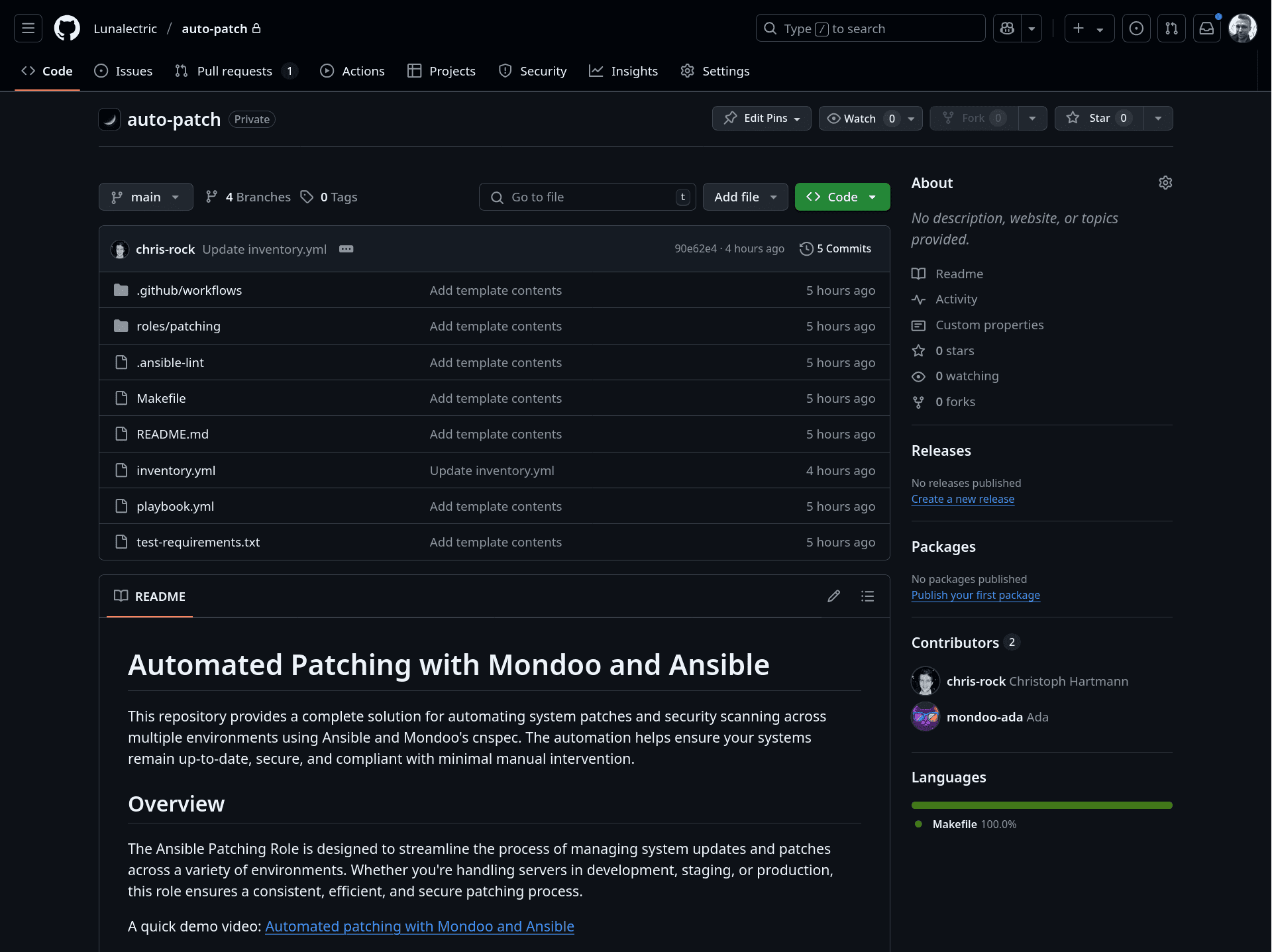
Mondoo can create the repository for you. In this example we create a repository auto-patch in the lunalectric organization in GitHub:
click2fix repo init lunalectric/auto-patch --source-control githubThis will generate the new repository:
Create a fix
To manually trigger a fix, you can use this command:
click2fix pr create lunalectric/auto-patch --source-control githubThis will create a new pull request that includes the latest patches for the system:
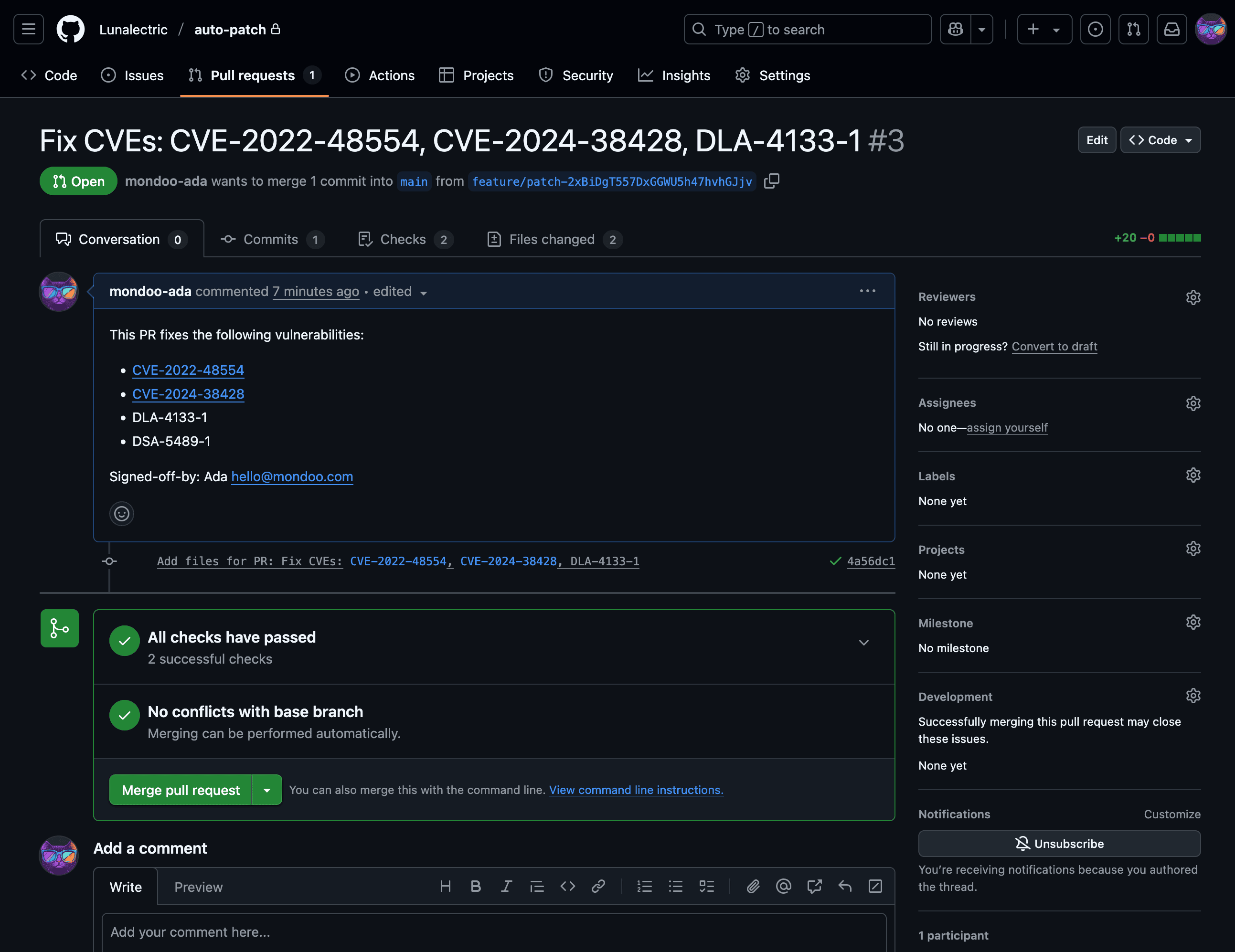
This covers all details for the vulnerabilities that are fixed, the associated advisories, and any other findings that are covered. This command populates the automation pipeline with all necessary packages for the systems that are targeted.
At this point users may review the change and either approve, reject, or modify it. Any PR can be modified fully to only cover packages and systems that the administrator wants to. Nothing in this automation is hidden. Everything is in the pull request and fully visible before the changes are accepted.
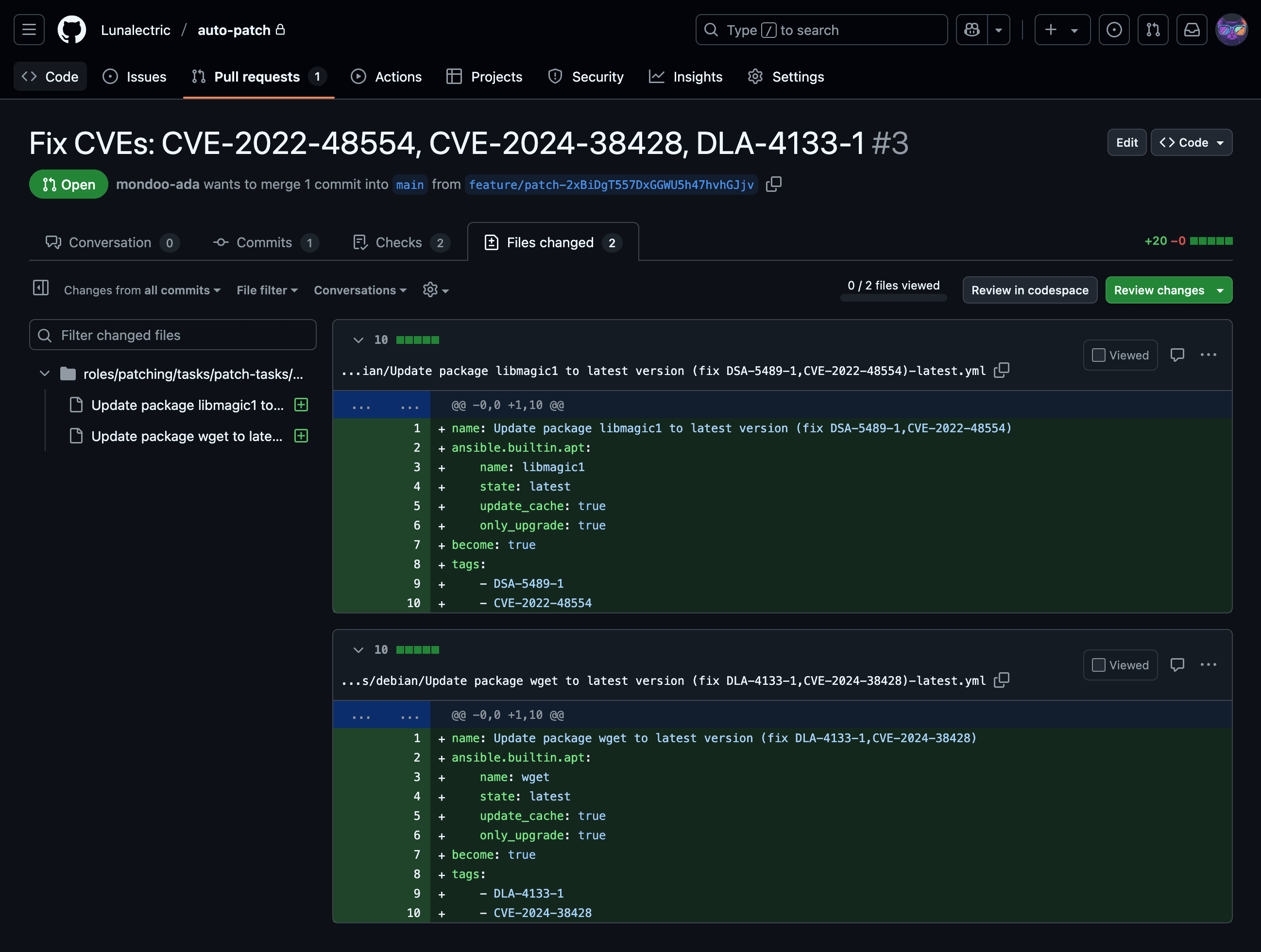
Once these changes are reviewed and accepted, users can "Merge pull request". This kicks off the automation to roll out the patches to all systems.
Learn more
Security Pipeline is one of two ways to act on findings. To route remediation work into your existing project management tools instead, read Track and Fix Findings with Ticketing.