Find Vulnerable Software
See which vulnerable software packages and products put the most assets at risk, and act on them across the space.
A single outdated package can carry dozens of CVEs and advisories, and it's often installed on many assets. The Vulnerable Software page turns your vulnerability findings around: instead of one row per CVE, you get one row per vulnerable package or product, ranked by risk. It answers "what should we update?" rather than "what's wrong?"
For browsing your inventory and the software on a single asset, read Inventory Your Assets.
Find vulnerable software in a space
-
In the Mondoo App, navigate to the space.
-
In the side navigation, under Inventory, select Software.
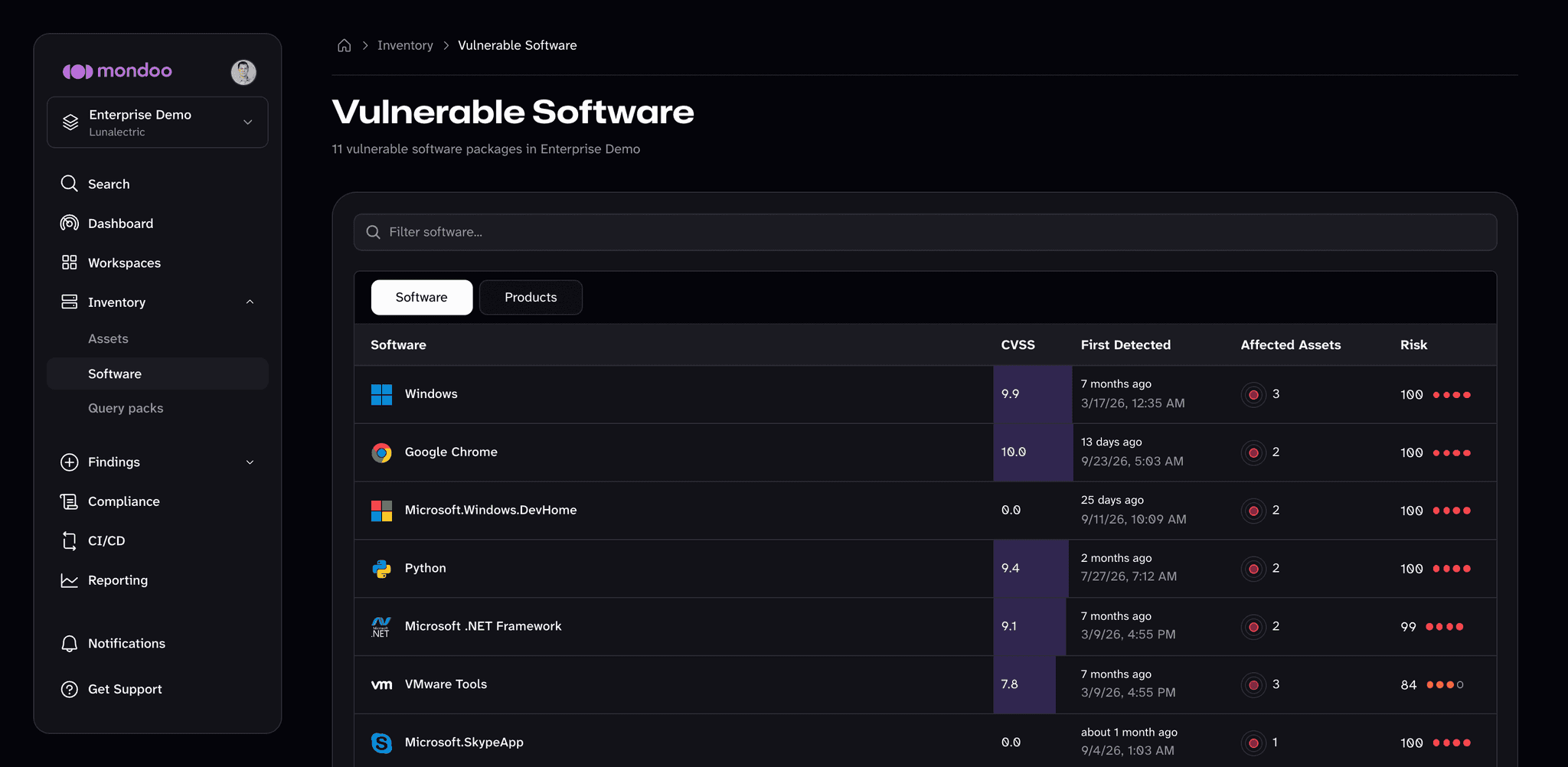
For each vulnerable package, Mondoo shows its highest CVSS score, when Mondoo first detected it, how many assets it affects, and its risk score. The list is ranked by risk.
-
Choose how to group the list:
- Software lists each vulnerable package as it's installed, such as
Microsoft.SkypeAppor7-Zip 21.07 (x64). - Products rolls packages up into the products they belong to, such as Microsoft Skype or 7-Zip, so different package names and editions of the same product appear as one row.
- Software lists each vulnerable package as it's installed, such as
-
Use the search box to find a specific package or product.
Investigate a vulnerable package
Select a package to open its detail page.
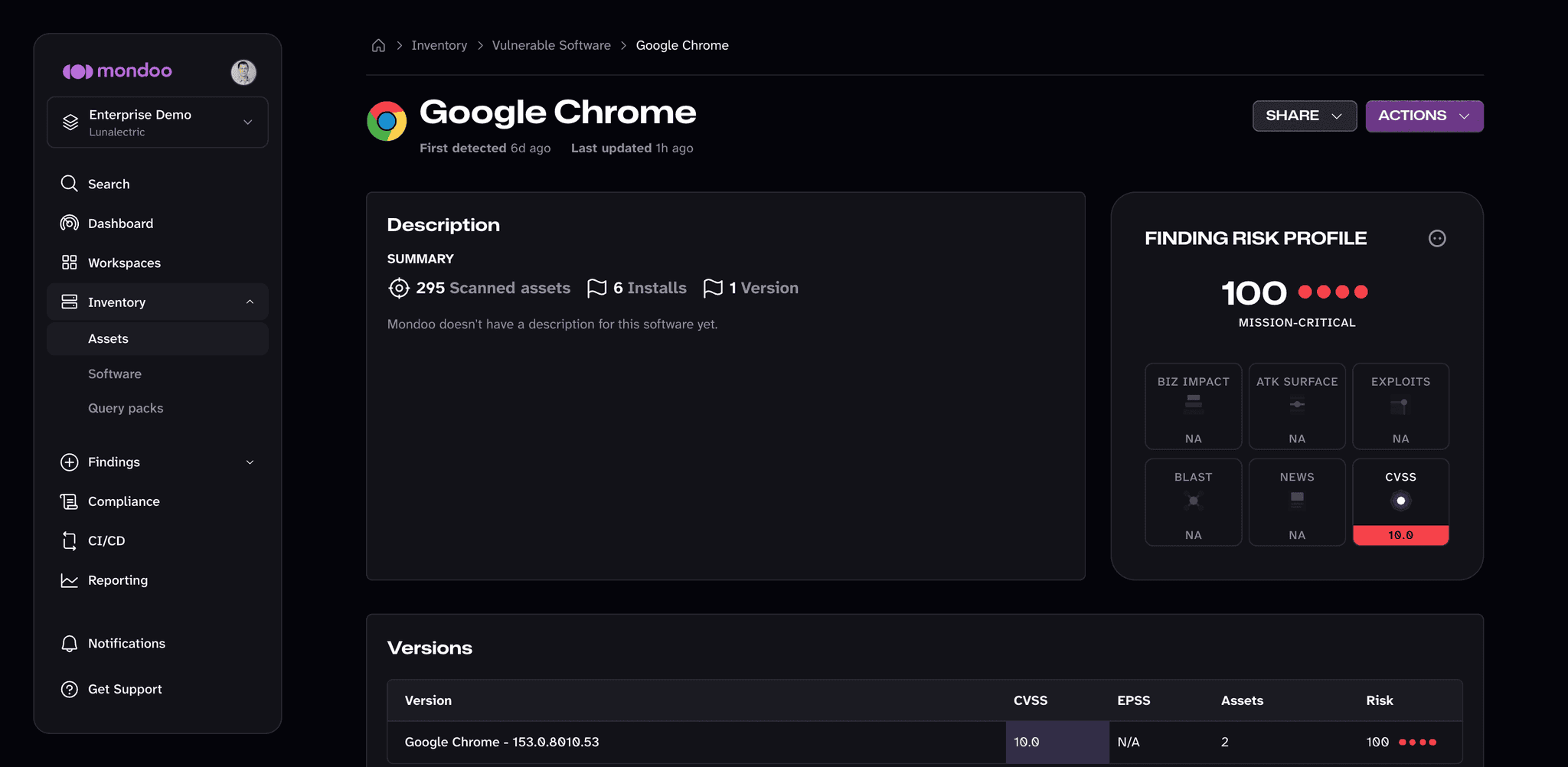
The detail page shows:
- Description. A summary of how many assets Mondoo scanned, how many installations of the software it found, and how many versions are installed.
- Finding risk profile. The software's risk score and its rating in each risk dimension, plus the CVSS score of its worst vulnerability.
- Versions. Each installed version with its CVSS score, EPSS score, the number of assets running it, and its risk score. Use it to see whether a single old version drives most of the risk.
- Installations. Every asset that has the software installed, with its risk factors and risk score. Select an asset to open it.
From ACTIONS, you can create a ticket to track the update or download remediation steps. Select SHARE to share a link to the page.
How vulnerable software relates to other findings
- Each vulnerable package is the source of one or more CVEs and vendor advisories. The package's risk reflects the worst of them.
- Initiatives are built from the same data: each initiative is a set of software updates, ranked by how much it lowers your Space Risk Score. Use Initiatives to decide what to update first, and the Vulnerable Software page to see the full picture.