Find Vendor Advisories
Find vendor security advisories that affect your infrastructure and prioritize using Mondoo's risk scoring.
A vendor advisory is a security bulletin published by a software vendor about an issue in their product, along with patches, workarounds, or mitigations. Advisories often arrive before exploits circulate widely, giving you a window to protect your systems before they're targeted. Mondoo tracks vendor advisories and tells you which ones affect which assets.
Not every known issue has a vendor advisory. Use Find Vulnerabilities to track CVEs across your infrastructure.
Find advisories in a space
-
In the Mondoo App, navigate to the space.
You can also select a workspace to view a subset of assets.
-
In the side navigation, under Findings, select Security, then select the Advisories filter above the table.
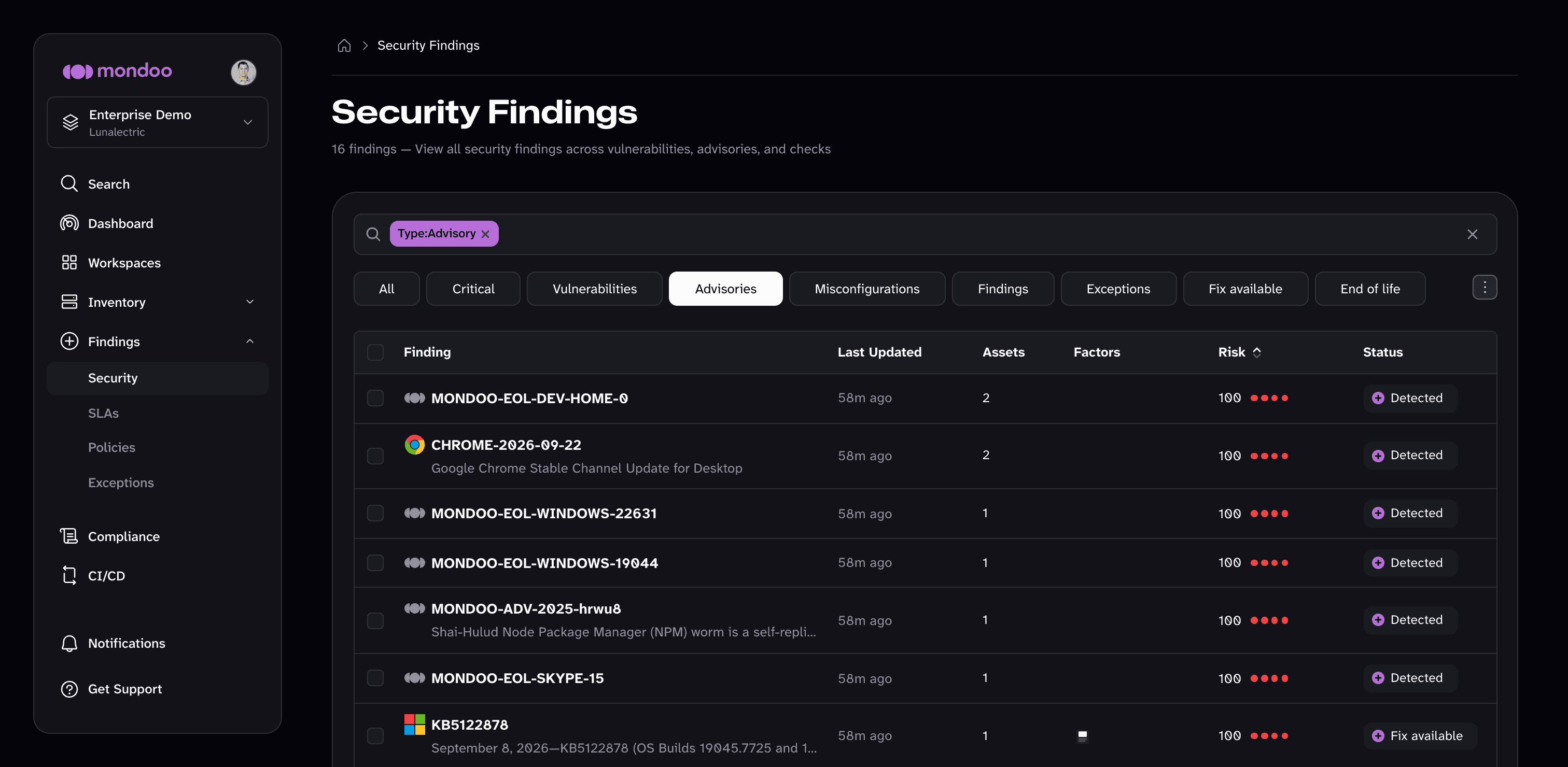
For each advisory, Mondoo shows when it was last updated, the number of assets it affects, its risk factors, its risk score, and its status (for example, Fix available or Detected).
-
Filter using the search bar. Examples:
- A platform name (
windows,debian,google) - A CVE number (
2025-21755,1325) - A service or tool (
winsock,curl,cim)
- A platform name (
-
Select an advisory to open its detail page, which shows its description, Advisory Risk card, remediation, and the exposed assets where it applies.
How an advisory is scored
Mondoo scores advisories the same way it scores vulnerabilities: a base severity combined with asset context. For the full model, read How Mondoo Scores and Prioritizes Findings.
Risk factors
Risk factors explain why an advisory's risk score is higher or lower than its base severity alone.
Mondoo shows risk factors in three places:
-
Factors column. In the Security Findings table, the Factors column shows an icon for each risk dimension that rates Critical or High for the finding: Business Priority, Attack Surface, Exploitability, Blast Radius, or In the News. Hover over an icon to see its name. An empty column means no dimension raises the finding's risk significantly.
-
Risk card. On the finding's detail page, the risk card shows the finding's risk score and a rating for each risk dimension (BIZ IMPACT, ATK SURFACE, EXPLOITS, BLAST RADIUS, and NEWS), plus the CVSS score.
-
Exposed Assets. On the finding's detail page, the Risk Factors column of the Exposed Assets table lists conditions Mondoo detected on each affected asset, such as internet exposure, known exploits, code execution, exposed credentials, database access, end-of-life software, or defensive countermeasures like SELinux or AppArmor. Hover over an icon to see its name.