Receive Telegram Alerts from Mondoo
Send Mondoo alerts to Telegram.
You can configure Mondoo to send alerts to Telegram whenever an asset's risk rating changes or a policy is enabled or disabled in the space, so you can respond quickly to new security issues or see when improvements are made. Integrate Telegram with the Mondoo space from which you want to receive alerts.
Before you set up the integration, you must create a Telegram bot token and get your Telegram chat ID.
Create a Telegram bot token
-
Open Telegram and search for the @BotFather username. Then start a new conversation with @BotFather with
/newbot.@BotFatherresponds: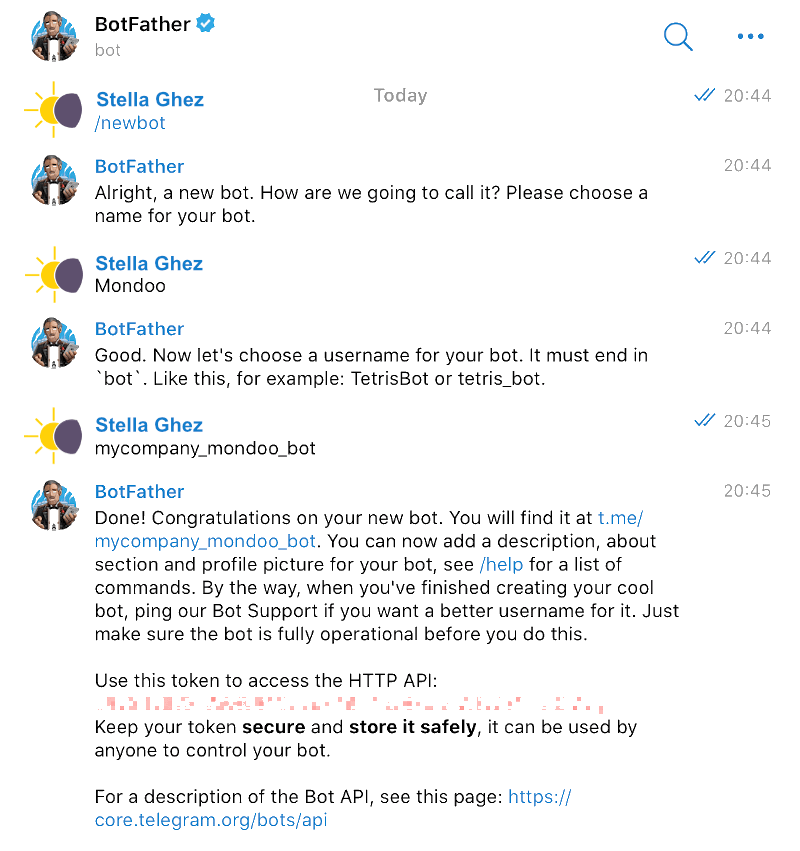
-
During the conversation, the bot provides a Telegram access token:
Use this token to access the HTTP API:
<telegram-access-token>
Get your Telegram chat ID
-
Create a new chat group in Telegram.
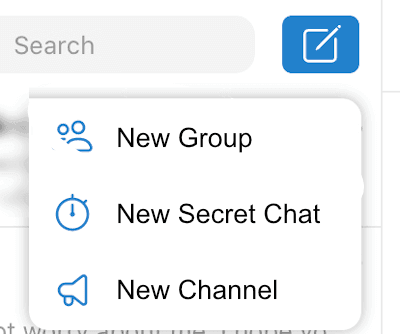
-
Invite the @myidbot.
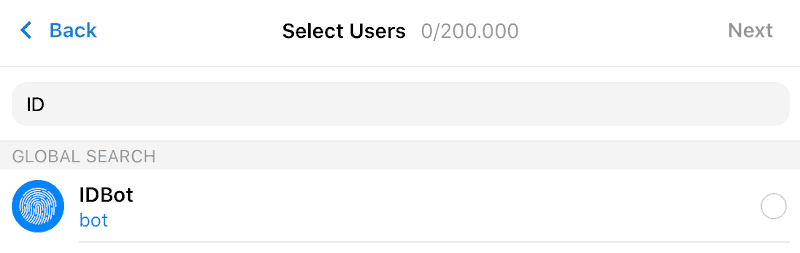
-
Enter a chat group name.
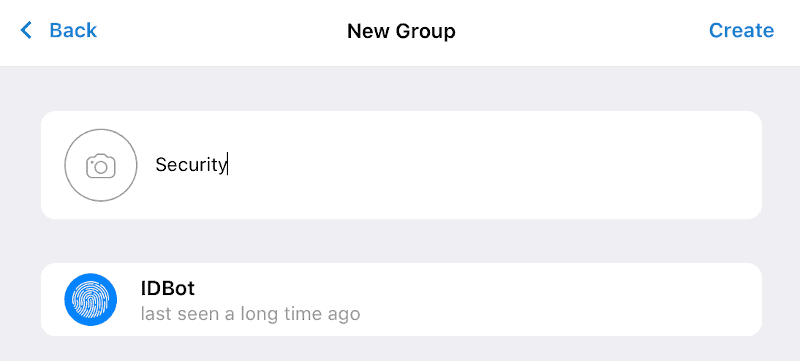
-
Ask the myidbot
/getgroupid@myidbotfor the chat ID.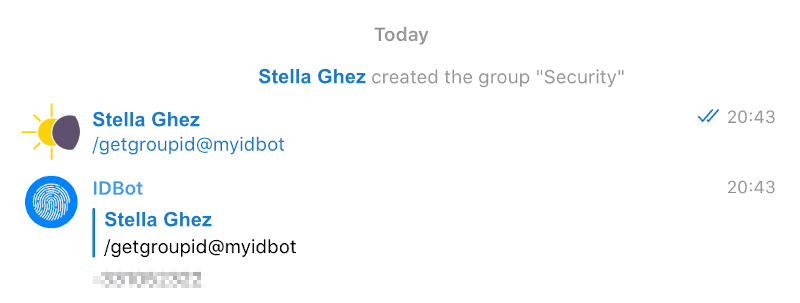
-
Remove
@myidbotfrom the group.
Set up the integration
-
In the Mondoo App, navigate to the space for which you want to see Telegram alerts.
-
In the side navigation bar, select Integrations, then in the top right select Install.
-
In the Notifications category, select Telegram (or search by name).
-
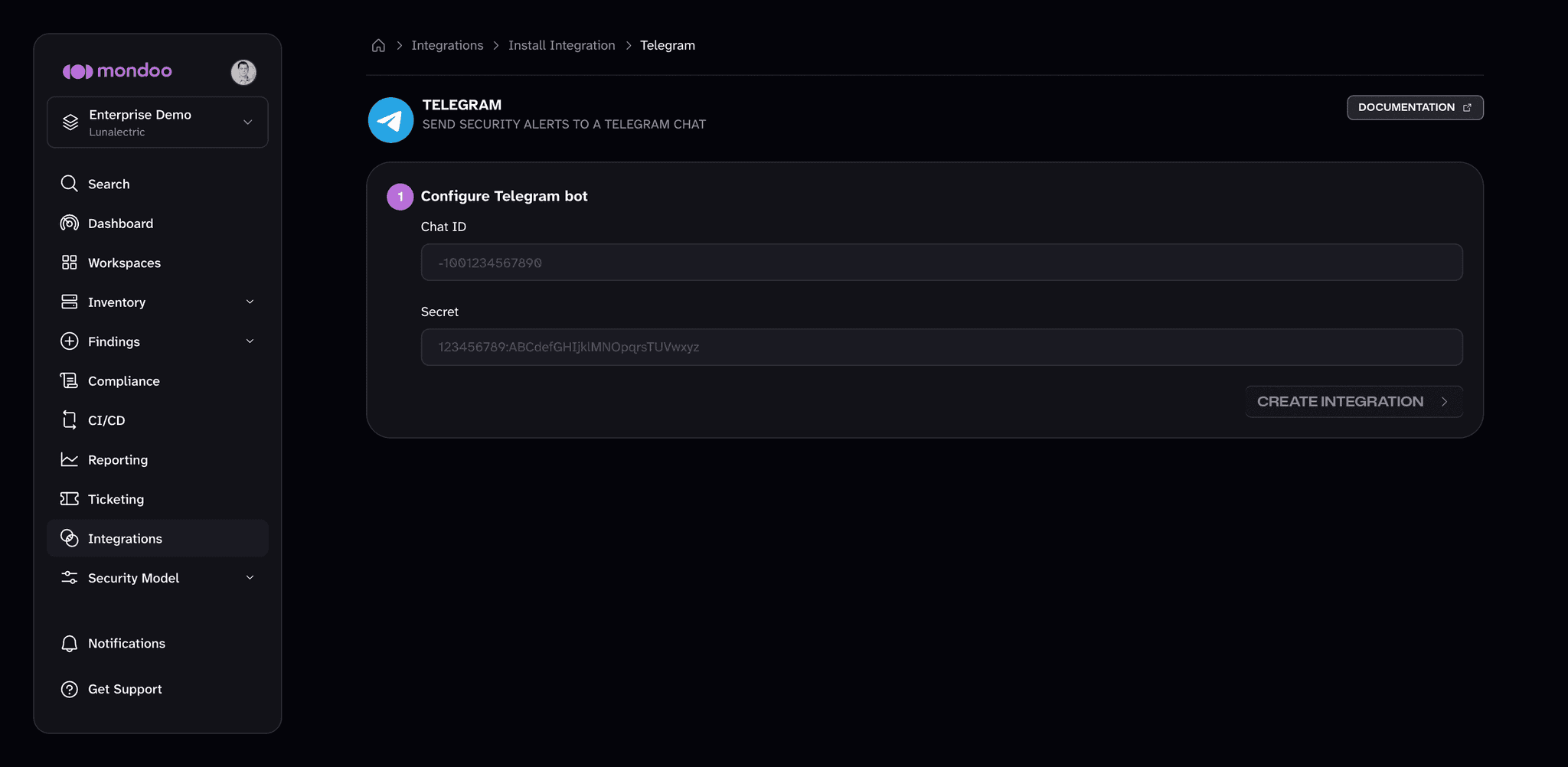
In the Chat ID box, paste the Telegram chat ID that
@myidbotprovided in the instructions above. -
In the Secret box, paste the bot access token that
@BotFatherprovided in the instructions above. -
Select the Create Integration button.