Choose When to Automatically Remove Obsolete Assets
Configure automatic cleanup of assets that haven't reported scan results or that were terminated, such as Amazon EC2 instances.
You can have Mondoo automatically remove assets from a space when they go stale. There are two settings:
- Remove terminated assets: assets that Mondoo has marked as terminated, such as Amazon EC2 instances that AWS has terminated.
- Remove inactive assets: assets that haven't returned a fresh scan in a while.
To delete an entire space instead of cleaning up its assets, see Remove a space or organization.
Note: Only team members with Editor or Owner access can perform this task.
To configure the cleanup rules:
-
Navigate to the space.
-
In the side navigation, expand Settings and select General.
-
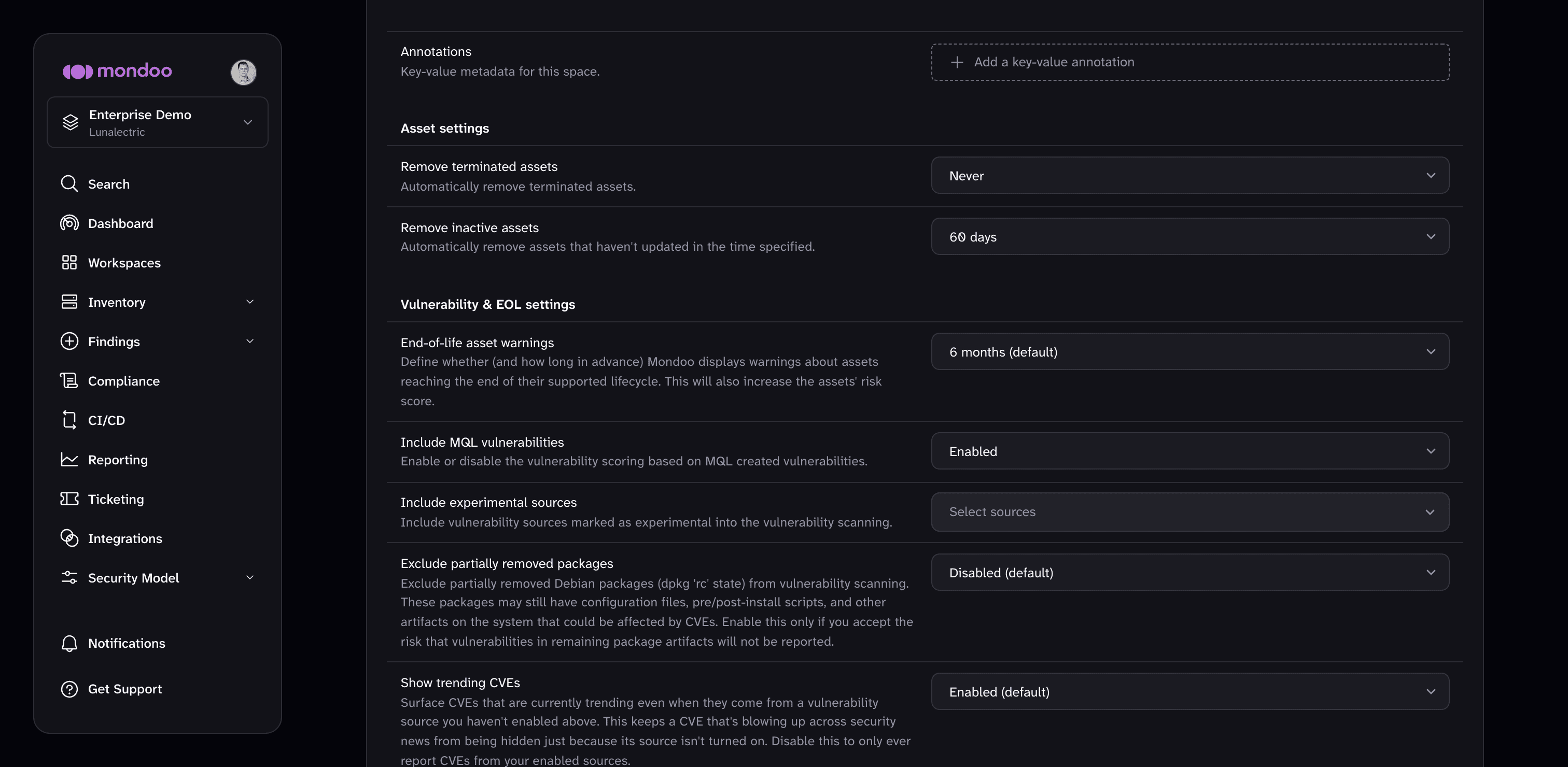
Scroll to Asset settings.
-
Set Remove terminated assets to 24 Hours to delete terminated assets after a day, or Never to keep them.
-
Set Remove inactive assets to the longest a non-reporting asset can sit before Mondoo deletes it (from 1 day to 90 days), or Never to keep inactive assets until you remove them manually.
Mondoo saves each change as soon as you make a selection.
To learn about the other settings on the space General page, read Space general settings.