Manage Your Mondoo Login
Connect your Google, GitHub, or Microsoft account, change your Mondoo email and password, and set up two-factor authentication.
You can sign in to Mondoo with Google, GitHub, Microsoft, or an email-and-password account. You picked one of those when you signed up, but you can add or change methods any time on the Authentication tab of your user settings. The same tab lets you add two-factor authentication with an authenticator app.
If your organization uses SAML single sign-on, you sign in through your identity provider instead: on the Mondoo sign-in page, select SSO and enter your organization ID.
Connect a Google, GitHub, or Microsoft account
Use this if you want to sign in to Mondoo through one of those providers instead of (or in addition to) email and password.
-
In the Mondoo App, open the account menu (your avatar at the top of the left navigation) and select User Settings.
-
Select the Authentication tab.
-
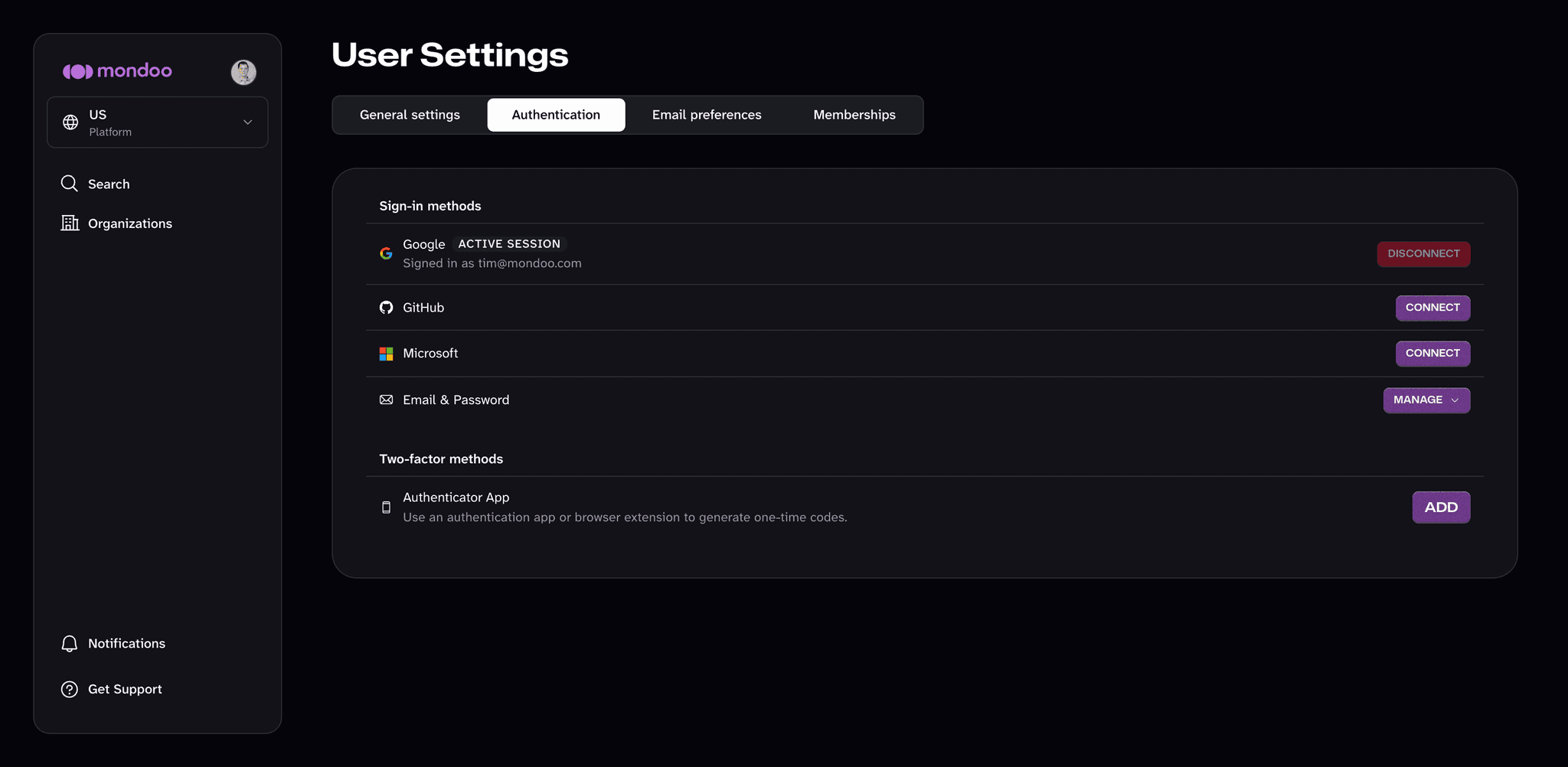
Under Sign-in methods, select CONNECT next to the provider you want.
-
Approve the connection in the provider's sign-in window. Your next Mondoo login can use that provider.
To remove a provider, select DISCONNECT next to it. You can't disconnect the method you're currently signed in with; Mondoo marks it ACTIVE SESSION.
Change your email address or password
This is the email address you sign in with. To choose which emails Mondoo sends you, see Manage your email notifications.
-
In the Mondoo App, open the account menu (your avatar at the top of the left navigation) and select User Settings.
-
Select the Authentication tab.
-
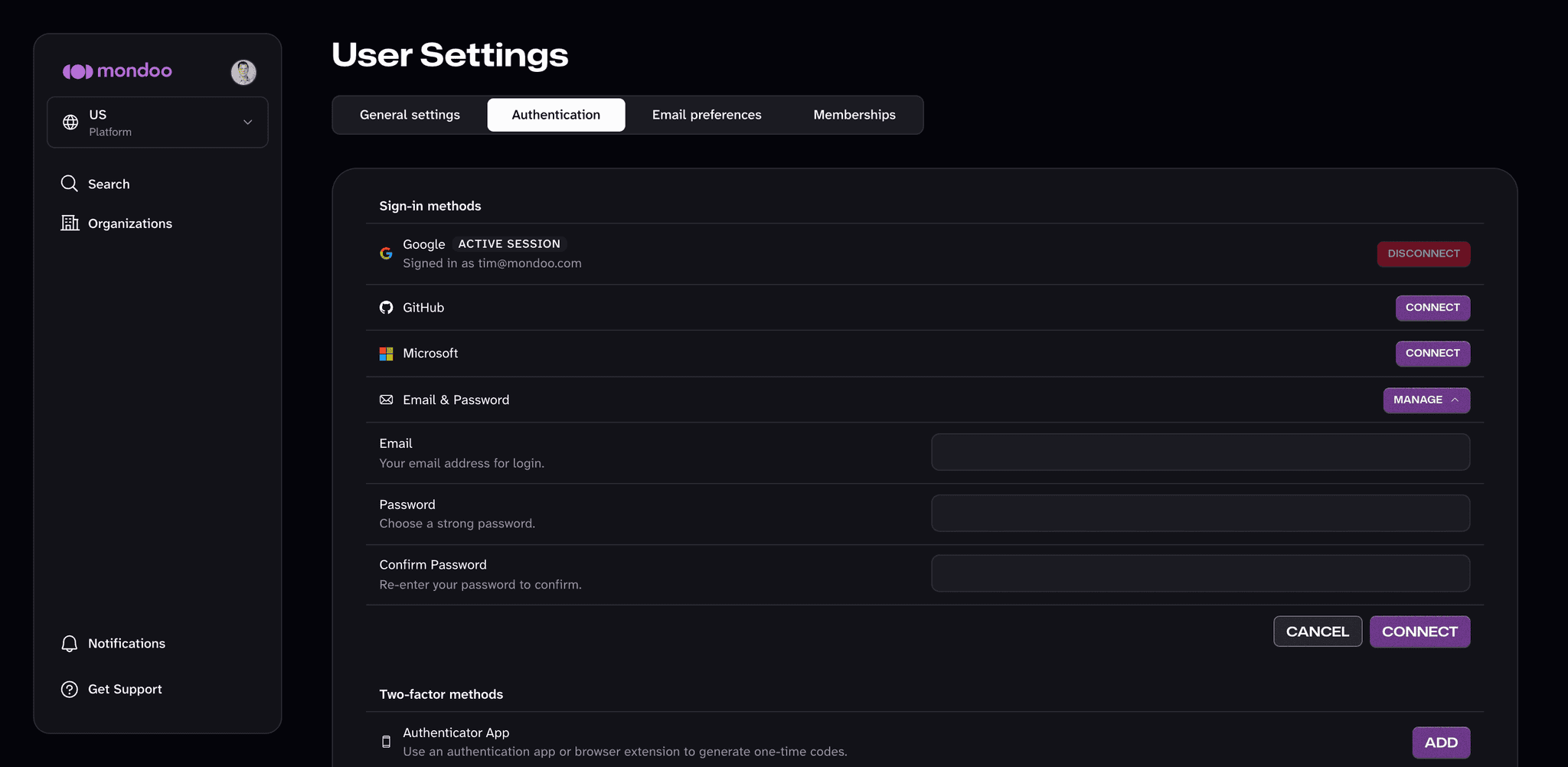
Select MANAGE next to Email & Password.
-
Update the email, the password (entered twice), or both. If you already use email and password to sign in, Mondoo also asks for your Current Password.
-
Select CONNECT (or UPDATE PASSWORD if you already use email and password) to save.
Set up two-factor authentication
Add a second factor so that signing in requires a one-time code from an authenticator app (such as 1Password, Google Authenticator, or Microsoft Authenticator) in addition to your password or provider sign-in.
-
In the Mondoo App, open the account menu and select User Settings.
-
Select the Authentication tab.
-
Under Two-factor methods, select ADD next to Authenticator App. If you sign in with email and password, Mondoo first asks you to re-enter your password. Enter it and select SUBMIT.
-
Scan the QR code with your authenticator app. If you can't scan it, enter the text code shown below the QR code in your app instead.
-
In the Verification Code box, enter the code your authenticator app shows and select VERIFY.
After you finish, the Authenticator App row shows enabled, and Mondoo asks for a code each time you sign in.
To turn off two-factor authentication, select REMOVE next to Authenticator App, enter a current code from your authenticator app, and select VERIFY.