Manage Your Email Preferences
Choose which risk report, exception, and newsletter emails Mondoo sends you.
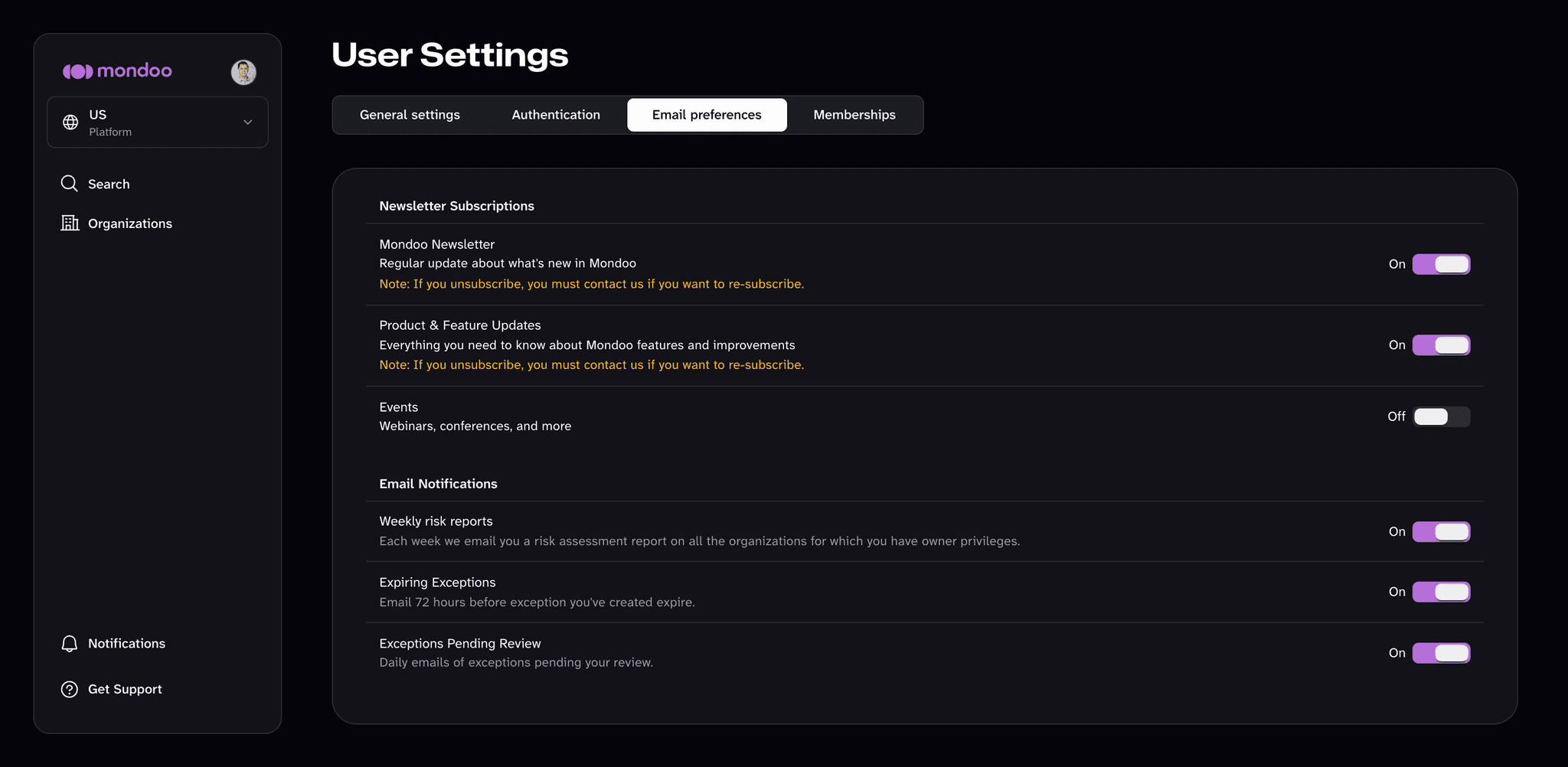
Mondoo can email you notifications about your organizations and exceptions, plus newsletters. You control all of them on the Email preferences tab of your user settings.
This page controls which emails Mondoo sends you. To change the email address you sign in with, see Manage your login.
Email notifications
| Notification | What you get |
|---|---|
| Weekly risk reports | A weekly risk assessment report on all the organizations in which you have the Owner (Admin) role. |
| Expiring Exceptions | An email 72 hours before an exception you created expires. |
| Exceptions Pending Review | A daily email listing exceptions waiting for your review. |
To turn a notification on or off:
-
In the Mondoo App, open the account menu (your avatar at the top of the left navigation) and select User Settings.
-
Select the Email preferences tab.
-
Under Email Notifications, toggle the notification. Changes save automatically.
Newsletter subscriptions
Mondoo offers three newsletters:
- Mondoo Newsletter: a regular update about what's new in Mondoo.
- Product & Feature Updates: everything you need to know about Mondoo features and improvements.
- Events: webinars, conferences, and more.
To unsubscribe:
-
In the Mondoo App, open the account menu and select User Settings.
-
Select the Email preferences tab.
-
Under Newsletter Subscriptions, toggle off any newsletter you no longer want. Changes save automatically.
Re-subscribe to a newsletter
There's no self-service option to re-subscribe. Ping the Mondoo team:
- Mondoo community Slack channel
- Mondoo GitHub community