Create and Manage API Tokens
Create API tokens to authenticate with Mondoo's GraphQL API for custom integrations and automation.
An API token is a bearer token that lets a program authenticate with Mondoo's GraphQL API. Use one in scripts, custom integrations, and any automation that calls the API directly.
A token can be scoped to a single space or to a whole organization (every space in it).
Note: To generate API tokens, you need the Editor or Admin role, or the API Token Creator permission. To delete them, you need the API Token Manager permission, which Editor and Admin include. You can't give a token more access than you have yourself.
Token permissions
When you create a token, you pick its access the same way you pick a team member's:
- Role: Viewer (read-only access), Editor (day-to-day administration, but not creating or deleting the organization or space), or Admin (full control). Admin is the console label for the Owner role.
- Custom: grant only the permissions you pick, with no base role.
- Customize permissions: add individual permissions on top of a role. Along with the permissions described in Manage team members, a token can get the Agent permission, which lets it fetch and run assigned policies and query packs and report scan results. Use Agent for tokens that report scans.
Create an API token
The procedure is the same for space tokens and organization tokens. Start from the scope you want.
-
Navigate to the space or organization you want the token to belong to.
-
In the left navigation, select Settings, then API Tokens.
-
Select GENERATE TOKEN in the top right.
-
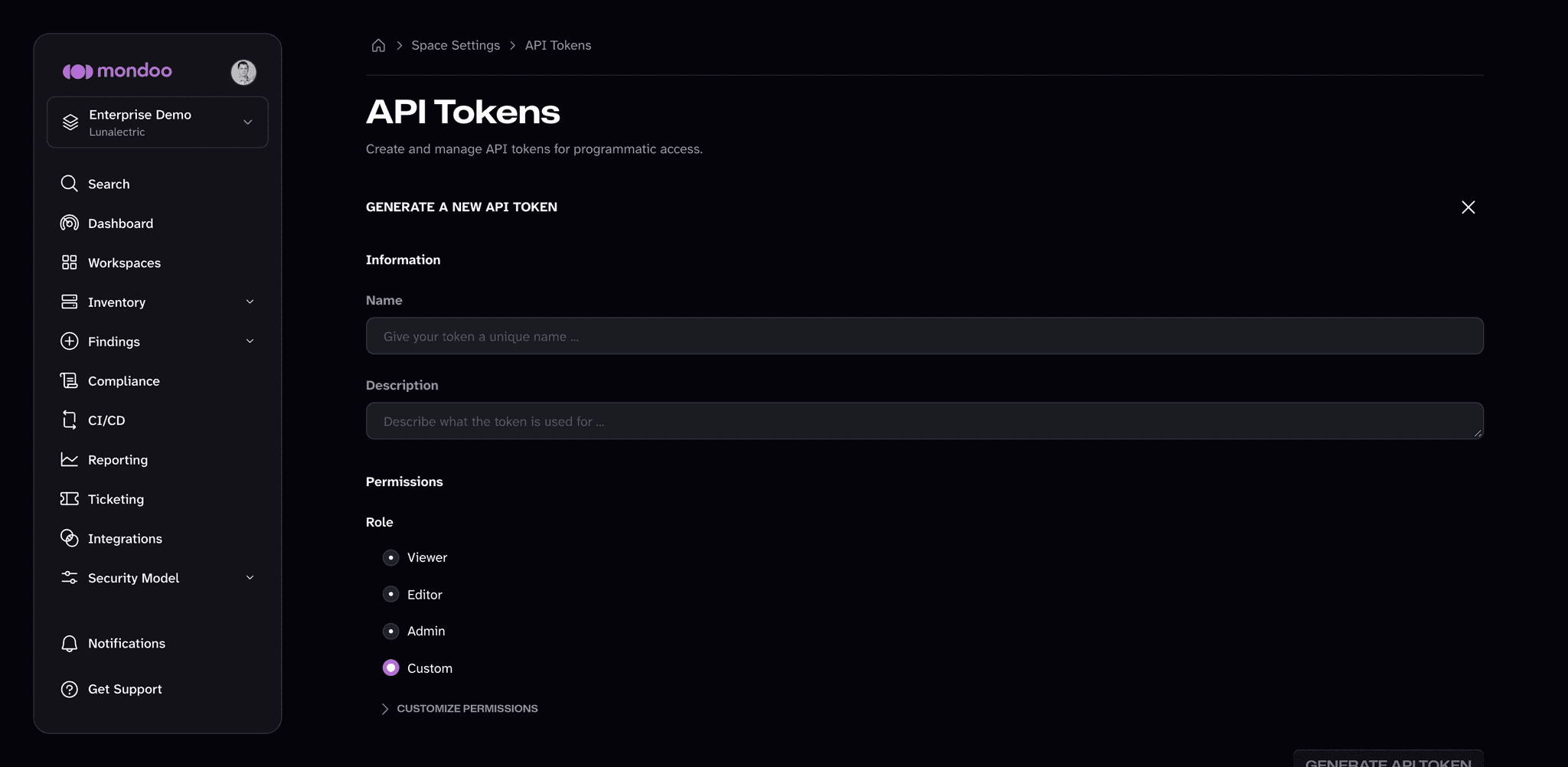
Give the token a Name and a short Description so future you can tell what it's for.
-
Under Permissions, select a Role, or select Custom. To add or remove individual permissions, select CUSTOMIZE PERMISSIONS. See Token permissions for what each option allows.
-
Select GENERATE API TOKEN.
-
Copy the token value. You won't be able to see it again.
Change a token's permissions
-
Navigate to the space or organization that owns the token.
-
In the left navigation, select Settings, then API Tokens.
-
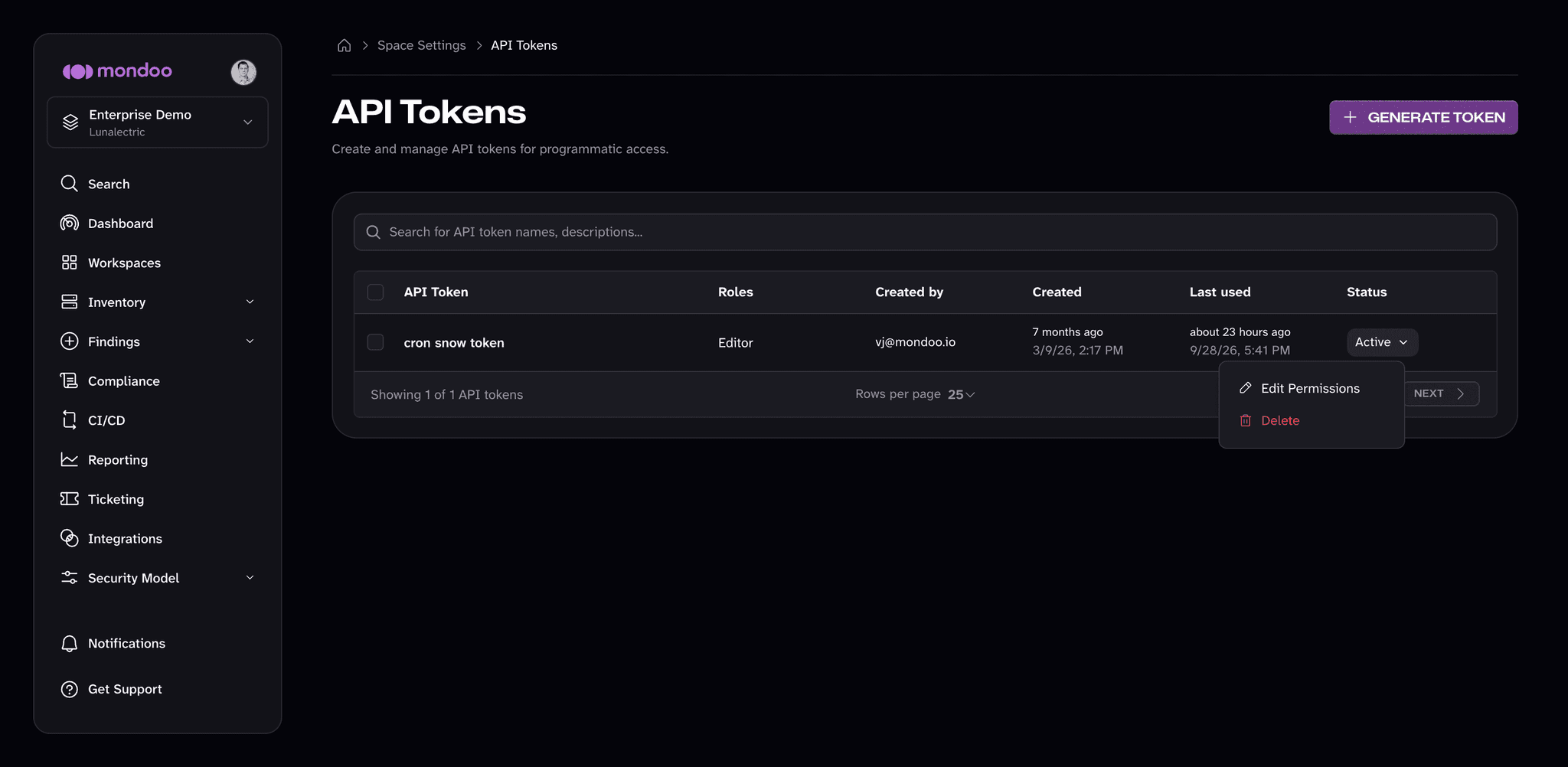
Find the token in the list and open its status menu (the Active button in the Status column).
-
Select Edit Permissions.
-
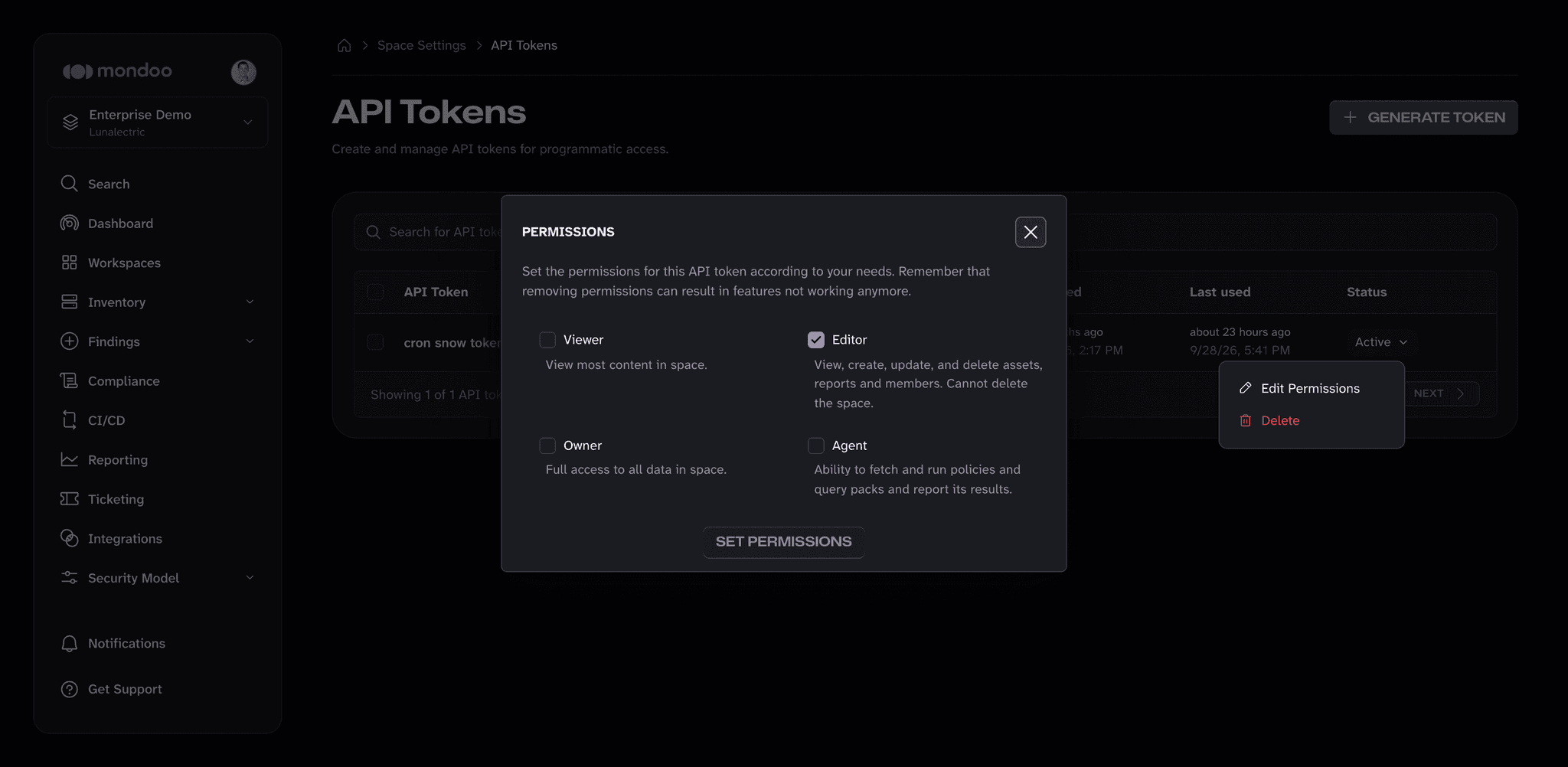
Check the roles you want the token to have (Viewer, Editor, Owner, or Agent) and select SET PERMISSIONS. This dialog still uses the name Owner for the role the create form calls Admin; they are the same role.
Delete a token
-
Navigate to the space or organization that owns the token.
-
In the left navigation, select Settings, then API Tokens.
-
Find the token in the list and open its status menu (the Active button in the Status column).
-
Select Delete, then confirm.
To delete several tokens at once, select the checkbox next to each one and select Delete in the bar that appears.
Rotate tokens
Treat an API token like any long-lived secret: rotate on a schedule, and rotate immediately if you suspect it leaked.
-
Generate a new token with the same scope and permissions.
-
Update the application or automation to use the new value.
-
Confirm the application is working with the new token.
-
Delete the old token.
The Last used column on the API Tokens page shows when each token last authenticated, which helps you confirm that nothing still uses the old one.
For workloads that run in a cloud or CI environment, prefer Workload Identity Federation (WIF) over long-lived API tokens. WIF issues short-lived credentials so you don't have to manage rotation yourself.
API tokens vs. service accounts
Both API tokens and service accounts let non-human callers authenticate to Mondoo, but they're shaped differently:
- API tokens are bare bearer tokens. Use them for direct GraphQL API calls and short scripts that can attach an
Authorization: Bearerheader. - Service accounts return a JSON credential file (a base64-encoded blob containing an MRN, private key, and certificate). Use them for cnspec, CI/CD pipelines, and integrations that expect a config file.
Manage Service Accounts
Set up service account credentials to authenticate CI pipelines and external services with Mondoo APIs.
Grant Keyless Access (WIF)
Use workload identity federation (WIF) to give external workloads secure, keyless access to Mondoo at the space, organization, or platform level. WIF eliminates the need for stored credentials by letting apps, services, and automation authenticate through trusted identity providers.