Export Data to PostgreSQL
Set up continuous export of assets, vulnerabilities, and scan results from Mondoo to a PostgreSQL database.
Export your Mondoo security data to PostgreSQL so you can query it with SQL, build custom reports, or feed an application that already runs on Postgres. For how exports work in general, read Continuous Data Exports.
Requirements
- A PostgreSQL database that Mondoo can reach over the internet. The database cannot be behind a firewall that blocks Mondoo. See the PostgreSQL documentation for setup.
- Editor or Owner access to the Mondoo space.
Create the integration
-
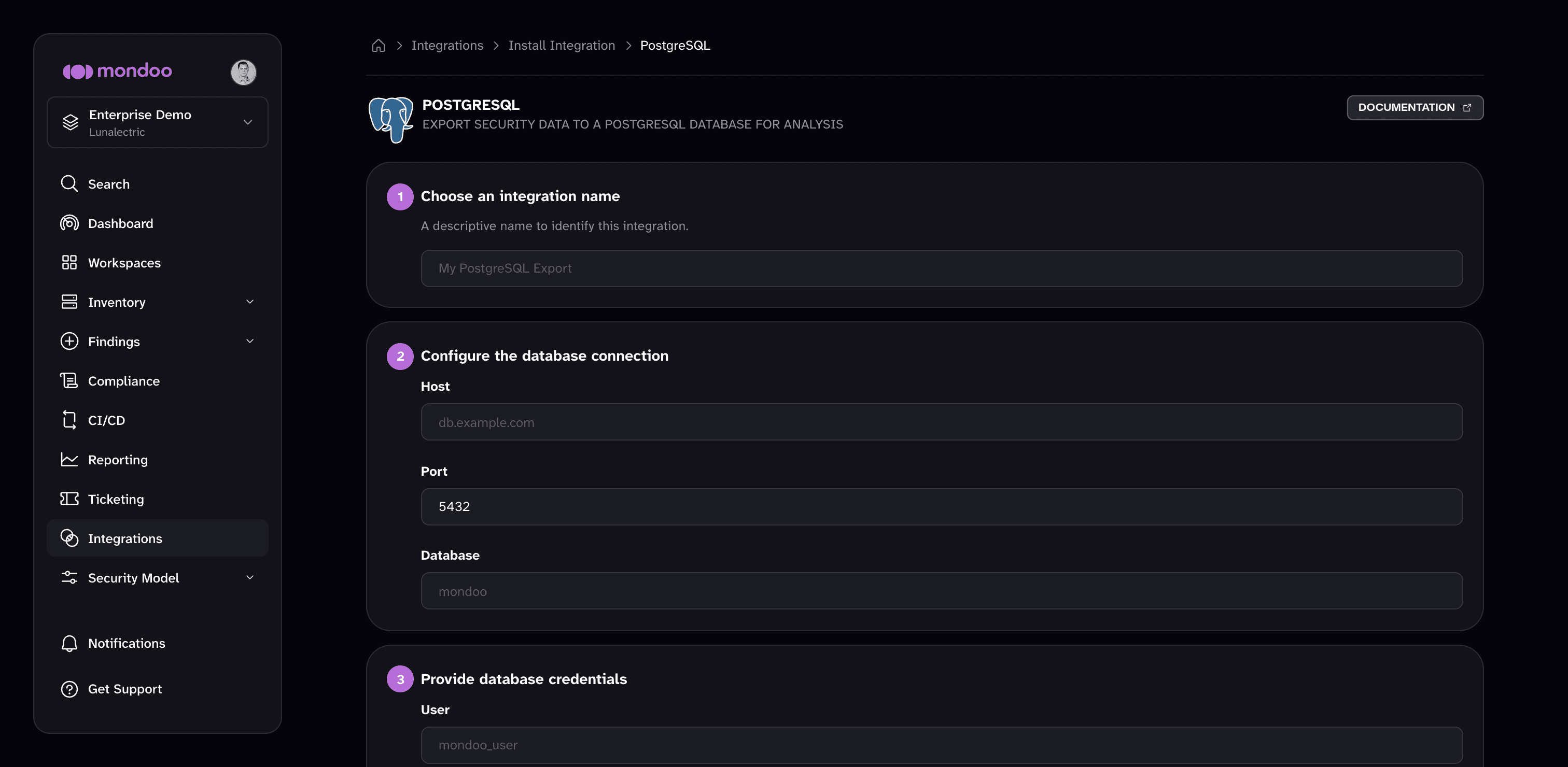
In the Mondoo App, navigate to the space. In the side navigation, select Integrations, then select INSTALL. Under Data Exports, select PostgreSQL.
-
Under Choose an integration name, enter a name for the integration.
-
Under Configure the database connection, fill in:
- Host. The IP address or FQDN of your PostgreSQL server.
- Port. The port your PostgreSQL server listens on. The default is
5432. - Database. The name of the database Mondoo writes to.
-
Under Provide database credentials, enter your PostgreSQL User and Password.
-
Select Create Integration.
Mondoo starts the initial export. When it completes, the integration's status becomes ACTIVE and subsequent exports run automatically about every 24 hours.
Manage this integration
After it's created, find your integration under Integrations in your space's side navigation. Select it to open the detail page, where you can:
- Trigger a manual export. Exports run automatically about every 24 hours. To export immediately, select RUN.
- Check the status. ACTIVE means the integration is healthy and exporting on schedule. PENDING means Mondoo hasn't attempted the first export yet. ERROR means the last export failed. The Export Details section shows when the last export succeeded and when Mondoo last attempted one.
- Review the activity log. Most Recent Activity lists each export run's messages, such as when a job started, finished, or failed and why. Filter it to errors, warnings, or info messages.
- Change the settings. Select the pencil icon to edit the integration, for example to update credentials.
- Remove the integration. Select the trash can icon and confirm. Mondoo stops future exports but does not delete data that has already been exported.
Next steps
Google BigQuery
Set up continuous export of assets, vulnerabilities, and scan results from Mondoo to a Google BigQuery dataset using Workload Identity Federation or a service account key.
Snowflake
Set up continuous export of assets, vulnerabilities, and scan results from Mondoo to a Snowflake database.