Ad-Hoc CSV Exports
Generate an on-demand CSV snapshot of a space's security and compliance data for Excel, Tableau, Power BI, or any tool that reads CSV.
Need a quick snapshot for a meeting, a stakeholder review, or your own analysis? Ad-hoc reports export a space's data to a .csv file you can open in Excel, Tableau, Power BI, or any tool that reads CSV.
Ad-hoc reports are one-time snapshots. If you need data flowing to an external system on a schedule, set up a continuous data export instead.
Generate a report
-
In the Mondoo App, navigate to the space.
-
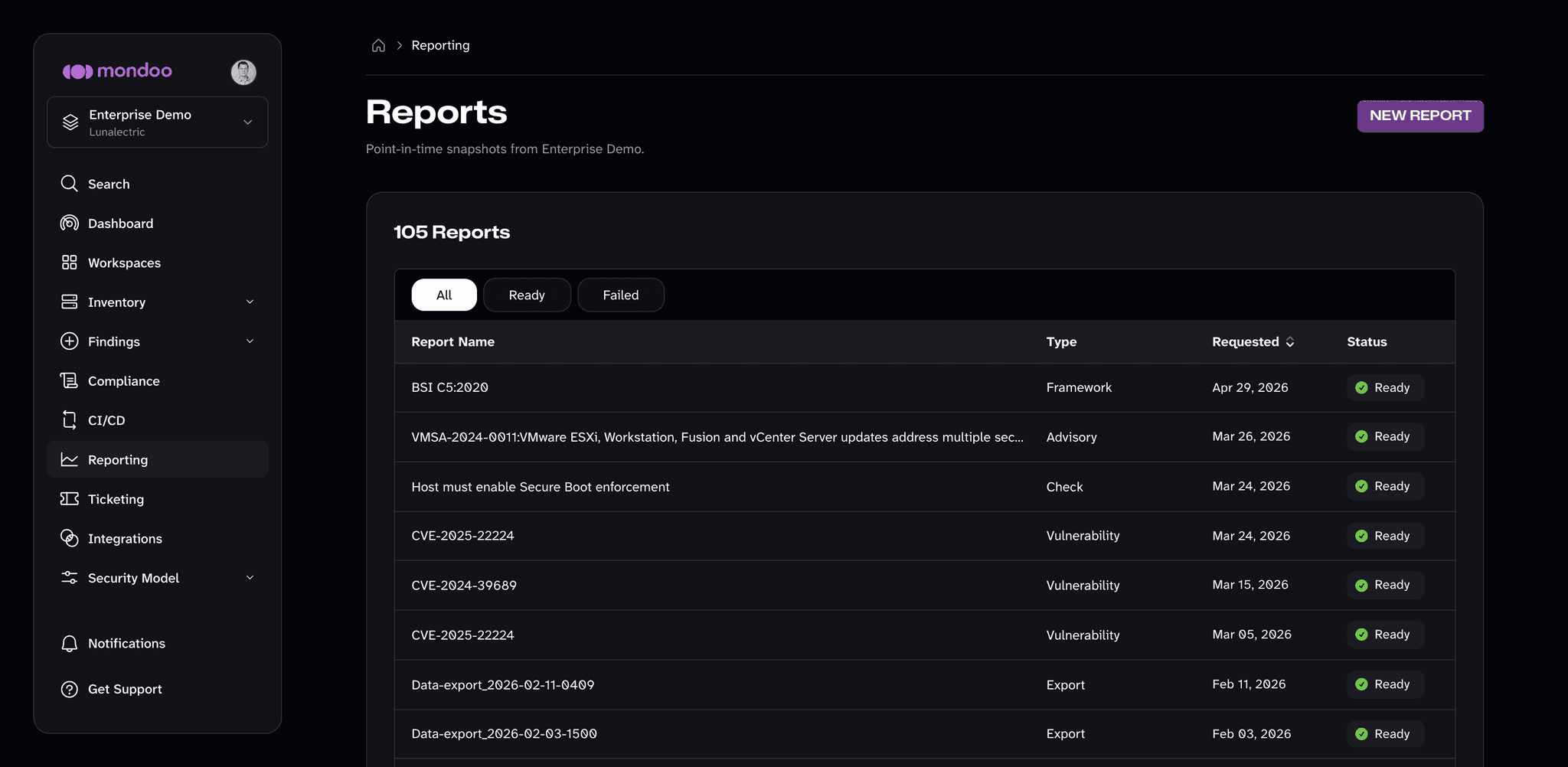
In the side navigation, select Reporting. The Reports page lists every report generated in the space.
-
Select NEW REPORT in the top-right corner.
-
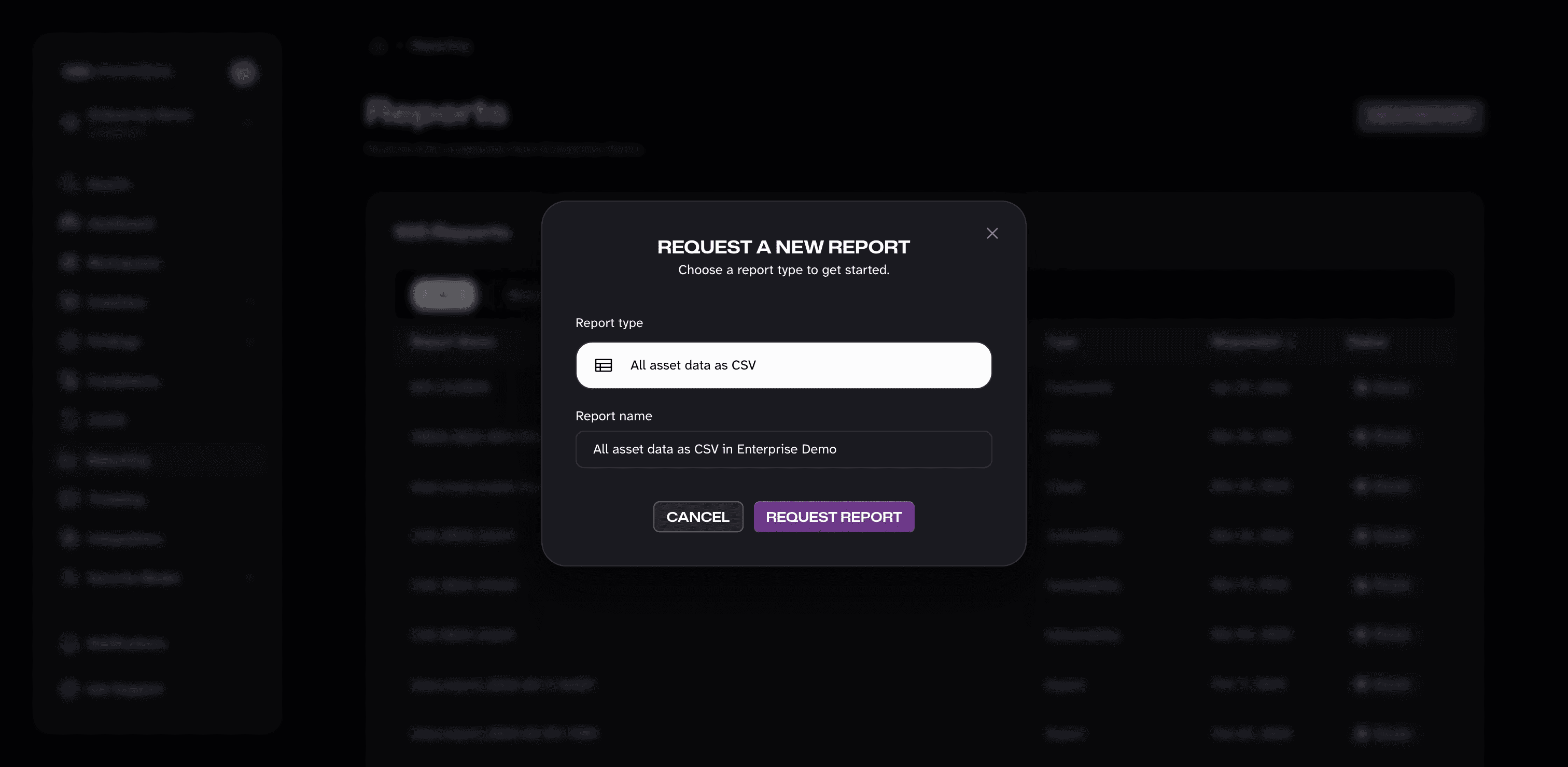
Under Report type, All asset data as CSV is already selected.
-
Optionally change the Report name, then select REQUEST REPORT.
-
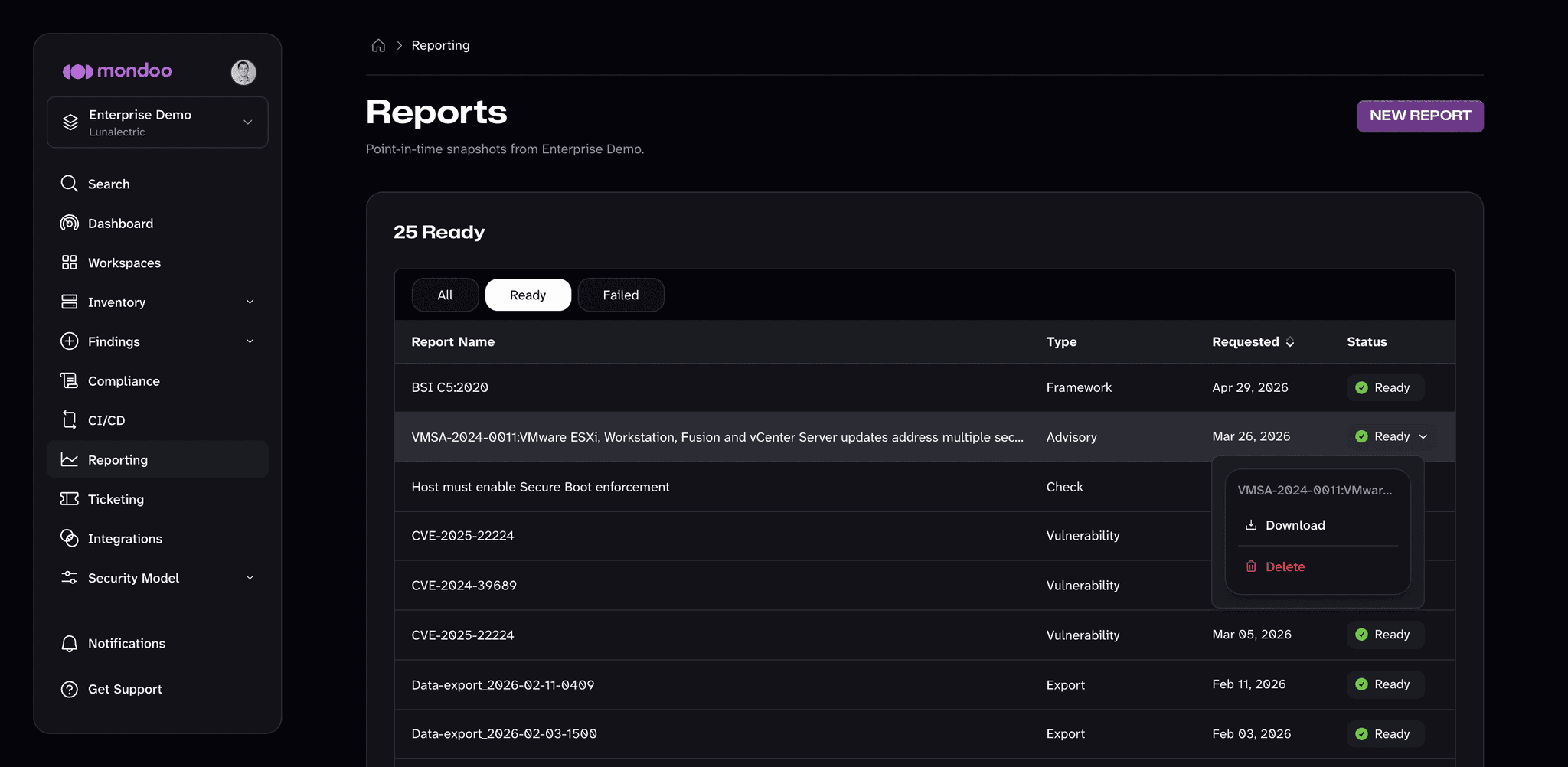
Generation can take a few minutes for large spaces. While it runs, the page shows a notice and updates the status automatically. When the report's Status shows Ready, select the status and choose Download.
Generating reports requires permission to generate documents in the space. If NEW REPORT is unavailable, the page says that generating reports is managed by your administrator.
Manage reports
Mondoo keeps every report generated in the space, including PDF reports generated elsewhere in Mondoo, such as compliance framework reports. The Type column shows each report's type; ad-hoc CSV exports appear as Export. Return to the Reporting page anytime to download a report again: select its Ready status and choose Download. To remove a report, select its status and choose Delete. Use the All, Ready, and Failed filters above the list to narrow it.
Export a table
To export only the data in one list, use the menu on the table itself. Most tables in Mondoo, including the asset inventory, findings, software, tickets, and exceptions lists, have a table menu (the three dots above the table) with these options:
- Copy to clipboard
- Export to CSV
- Export to JSON
- Export to XLSX
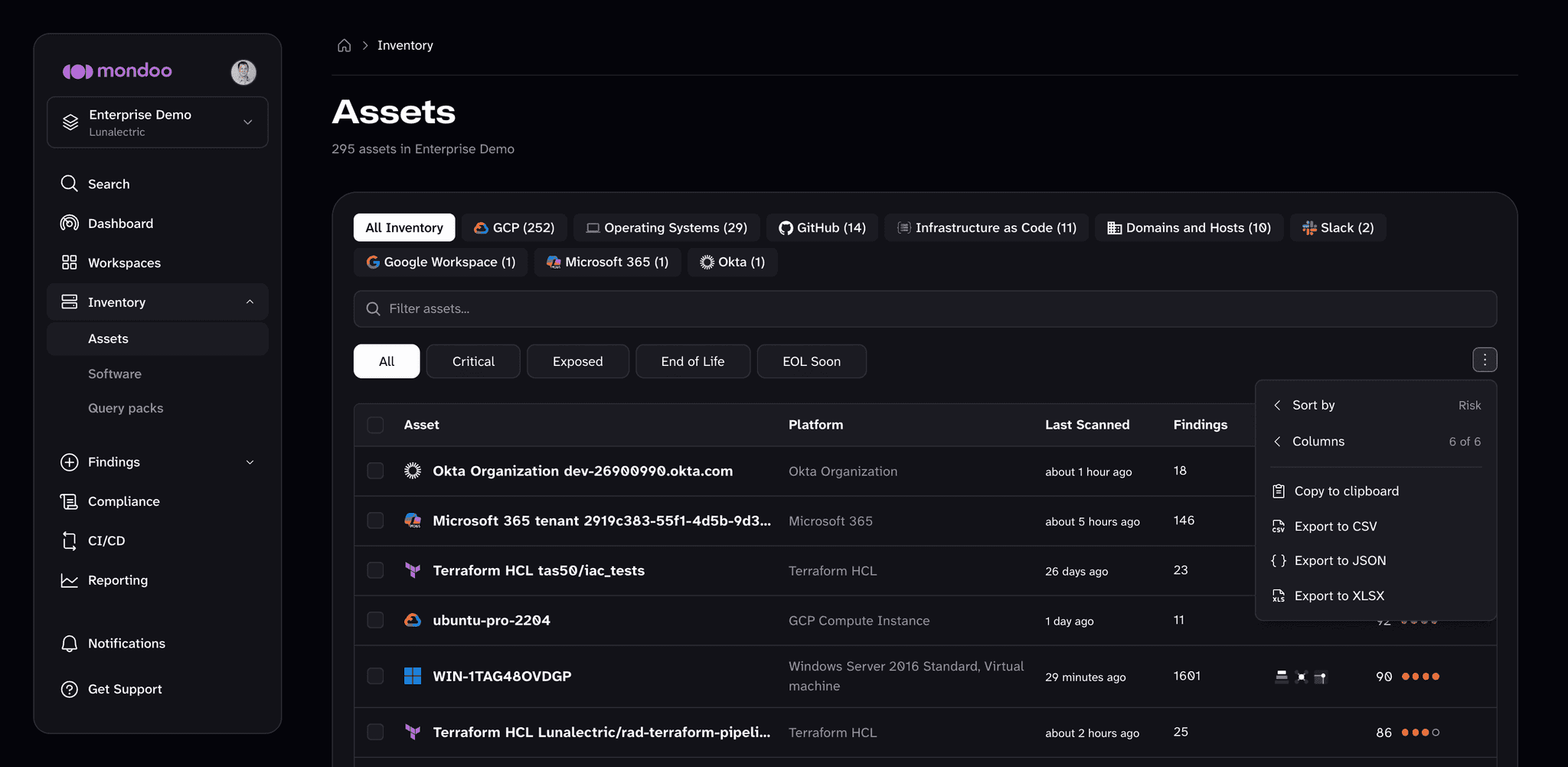
The export includes every row that matches the table's current filters, not only the page on screen. For large tables, a progress notice shows how many rows Mondoo has fetched so far. Select Cancel in that notice to stop the export.