View CI/CD Scan Results in Mondoo
Review the projects and jobs that cnspec scans in your CI/CD pipelines, and drill into each job's findings.
When cnspec runs in a CI/CD pipeline with Mondoo credentials, it detects the CI/CD environment and reports each scan as a CI/CD job. Mondoo groups the jobs by project, usually the repository the pipeline runs for, so you can review pipeline results separately from your running infrastructure.
cnspec detects CI/CD environments by default. To learn how to set up scanning in your pipelines, read Integrate Mondoo with CI/CD Platforms.
View your CI/CD projects
Navigate to the space and, in the side navigation, select CI/CD. The page lists every project that has reported CI/CD scans to the space.
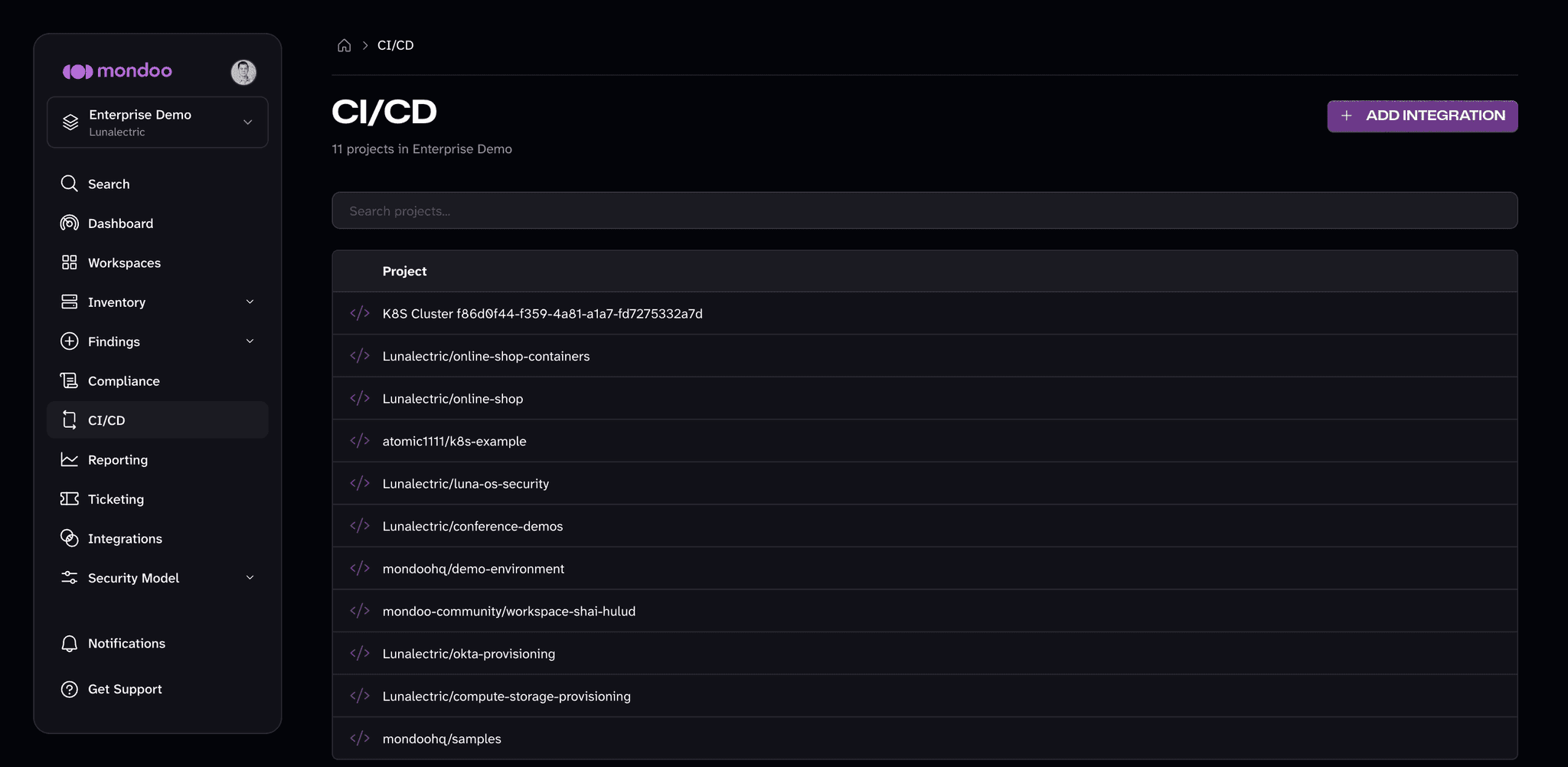
- To find a project, type in the Search projects box.
- To set up scanning for another pipeline, select ADD INTEGRATION. Mondoo opens the integration catalog, where the CI/CD category lists the supported platforms.
View a project's jobs
Select a project to list its jobs. For each job, Mondoo shows:
- Job: the name of the job and the type of CI/CD system that ran it
- Identifier: the job's identifier in the CI/CD system
- Last Updated: when the job last reported results
- Risk: the job's risk rating
Select the refresh icon to load new jobs. For projects hosted on GitHub, select Open in GitHub to open the repository.
View a job's results
Select a job to open its details. A job page works like an asset page, with these tabs:
- Overview: the job's top findings and risk profile
- Policies: the policies that ran against the job and their results
- Findings: the checks and vulnerabilities cnspec found, which you can select for details and remediation guidance
- Data Queries: the data that cnspec collected during the scan
- Software: the packages cnspec found, for jobs where software inventory is collected
To learn how to interpret findings and risk scores, read Assess and improve your security.