Scan in Jenkins
Integrate Mondoo with Jenkins and CloudBees CI to scan infrastructure code and container images.
Integrate Mondoo with Open Source Jenkins and CloudBees CI to scan Kubernetes manifests, Terraform configurations, and Docker images during your build pipeline. Finding security issues before deployment makes them easier to fix and prevents them from reaching production.
Configure Jenkins security
To set up a Jenkins integration with Mondoo:
-
Create Mondoo credentials
-
Store those credentials in Jenkins
Create credentials in Mondoo
Configure a Mondoo service account to fetch policies and send scan results to Mondoo Platform:
-
In the Mondoo App, navigate to the space where you want to add the integration. In the side navigation bar, select Integrations. In the top right, select INSTALL.
-
On the integrations page, under CI/CD, select Jenkins (or search by name).
-
Copy the value in the Copy the Mondoo Platform credentials box to use it as a variable in your pipeline.
The credential is a base64-encrypted code that contains all the information needed to send the results of the scan to Mondoo. You can decrypt and check the content easily using this command:
echo <Credentials> | base64 -dSecurely store credentials in Jenkins
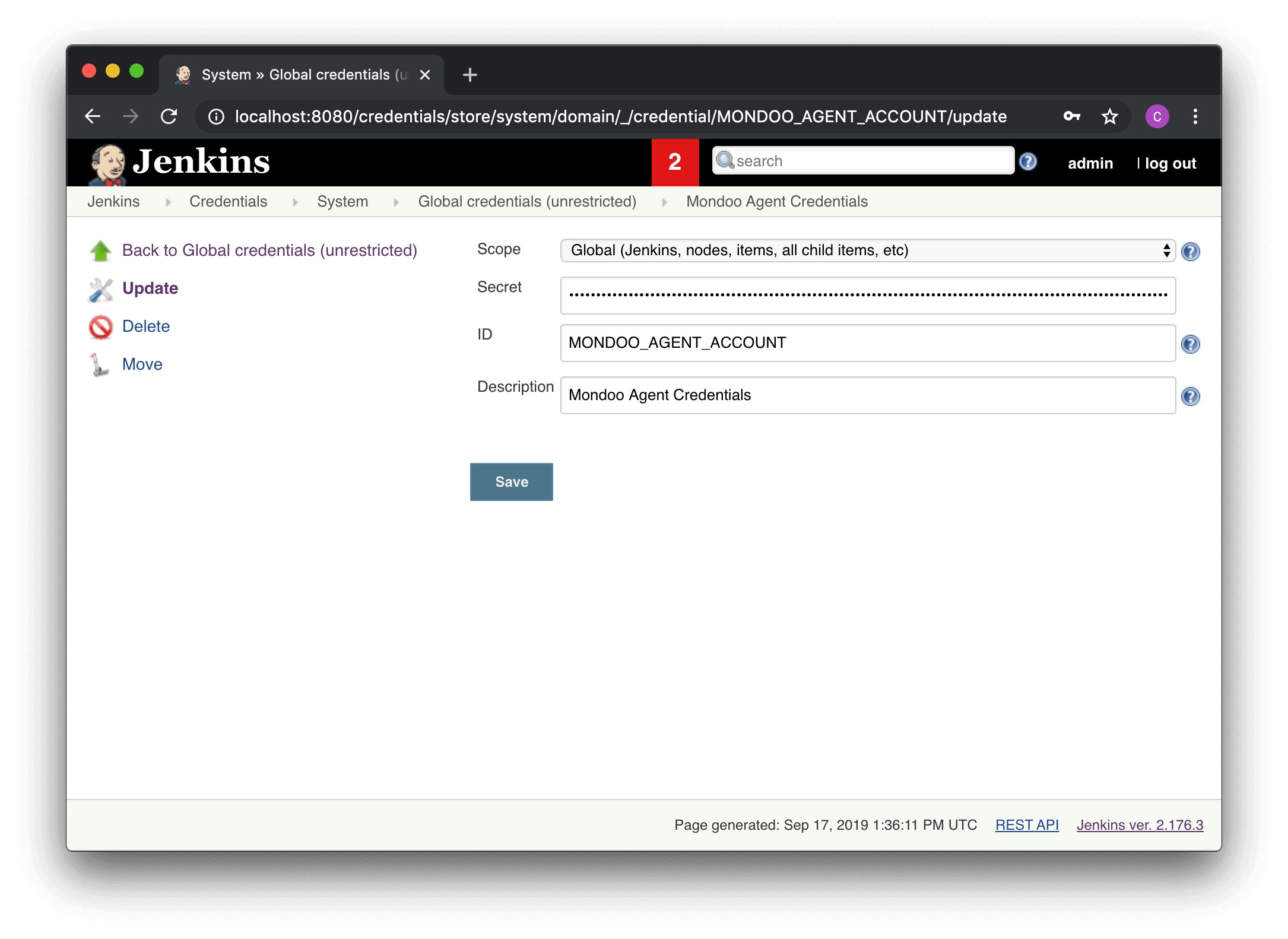
Configure Jenkins to store the credentials for cnspec in the MONDOO_CONFIG_BASE64 environmental variable.
Example configuration
This pipeline builds a Docker image and scans it with cnspec before pushing it to a registry. The scan stage uses a stage-level Docker agent to run cnspec inside the official mondoo/cnspec container image, so you don't need to install cnspec on your Jenkins agents. The example requires the Docker Pipeline plugin and an agent with access to a Docker daemon.
The scan stage configures the cnspec container with these settings:
reuseNode trueruns the container on the same node and workspace as the rest of the pipeline, where the image from the build stage exists.--entrypoint=""overrides the image'scnspecentrypoint so Jenkins can run shell steps in the container.-v /var/run/docker.sock:/var/run/docker.sockgives cnspec access to the image built in the previous stage.-u rootlets cnspec use the mounted Docker socket and install its providers. By default, Jenkins runs the container as the agent's user, which usually can't access the socket and has no writable home directory in the container.
Jenkins passes the MONDOO_CONFIG_BASE64 credential into the container as an environment variable, which cnspec uses to authenticate with Mondoo Platform.
pipeline {
      environment {
        REGISTRY = "jenkins-docker-example"
      }
      agent any
      stages {
        stage('Cloning Git Repository') {
          steps {
            // be sure to change this to your project repository
            git 'https://github.com/lunalectric/backend.git'
          }
        }
        stage('Building image') {
          steps{
            script {
              dockerImage = docker.build("${REGISTRY}:${env.BUILD_ID}")
            }
          }
        }
        stage('Scan image') {
          // run only this stage in the cnspec container image
          agent {
            docker {
              image 'mondoo/cnspec:latest'
              args '--entrypoint="" -u root -v /var/run/docker.sock:/var/run/docker.sock'
              // reuse the node that built the image so cnspec can find it
              reuseNode true
            }
          }
          environment {
            MONDOO_CONFIG_BASE64 = credentials('MONDOO_CONFIG_BASE64')
          }
          steps{
            sh 'cnspec version'
            // the job fails if any risk meets or exceeds the risk-threshold value; lower it to fail on less severe risks
            sh "cnspec scan docker ${REGISTRY}:${env.BUILD_ID} --risk-threshold 90"
          }
        }
        stage('Deploy Image') {
          // For a Docker Registry which requires authentication,
          // add a "Username/Password" Credentials intro-item from the Jenkins home page and use the
          // Credentials ID as a second argument to withRegistry():
          environment {
            REGISTRY_CREDS = credentials('REGISTRY_CREDS')
          }
          steps{
            script {
              docker.withRegistry( '', REGISTRY_CREDS ) {
                dockerImage.push()
              }
            }
          }
        }
        stage('Remove Unused docker image') {
          steps{
            sh "docker rmi ${REGISTRY}:${env.BUILD_ID}"
          }
        }
      }
    }
--risk-threshold 90 fails the job only on critical risks (90 or higher). To also fail on high risks, set it to 70. To fail on medium risks too, set it to 40. To learn more, read Exit code handling.
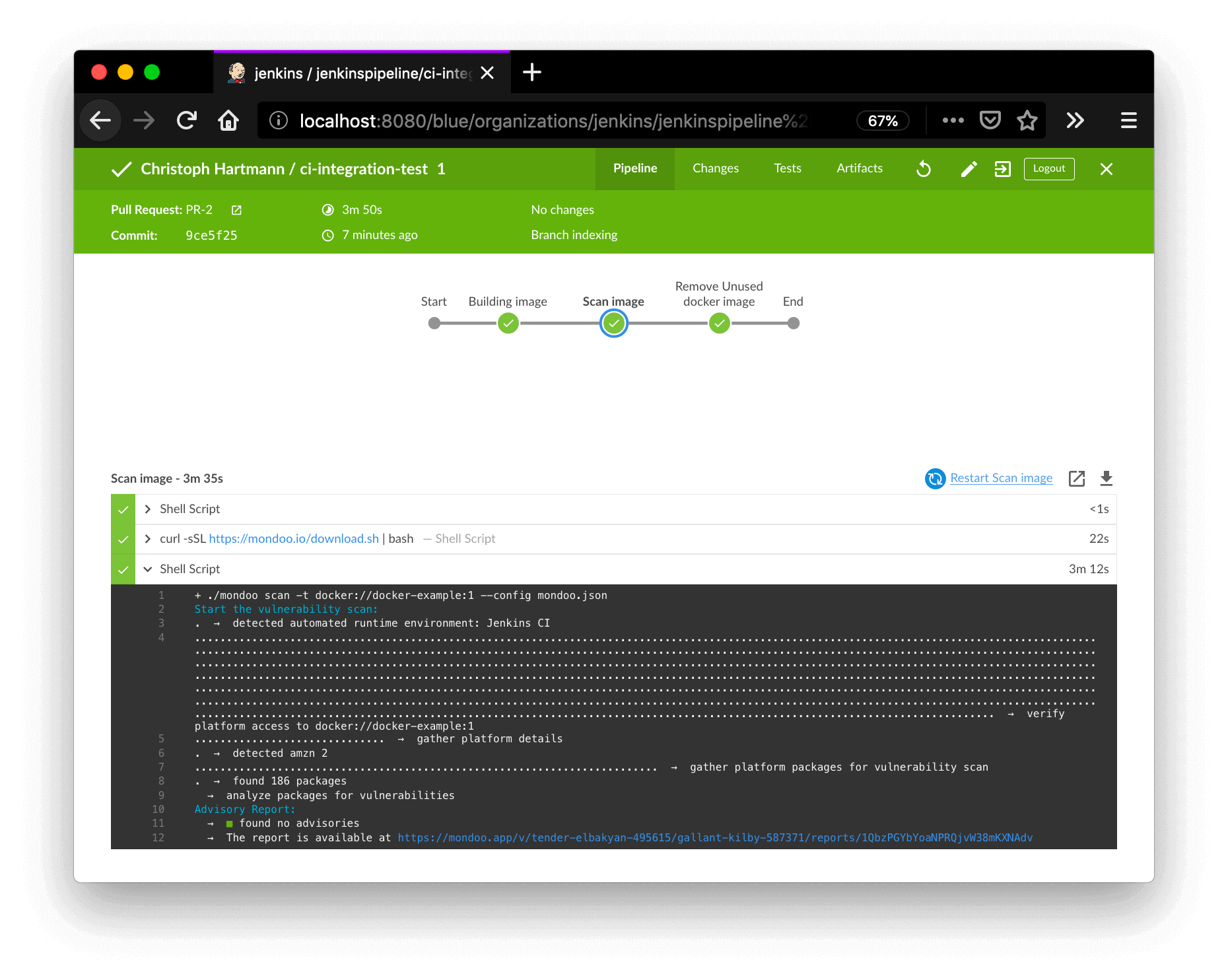
You can view the results directly in the Jenkins UI or in the Mondoo CI/CD view.
Scan infrastructure as code
To scan every infrastructure as code entry point in the repository in one step, run cnspec scan iac. It finds and scans Ansible, Bicep, CloudFormation, Dockerfile, Helm, Kubernetes manifest, and Kustomize files, plus Terraform when you name it in --discover. New charts, templates, and modules are picked up without changing the pipeline. The iac provider requires cnspec 14.0 or later.
This stage runs against the repository that Jenkins checked out into the workspace, and publishes the report with the JUnit plugin. Unlike the image scan, it doesn't need the Docker socket, so the container runs as the Jenkins user instead of root. That way, the Jenkins user owns the report file that cnspec writes to the workspace and the JUnit plugin can read it. Setting HOME=/tmp gives cnspec a writable directory to install its providers in:
stage('Scan infrastructure as code') {
  // run only this stage in the cnspec container image
  agent {
    docker {
      image 'mondoo/cnspec:latest'
      // run as the Jenkins user so the JUnit plugin can read the report; HOME gives cnspec a writable directory for providers
      args '--entrypoint="" -e HOME=/tmp'
      // reuse the node and workspace that hold the checked out repository
      reuseNode true
    }
  }
  environment {
    MONDOO_CONFIG_BASE64 = credentials('MONDOO_CONFIG_BASE64')
  }
  steps {
    // the job fails if any risk meets or exceeds the risk-threshold value; lower it to fail on less severe risks
    sh 'cnspec scan iac . --discover auto,terraform --risk-threshold 90 --output junit --output-target cnspec-junit.xml'
  }
  post {
    always {
      junit 'cnspec-junit.xml'
    }
  }
}
Add opentofu to --discover if the repository uses OpenTofu. The iac provider is experimental; to learn what it detects and how to tune it, read Scan a Whole Infrastructure as Code Repository.
To let engineers request exceptions in the repository, add a mondoo.yml file with an exceptions list and route its review through your owners file. cnspec reports the exceptions on every scan and submits them to Mondoo Platform from builds of the default branch. A multibranch pipeline identifies the default branch on its own. For any other job, set the MONDOO_DEFAULT_BRANCH environment variable to your default branch, such as main. To learn how, read Manage Exceptions in Your Code Repositories.
Once your pipeline reports to Mondoo, head to the security overview to assess and prioritize the findings.