Define the Scope of Your Compliance Audit
Set controls out of scope to exclude them from your compliance score and from generated reports.
If a control in a framework isn't part of your audit, set it out of scope. Mondoo excludes out-of-scope controls from your compliance score and hides them from generated reports.
Every control is in scope by default. Scope changes apply per space; setting a control out of scope in one space doesn't affect other spaces.
Setting a control out of scope hides it from your reports entirely, and you can't reverse it from the Mondoo App. If you want to exclude a control from your score but still show it to your auditor with a justification, set an exception instead.
Set a control out of scope
-
From a space, select Compliance in the side navigation, then select the framework. Scroll to the list of controls.
-
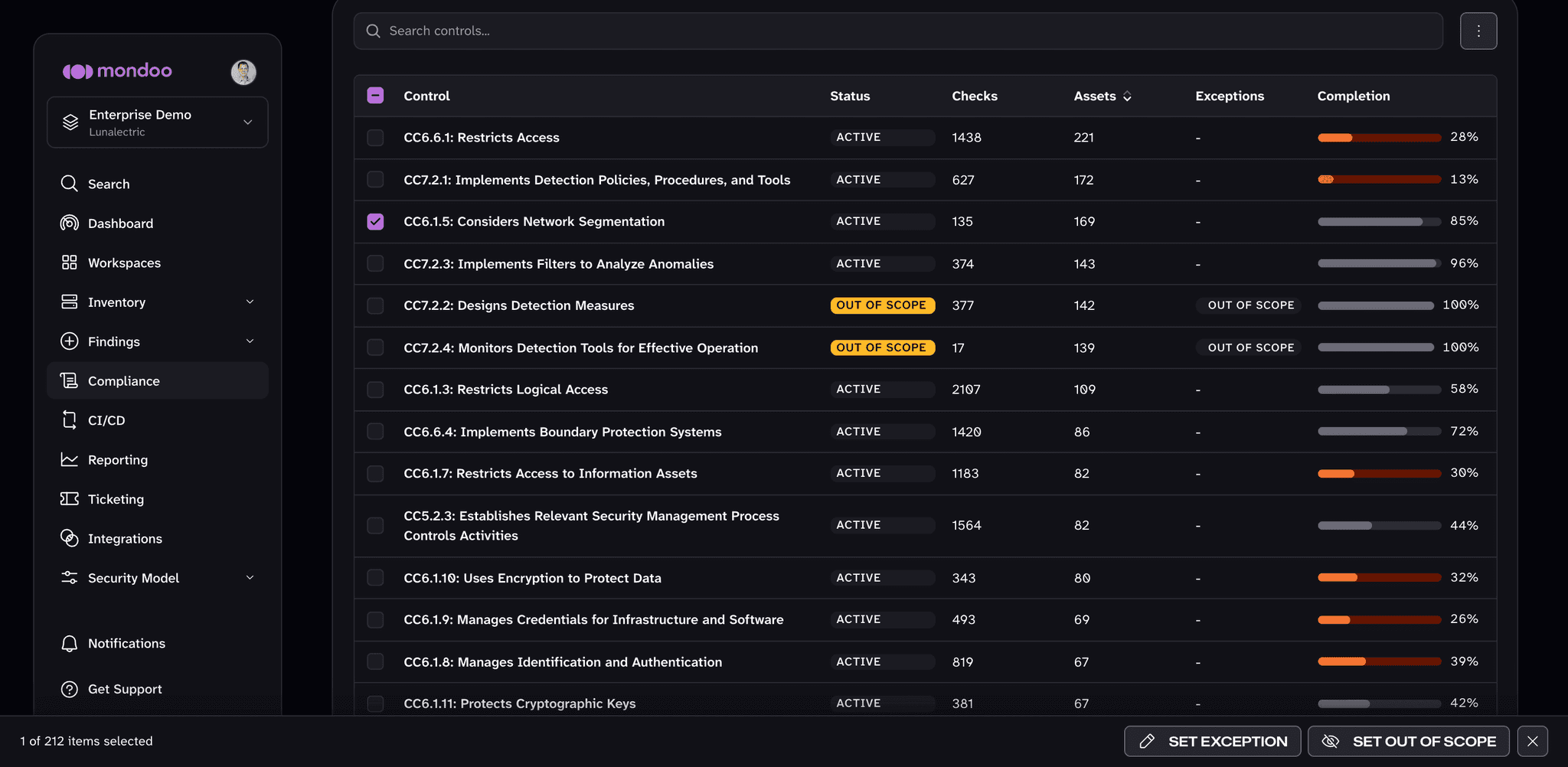
Check the box beside the control. A bar appears at the bottom of the page.
-
In that bar, select SET OUT OF SCOPE.
The control is immediately removed from the compliance score and from new reports generated for this space. Out-of-scope controls show an OUT OF SCOPE status in the controls list.
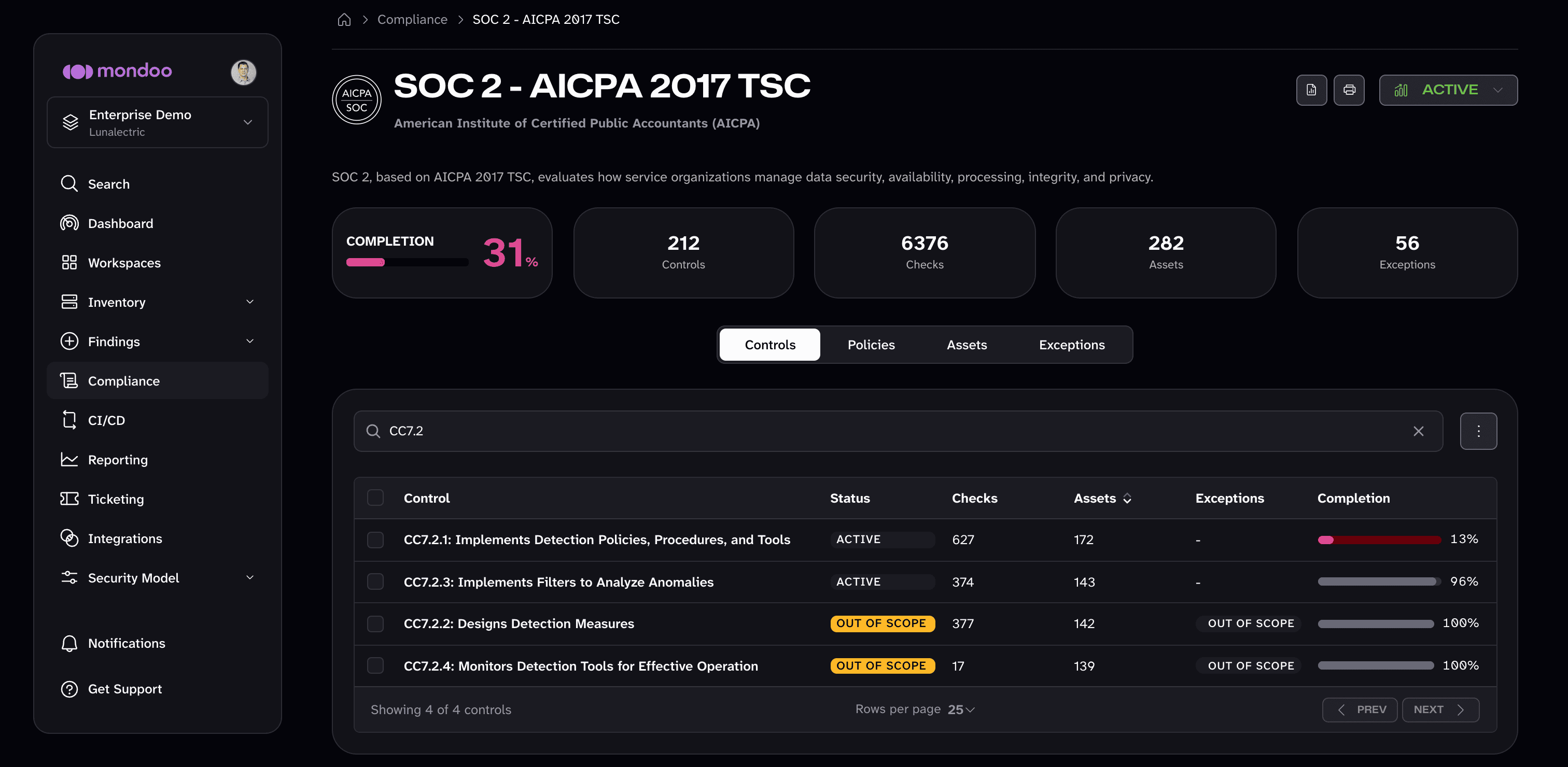
To set a single control out of scope from its detail page, open the control and select TAKE ACTION > Set Out of Scope.
Set checks or assets out of scope
To narrow scope without removing a whole control, open the control's detail page, then:
- On the Findings tab, check the boxes beside the checks that don't apply and select SET OUT OF SCOPE in the bar at the bottom of the page.
- On the Assets tab, check the boxes beside the assets that don't apply and select SET OUT OF SCOPE. Those assets no longer count toward that control.
Restore a control to scope
Out-of-scope decisions don't appear on the framework's Exceptions tab, and the Mondoo App doesn't currently offer a way to return an out-of-scope control to scope. If you need to restore one, open a support case.