
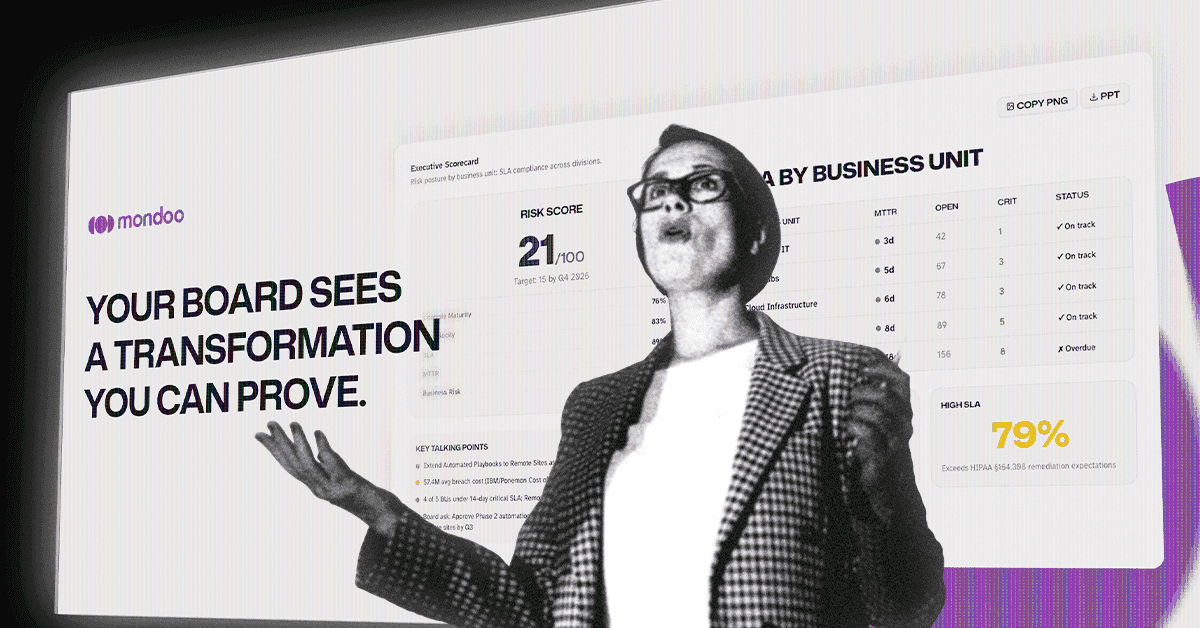
When you stand in front of the board and show what your security program delivered this quarter — the criticals your team closed, the velocity you've built, the SLAs you're hitting — that's your moment. The work earned it.
What that moment doesn't deserve is the week before: pulling screenshots, exporting CSVs, and rebuilding the vulnerability management chapter of the deck by hand. Your results already exist. The platform already knows what your team fixed, how fast, and where the gaps are. The week goes into formatting it.
That's the part Executive Reports removes. After two months in Preview, Executive Reports are now generally available to all Mondoo customers — no flag to enable, no add-on cost, no call to your CSM. Open the console and generate one.
If you caught the glimpse of executive reporting in the new Mondoo console launch and wondered when you'd get your hands on it, this is the full story.
The VM chapter of your board deck
Executive Reports turn live Mondoo data into a presentation-ready report: a cover slide ({Quarter} Security Posture) plus content slides organized into three sections. Every slide exports individually to PowerPoint or PNG, so the report drops straight into the deck you already have — your template, your branding, your order.
Security Outcomes from Agentic Managed Vulnerability Service answers the question every board asks first: is this working? This is where your team's work shows up.
- Cumulative Remediations shows historical remediation totals — everything your team has fixed, accumulated over time, not a snapshot of what's currently open.
- Fix Velocity shows how fast your findings get resolved. Speed is the metric that separates a program that's keeping up from one that's falling behind — and the one that shows the board your program is improving, not just running.
Security Controls covers the maturity side:
- Controls Assessment shows compliance framework maturity, and adapts to the frameworks you select in the report wizard.
Executive Summary is the slide leadership reads first:
- The Executive Scorecard breaks down risk posture by business unit and shows SLA compliance across divisions — the one-slide answer when the board asks how the program is doing across the whole company.
On top of the always-on slides, the report adds one Regulation slide per compliance framework you select in the wizard — CIS v8, SOC 2, PCI DSS 4.0, NIS2, and more. If your org has transformation metadata configured, a Transformation slide appears as well; otherwise it stays out of the way.
Built for the board, not the console
One deliberate difference from the rest of Mondoo: MTTR, Fix Velocity, and SLA figures in Executive Reports are critical-severity only. Your team works across all severities in the console — that's the operational view. The board needs one answer: are the risks that could actually hurt the business getting fixed, and how fast — so the report scopes to critical and keeps that answer sharp.
Business units that match your business
"Business units" in the Executive Scorecard map to the Mondoo spaces you select for the report — so the report speaks the same organizational language your leadership does. If you want a finer breakdown, risk can be sliced by a BusinessPriority dimension driven by the mondoo.com/business-priority asset annotation. Tag your assets once, and the scorecard reflects how your business actually prioritizes them.
From Preview to GA
We launched Executive Reports in Preview in April. Since then, the feedback loop with early users has shaped what GA looks like — what the slides emphasize, how the wizard works, what exports cleanly into a real board deck. Thank you to everyone who generated reports, sent screenshots of their decks, and told us what was missing.
As of today, it's on for everyone. No enablement, no extra line item.
See it before you generate it
Want to know exactly what lands in your deck before you open the wizard? We published a live sample report — click through every slide.
When you're ready:
- Open the Mondoo console and select Executive under the Reporting header
- Pick your spaces and compliance frameworks in the wizard
- Generate, review, export to PowerPoint or PNG
The Executive Reports documentation covers the details, including the BusinessPriority annotation setup.
The results in these slides are yours. Your team closed those criticals, built that velocity, hit those SLAs. Executive Reports just make sure the board sees that work the way it deserves to be seen — and that the week before the meeting goes into the conversation, not the formatting.