Secure a Host (Domain or IP Address)
Continuously scan a domain or IP address for HTTP or HTTPS security best practices.
Mondoo continuously scans a domain or IP address to verify that your hosts follow security best practices for DNS, email, HTTP headers, and TLS/SSL. You choose whether to scan HTTPS, HTTP, or both.
Add the integration
In the Mondoo App, navigate to the space where you want to add the integration. In the side navigation bar, select Integrations. In the top right, select INSTALL. On the Install Integration page, find the integration you want by browsing a category or searching by name:
-
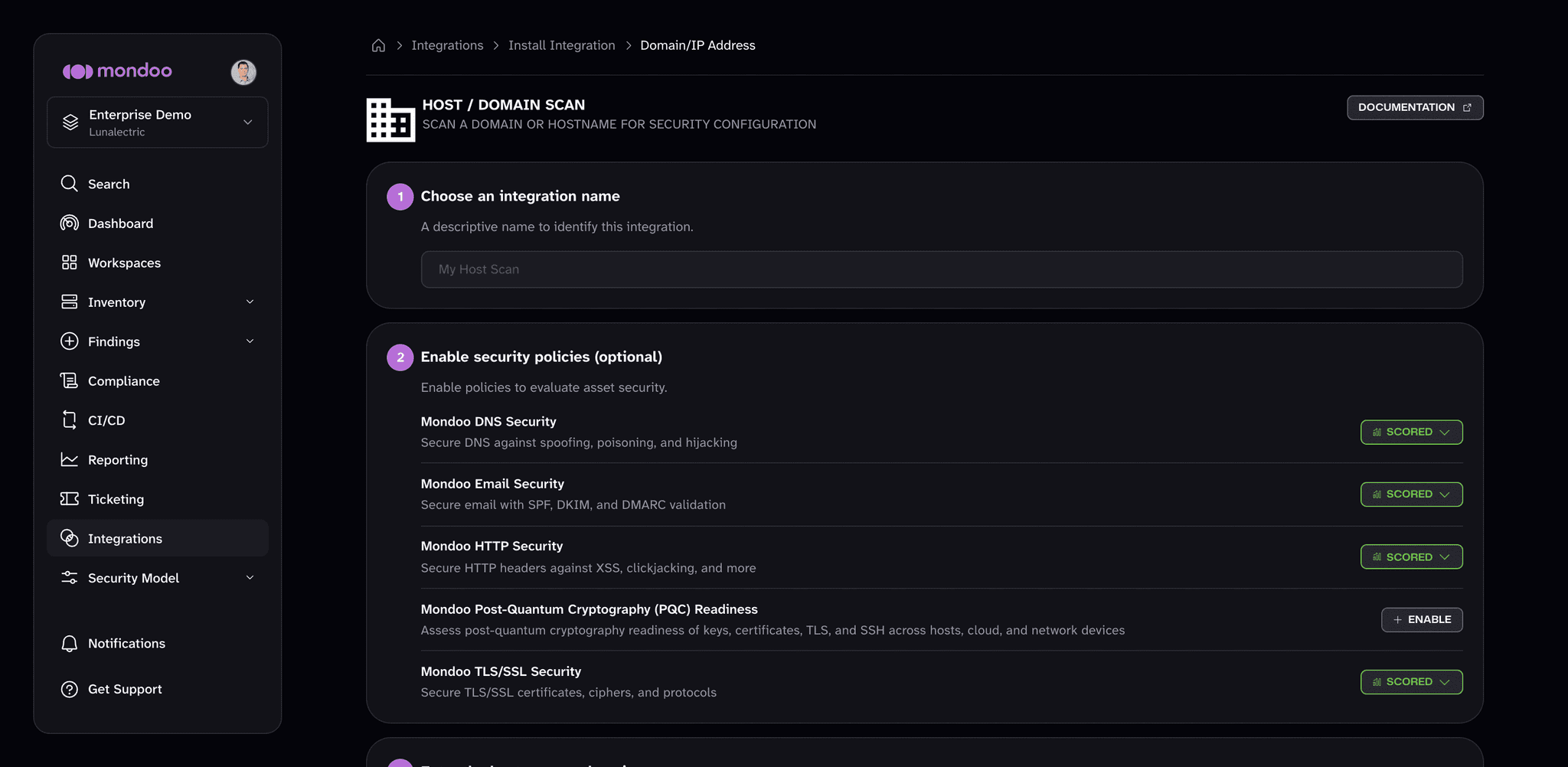
Under Network Security, select Domain/IP Address.
-
In Choose an integration name, enter a name that identifies the host.
-
(Optional) Under Enable security policies (optional), enable the policies you want Mondoo to score the host against, such as Mondoo DNS Security, Mondoo Email Security, Mondoo HTTP Security, and Mondoo TLS/SSL Security.
-
In Enter the hostname or domain, enter the domain (for example,
www.lunalectric.com) or IP address (for example,123.45.67.89). Don't include a protocol prefix such ashttps://. -
Under Select protocols, choose HTTPS (port 443), HTTP (port 80), or both. HTTPS is selected by default.
-
(Optional) Under Set Annotations (optional), select + ADD ANNOTATION to add key-value pairs that Mondoo applies to every asset this integration discovers. To learn more, read Annotate assets.
-
Select START SCANNING.
Once the integration is running, head to the security overview to assess and prioritize the findings.