First Scan
Find a real vulnerability with one command — no rules to write, no configuration.
Your First Scan
xgrep works out of the box. It ships with a built-in rule corpus, so you can scan a real project with one command and zero configuration:
xgrep scan .That runs the built-in security and secrets rules over the current directory and prints what it finds:
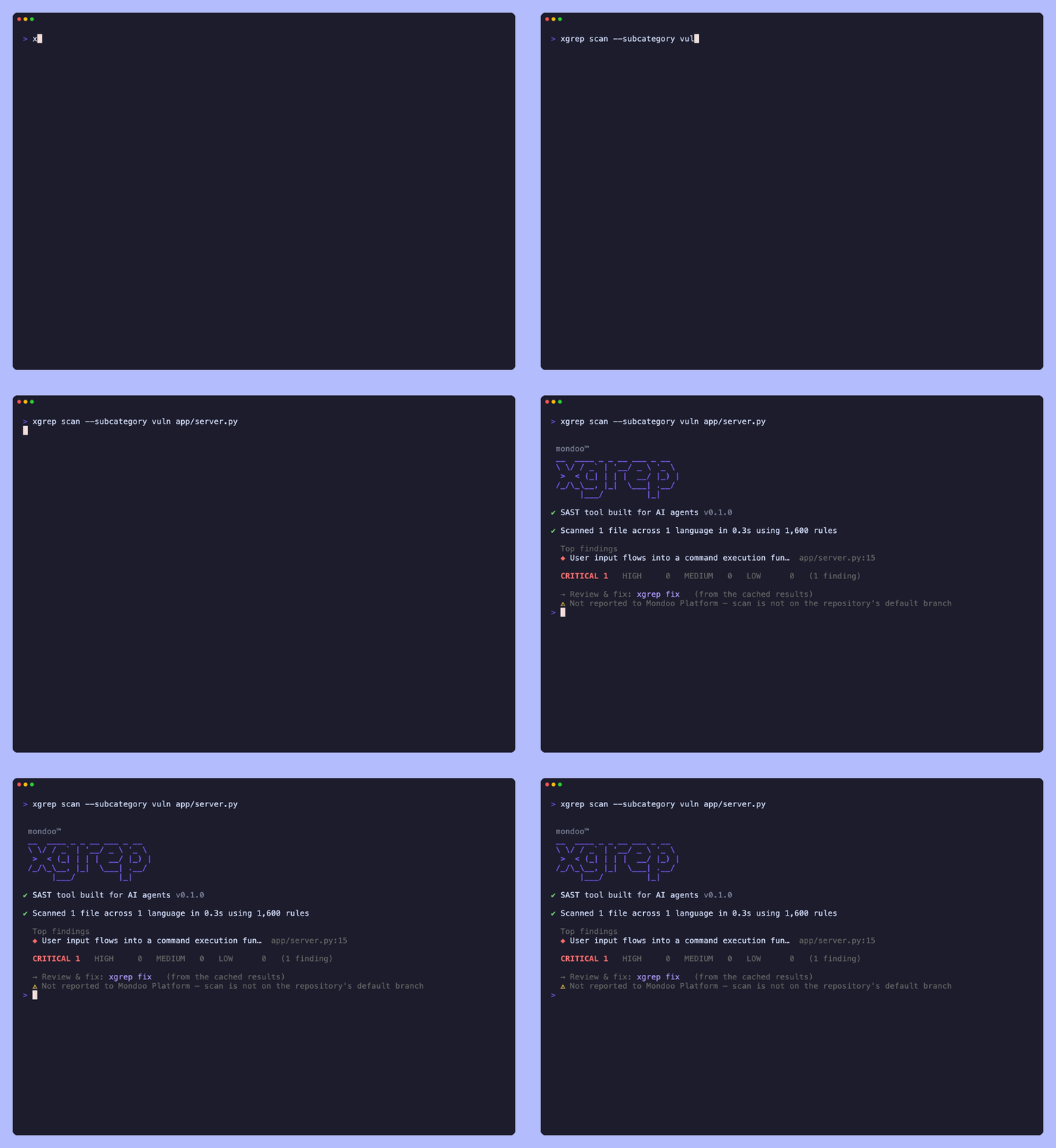
Reading a finding
Every finding is anchored to the exact line and tells you why it matters and how to fix it:
- the rule that fired (e.g.
python-command-injection) and its severity (INFO→WARNING→ERROR/CRITICAL), - a plain-language explanation and a remediation pointer,
- the matched line — here, untrusted input reaching a shell command.
xgrep optimizes for accuracy: a finding is meant to be a real, exploitable bug — not a style nit.
Scan something specific
The target can be a file, a directory, a remote repository, a build artifact, or a deployed serverless function — xgrep fetches and unpacks whatever it needs:
xgrep scan                        # the current directory (same as `xgrep scan .`)
xgrep scan path/to/file.py        # a single file
xgrep scan src/                   # a subdirectory
xgrep scan github.com/org/repo    # a remote repo, cloned automatically
xgrep scan app.jar                # a build artifact, including its compiled classes
xgrep scan lambda://checkout-api  # the code actually deployed to a function
xgrep scan gcpfn://checkout-api   # the same, for a GCP Cloud Run function
The last two need no source checkout: a jar is scanned down to its bytecode, and a function's deployed package is downloaded and scanned as it is. See Scan targets for the full list.
Turn the signal up
Want only the high-severity, attacker-reachable findings? Filter to the exploitable tier:
xgrep scan --subcategory vuln .See the exploitability tier
for vuln (exploitable) vs audit (hardening/advisory).
Machine-readable output
For tooling and CI, emit JSON or a platform report instead of text:
xgrep scan --json .       # Semgrep-compatible JSON
xgrep scan --sarif .      # GitHub Code Scanning
xgrep scan --gitlab .     # GitLab SAST
Bring your own rules
Already have Semgrep/OpenGrep rules, or want to write your own? Point -f at a rule
file or a directory of rules:
xgrep scan -f rules.yaml src/
xgrep scan -f rules/ --with-builtin security src/   # your rules + the built-ins
Next steps
- Fix what you found —
xgrep fixapplies the safe fixes, hands the judgement calls to your coding agent, and re-scans every change before writing it. - Run xgrep in CI — GitHub Code Scanning or GitLab SAST, in one step.
- Write your own rules — the Semgrep-compatible rule format.
- Explore a codebase —
xgrep inspectand the code graph. - Full CLI reference — every flag and subcommand.
Installation
Install xgrep from the @mondoohq/xgrep npm package.
Overview
Run xgrep's SAST (static application security testing) engine against your code — taint and dataflow analysis that traces untrusted input to dangerous sinks, plus output formats, supported languages, Semgrep parity, and custom rules.