CI Integration
Run xgrep in CI and publish results to GitHub Code Scanning, GitLab SAST, or Azure DevOps.
CI Integration
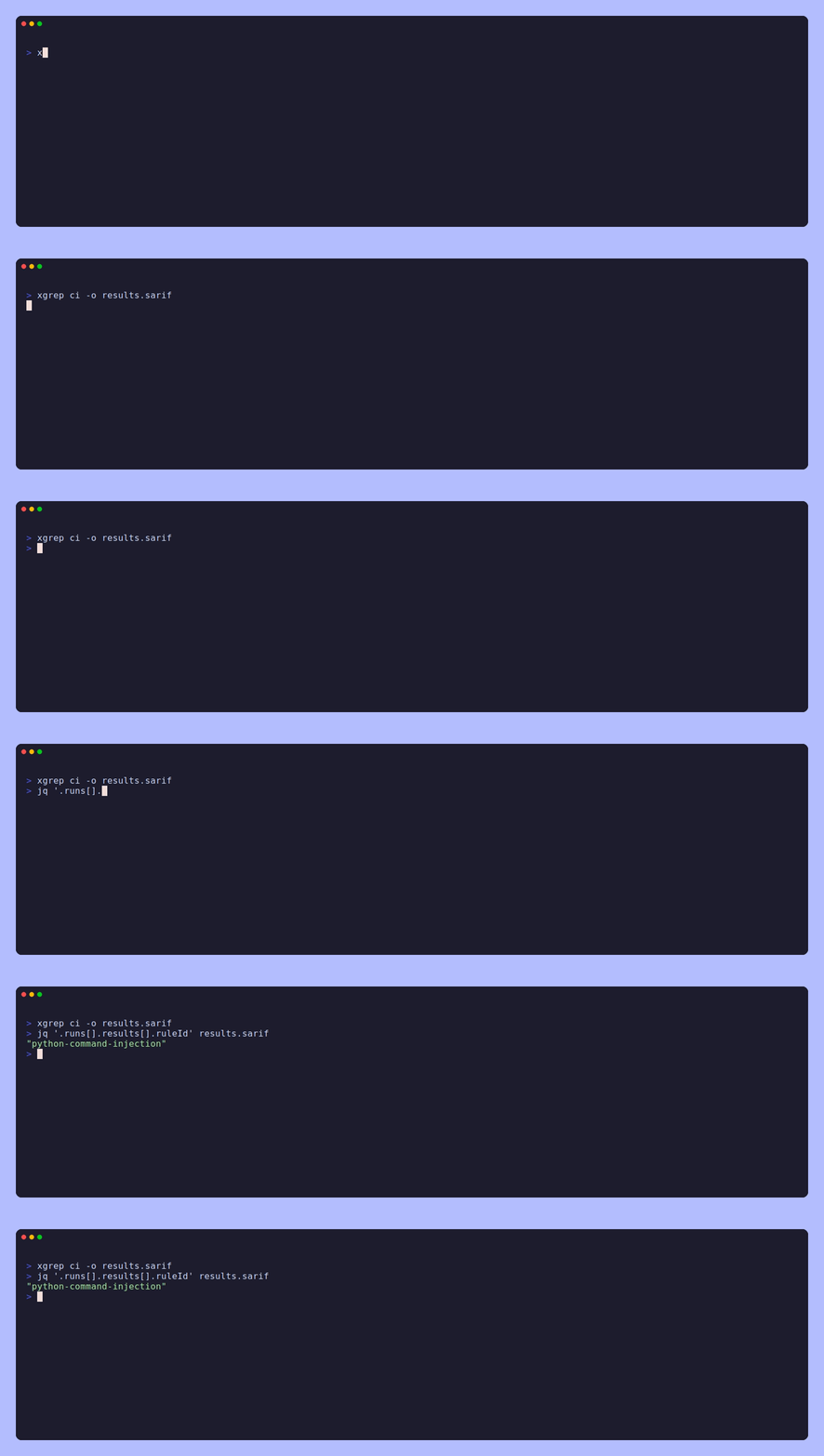
xgrep emits native report formats for GitHub, GitLab, and Azure DevOps (SARIF).
Run it from the repository root (or pass --project-root) so file paths in
the report match the repo and findings attach to the right lines. Combine with
--baseline-commit to scan only what a
pull request changed. See Output formats.
Quick start (xgrep ci --init)
The fastest way to add xgrep to a repository is to scaffold a starter workflow:
xgrep ci --initIt writes a ready-to-commit CI config for your provider, installs xgrep from npm,
and runs xgrep ci — which auto-detects the
provider, scans diff-aware on pull requests, and emits the report format that
provider ingests. Seven providers are supported:
| Provider | File written | Diff-aware on PRs? |
|---|---|---|
| GitHub Actions | .github/workflows/xgrep.yml | ✅ |
| GitLab CI | .gitlab-ci.yml | ✅ |
| Azure Pipelines | azure-pipelines.yml | ✅ (Azure Repos: needs a Build validation policy) |
| Bitbucket Pipelines | bitbucket-pipelines.yml | ✅ |
| Jenkins | Jenkinsfile | ✅ (multibranch PR builds) |
| Buildkite | .buildkite/pipeline.yml | ✅ |
| CircleCI | .circleci/config.yml | full scan* |
The provider is auto-detected from your repository; override it with
--provider github|gitlab|azure|bitbucket|jenkins|circleci|buildkite, and pass
--force to overwrite an existing file. Review the generated file, pin the
action/image refs to commit SHAs, and commit it — xgrep runs on your next pull
request.
* CircleCI exposes no base-branch environment variable for pull requests, so the generated config runs a full scan (the same limitation other SAST tools document).
The rest of this page explains what the generated workflow does and how to customize it (or hand-write one).
Installing xgrep in CI
The workflows below assume xgrep is on the runner's PATH. The simplest way to
get it there is the npm package,
which ships prebuilt binaries (Linux, macOS, and Windows, amd64 and arm64) and
works on any runner with Node.js:
npm install -g @mondoohq/xgrep   # adds the `xgrep` command to PATH
xgrep version
Or run it without a global install via npx @mondoohq/xgrep … — drop-in for
xgrep … in any of the steps below. Pin a version (@mondoohq/xgrep@<version>)
for reproducible builds instead of floating on the latest release.
GitHub-hosted and GitLab node:* runners ship Node.js, so no extra setup step is
needed; on other images add Node first (actions/setup-node on GitHub, a
node:lts image on GitLab — both shown below). See Installation
for details.
Exit codes
xgrep follows the Semgrep/Opengrep convention:
| Code | Meaning |
|---|---|
0 | Scan completed (with or without findings) |
1 | Findings found — only when --error is passed |
2 | Fatal error (e.g. rules failed to load) |
3 | Reporting to Mondoo Platform did not happen — only when --require-upload is passed |
4 | The scan did not cover everything it was asked to — only when --strict is passed |
A completed scan exits 0 even when it reports findings, so the
upload/report step still runs. Add --error to hard-fail the job on any
finding (scope it with --severity, e.g. --severity ERROR --error). Let the
platform (GitHub Code Scanning, GitLab) gate via policy when you prefer
upload-then-gate over a hard CLI gate.
When more than one gate would fire, the more specific one wins: findings (1)
before a missing required upload (3), and both before an incomplete scan (4).
0, 1 and 2 match Semgrep/Opengrep; 3 and above do not. A pipeline
built for Semgrep reads 0 as completed, 1 as findings and 2 as a tool
failure, and that carries over unchanged. Beyond those, xgrep uses its own
numbering and it conflicts with Semgrep's: Semgrep gives 3 to a missing config
and 4 to an invalid rule pattern, where xgrep uses them for a required upload
that did not happen and a scan that did not cover everything. If you branch on a
specific code above 2, read it against this table rather than Semgrep's. Any
pipeline testing != 0 is unaffected.
For gradual rollout, --max-findings N fails the job (exit 1) only when the
active finding count exceeds N — so you can adopt a ruleset on a repo with
known findings, gate at the current count, and tighten over time. When set it
takes precedence over --error and gates on its own (--max-findings 0 is
equivalent to --error).
Failing on an incomplete scan (--strict)
A scan can cover less than the whole tree in four ways:
- A file hits the per-file
--timeout(60s by default) and is skipped. - A file cannot be read at all — a permission error, a dangling symlink, a
path that turns out to be a directory. It is listed under
paths.unreadableand, because it was never opened, is not counted inpaths.scanned. - A target cannot be fetched — a bad clone URL, a path that does not exist — while other targets resolve fine. The scan covers the rest and says so.
- The scan reaches its
--max-memorybudget. Files cancelled to stay under it are listed underpaths.memory_aborted; files never started because the scan was stopped are listed underpaths.memory_skippedand are not counted inpaths.scanned.
Each is reported: the summary counts it, --json lists it under errors, and
SARIF records it. But by default the job still exits 0, so a run that quietly
covered less than the whole tree looks like a clean one.
--strict gates on all four: if the scan did not cover everything it was
asked to, it exits 4.
xgrep scan --strict --error . # fail on findings, and on incomplete coverageUse it wherever you rely on the scan having actually read everything. If it
fires, the report names the files and the reason for each: raise --timeout (or
pass --timeout 0 to disable the per-file budget) for a timeout, fix the
permissions or the broken link for an unreadable file, and correct the target for
one that could not be fetched. This is the same flag name Semgrep uses
for the same purpose, so a pipeline that already passes --strict keeps working.
Diff-aware scanning (pull requests)
For pull-request checks, --baseline-commit scopes the scan to the files changed
since a baseline and reports only findings on changed lines — so a PR check
parses and runs rules over just what changed, not the whole repository. This is
the same flag (and behavior) Semgrep/Opengrep use for diff-aware scanning.
xgrep --baseline-commit origin/main .       # changes since origin/main
xgrep --baseline-commit origin/main..HEAD . # an explicit commit range
xgrep --baseline-commit HEAD . # uncommitted working-tree changes- The argument is a single ref (diffed against the working tree) or a
base..head/base...headrange. In CI, use the merge-base between the PR branch and its target — that is what should count as "new." - Only changed files are scanned; findings on unchanged lines of changed files
are dropped. With
--error, the job fails only when a changed line has a finding. - Run from the repository root; the content scanned is the working tree, so
the head should be the working tree /
HEAD. - Because unchanged files are skipped, interfile (cross-file) analysis sees only
the changed files. Drop
--baseline-commitfor a full-context scan (e.g. a scheduled scan of the default branch).
GitHub Actions PR example (combine with the SARIF upload below):
on: pull_request
jobs:
  scan:
    runs-on: ubuntu-latest
    steps:
      - uses: actions/checkout@v4
        with:
          fetch-depth: 0 # need history so the baseline ref is available
      - run: npm install -g @mondoohq/xgrep
      - name: Diff-aware scan
        run: |
          xgrep \
            --baseline-commit "${{ github.event.pull_request.base.sha }}" \
            --sarif -o results.sarif .
GitLab CI resolves the target branch via CI_MERGE_REQUEST_DIFF_BASE_SHA:
xgrep-mr:
  image: node:lts
  rules:
    - if: '$CI_PIPELINE_SOURCE == "merge_request_event"'
  before_script:
    - npm install -g @mondoohq/xgrep
  script:
    - xgrep --baseline-commit "$CI_MERGE_REQUEST_DIFF_BASE_SHA" --gitlab -o gl-sast-report.json .
GitHub Action (recommended)
On GitHub the simplest setup is the official
mondoohq/actions/xgrep
action. It installs xgrep from the npm package, runs xgrep ci
(diff-aware on pull requests, full-tree on push), and writes a SARIF report — so
the whole scan is one step. No Mondoo account or service token is required; the
action is hermetic and never uploads to a hosted backend.
# .github/workflows/xgrep.yml
name: xgrep
on:
  push:
    branches: [main]
  pull_request:

permissions:
  contents: read
  security-events: write # required to upload SARIF (when Code Security is enabled)

jobs:
  scan:
    name: xgrep SAST
    runs-on: ubuntu-latest
    steps:
      - uses: actions/checkout@v4
        with:
          fetch-depth: 0 # full history for diff-aware scanning on pull requests

      - name: Run xgrep
        uses: mondoohq/actions/xgrep@v13.2.0
        with:
          path: .
          output-file: results.sarif
          # Report-only to start: findings surface in the Security tab without
          # failing the build. Tighten to `error` once the backlog is triaged.
          fail-on: 'off'

      - name: Upload SARIF to code scanning
        if: always() # don't lose findings if the scan step errors
        uses: github/codeql-action/upload-sarif@v3
        with:
          sarif_file: results.sarif
          category: xgrep # must match the action's sarif-category input
Action inputs
| Input | Default | Description |
|---|---|---|
path | . | Path(s) to scan. |
rules | (built-ins) | Custom rule file/directory (-c). Empty = xgrep's built-in security + secrets rules. |
with-builtin | "" | When rules is set, also run these built-in categories (e.g. security,secrets). |
output-file | results.sarif | Path for the SARIF report. |
version | latest | @mondoohq/xgrep npm version to install (pin for reproducible builds). |
sarif-category | xgrep | SARIF category — must match category on the upload step. |
fail-on | off | Fail the job when findings exist at/above this severity: off, warning, or error. |
args | "" | Extra raw flags passed through to xgrep ci (e.g. --exclude vendor). |
Gradual rollout: keep fail-on: "off" while triaging the initial backlog, so
findings show up in the Security tab without breaking the build, then flip to
error (or warning) to gate PRs. On a private repo without GitHub Advanced
Security, the Security tab isn't available — see
GitHub without Code Scanning for the
job-summary + artifact reporting pattern instead. For more hardening examples
(SHA-pinned actions, fallbacks), see the
mhunt integration.
GitHub Code Scanning (SARIF) — manual
When you'd rather not use the action (custom rule layout, non-ci invocation,
or an existing install step), wire up the npm package and SARIF upload directly:
# .github/workflows/xgrep.yml
name: xgrep
on: [push, pull_request]

permissions:
  contents: read
  security-events: write # required to upload SARIF

jobs:
  scan:
    runs-on: ubuntu-latest
    steps:
      - uses: actions/checkout@v4
      - run: npm install -g @mondoohq/xgrep
      - name: Run xgrep
        run: xgrep --sarif -o results.sarif .
      - name: Upload SARIF
        if: always() # upload even when findings make xgrep exit non-zero
        uses: github/codeql-action/upload-sarif@v3
        with:
          sarif_file: results.sarif
          category: xgrep # matches automationDetails.id (set via --sarif-category)
xgrep fills in partialFingerprints (stable alert tracking), security-severity
(severity ranking), CWE/OWASP tags, automationDetails.id, and
versionControlProvenance automatically.
GitHub without Code Scanning (no GHAS)
Uploading SARIF to the Security tab needs GitHub code scanning. It's free on
public repositories, but on private ones it requires GitHub Advanced
Security — now GitHub Code Security (security-events: write plus a license).
When that isn't available, skip upload-sarif entirely and report findings two
other ways:
- Render a table in the job summary and run log — severity · rule ·
file:line· message — so reviewers see results inline on the run, with a clean "No findings" fallback. - Attach the raw SARIF as a workflow artifact for download and offline triage.
This keeps permissions down to contents: read (no security-events: write),
so it works on any private repo. The scan still runs the recommended
mondoohq/actions/xgrep
action; only the reporting tail differs.
# .github/workflows/xgrep.yml
name: xgrep
on:
  push:
    branches: [main]
  pull_request:
    branches: [main]

permissions:
  contents: read # no security-events: write — we don't upload to Code Scanning

jobs:
  scan:
    name: xgrep security scan
    runs-on: ubuntu-latest
    steps:
      - uses: actions/checkout@v4
        with:
          fetch-depth: 0 # full history for diff-aware scanning on pull requests

      - name: Run xgrep
        uses: mondoohq/actions/xgrep@v13.2.0
        with:
          path: .
          output-file: results.sarif
          # Report-only: this repo has no Code Scanning, so findings are
          # summarized below instead of uploaded to the Security tab.
          fail-on: 'off'

      - name: Summarize findings
        if: always()
        env:
          SARIF: results.sarif
        run: |
          set -euo pipefail
          if [ ! -f "$SARIF" ]; then
            echo "xgrep produced no SARIF report." | tee -a "$GITHUB_STEP_SUMMARY"
            exit 0
          fi
          total=$(jq '[.runs[].results[]?] | length' "$SARIF")
          {
            echo "## xgrep security findings: ${total}"
            echo ""
            if [ "$total" -eq 0 ]; then
              echo "No findings."
            else
              echo "| Severity | Rule | Location | Message |"
              echo "| --- | --- | --- | --- |"
              jq -r '
                .runs[].results[]?
                | ((.level // "note")) as $sev
                | ((.ruleId // "?")) as $rule
                | (.locations[0].physicalLocation // {}) as $loc
                | (($loc.artifactLocation.uri // "?") + ":" + (($loc.region.startLine // 0)|tostring)) as $where
                | ((.message.text // "") | gsub("[\r\n]+";" ") | gsub("\\|";"\\\\|")) as $msg
                | "| \($sev) | \($rule) | `\($where)` | \($msg) |"
              ' "$SARIF"
            fi
          } | tee -a "$GITHUB_STEP_SUMMARY"

      - name: Upload SARIF artifact
        if: always()
        uses: actions/upload-artifact@v4
        with:
          name: xgrep-sarif
          path: results.sarif
          if-no-files-found: ignore
Both reporting steps use if: always() so findings still surface even when the
scan step exits non-zero. Keep fail-on: "off" while triaging the initial
backlog, then flip to error (or warning) to gate PRs. If GHAS is enabled on
the repo later, switch to the Code Scanning
pattern: add security-events: write and replace the summarize/artifact steps
with github/codeql-action/upload-sarif.
GitLab SAST
# .gitlab-ci.yml
xgrep-sast:
  stage: test
  image: node:lts
  before_script:
    - npm install -g @mondoohq/xgrep
  script:
    - xgrep --gitlab -o gl-sast-report.json .
  artifacts:
    reports:
      sast: gl-sast-report.json
The report appears in the merge request security widget and the Vulnerability
Report. scan.primary_identifiers lets GitLab mark findings resolved once they
disappear from a later scan.
Azure DevOps (Azure Pipelines)
xgrep ci auto-detects Azure Pipelines (via TF_BUILD). On a pull-request
build it scans diff-aware against the PR target branch
(System.PullRequest.TargetBranch, refined to the merge-base with HEAD); on a
branch/CI build it runs a full scan. Both write SARIF, which the
SARIF SAST Scans Tab extension can display in the run.
Check out with full history (fetchDepth: 0) — it is required. The PR scan
diffs against origin/<target>, and Azure's default checkout is shallow.
Without full history xgrep ci does not fall back to a full-tree scan: it exits
2 with --baseline-commit "origin/main": could not compute git diff and writes
no SARIF. Microsoft-hosted images ship Node.js and the az CLI, so no other
setup is needed.
Run on pull requests
Azure Repos Git ignores the YAML pr: trigger. Microsoft documents YAML PR
triggers as supported only for GitHub and Bitbucket Cloud.
For a repo in Azure Repos, run the pipeline on PRs with a Build validation
branch policy on the target branch
(Learn):
- Repos → Branches, open ⋯ → Branch policies on
main. - Under Build validation, choose +, select this pipeline, and leave the trigger on Automatic.
- Set the policy to Required to block merges on a failed scan, or Optional to report only.
Keep pr: in the YAML only when the repository lives in GitHub or Bitbucket Cloud
and Azure Pipelines is just the runner. Draft PRs don't trigger the policy.
# azure-pipelines.yml
trigger:
  - main
# `pr:` is honored only for GitHub / Bitbucket Cloud repos. For Azure Repos Git,
# add a Build validation branch policy on `main` instead (see above).
pr:
  - main

pool:
  vmImage: ubuntu-latest

steps:
  - checkout: self
    fetchDepth: 0 # required: xgrep ci exits 2 on a shallow clone in PR builds

  - script: npm install -g @mondoohq/xgrep
    displayName: Install xgrep

  - script: xgrep ci -o results.sarif
    displayName: Run xgrep
    # Built-in security + secrets rules run by default; add `-f rules/` (or `-c`)
    # to point at your own ruleset. `xgrep ci` exits 0 even with findings so later
    # steps still run; add `--error` (optionally `--severity ERROR`) to hard-fail.
View findings in the run (SARIF)
Azure DevOps surfaces SARIF through the
SARIF SAST Scans Tab
extension (install it once per organization). The extension reads any *.sarif
file published as a build artifact named CodeAnalysisLogs and renders the
findings as a Scans tab on the run, annotated to file:line:
- task: PublishBuildArtifacts@1
  displayName: Publish SARIF
  condition: always() # publish even when findings make the scan step fail
  inputs:
    pathToPublish: results.sarif
    artifactName: CodeAnalysisLogs
The extension only displays the results; it does not create work items (the
script below does). This is the upload-then-gate pattern used for GitHub and GitLab: the report is
always published, and you gate the build separately (CLI --error/--max-findings,
or a branch policy).
File findings as work items
Neither Azure DevOps nor the Scans tab extension files work items from SARIF, so turn findings into
work items with a script that parses the SARIF and calls
az boards work-item create.
Authenticate the az CLI with the pipeline's own token by exporting it as
AZURE_DEVOPS_EXT_PAT. Map the predefined variables into the script's
environment too — $(...) is command substitution in bash, so reference the
mapped env vars ($COLLECTION_URI, $TEAM_PROJECT) rather than the
$(System.…) macros inside the script body. The azure-devops az extension
installs automatically on first use.
Don't re-file the same finding. xgrep writes a partialFingerprints
(primaryLocationLineHash) value on every SARIF result — a hash of the matched
line's content that is independent of the line number, so it stays the same
when a finding moves within a file. That makes it a reliable dedup key: tag each
work item xgrep-fp:<fingerprint> and, before creating, query for an existing
open item with that tag and skip if one is found. Re-scans of moved or
reindented code reuse the same key, so the same finding isn't re-filed.
- task: Bash@3
  displayName: File xgrep findings as work items
  condition: always()
  env:
    AZURE_DEVOPS_EXT_PAT: $(System.AccessToken) # build-service identity
    COLLECTION_URI: $(System.CollectionUri)
    TEAM_PROJECT: $(System.TeamProject)
    MAX_WORK_ITEMS: 50 # cap items per run; 0 = no cap
  inputs:
    targetType: inline
    script: |
      set -euo pipefail
      [ -f results.sarif ] || { echo "no SARIF report"; exit 0; }
      # One work item per error- or warning-level finding, plus every secret that
      # was validated live or left unvalidated (an unvalidated secret is reported
      # one level lower, so a HIGH secret is a SARIF "warning"), capped at MAX_WORK_ITEMS per run (0 = no cap) so a noisy scan can't flood
      # Boards. Read into an array first so the cap can break the loop without
      # SIGPIPE-ing jq under `set -o pipefail`.
      MAX="${MAX_WORK_ITEMS:-50}"
      mapfile -t findings < <(jq -c '.runs[].results[]? | select((.level // "note") as $l | $l == "error" or $l == "warning"
        or ((.properties["validation-state"] // "") | IN("unvalidated", "confirmed")))' results.sarif)
      total=${#findings[@]}
      echo "Found $total finding(s) to file; filing up to ${MAX} (0 = all)."
      filed=0
      for ((i = 0; i < total; i++)); do
        if [ "$MAX" -ne 0 ] && [ "$filed" -ge "$MAX" ]; then
          echo "Reached the $MAX-item cap; $((total - i)) more not filed."
          break
        fi
        r="${findings[$i]}"
        rule=$(jq -r '.ruleId // "?"' <<<"$r")
        msg=$(jq -r '.message.text // ""' <<<"$r")
        loc=$(jq -r '(.locations[0].physicalLocation.artifactLocation.uri // "?")
          + ":" + ((.locations[0].physicalLocation.region.startLine // 0)|tostring)' <<<"$r")
        # Stable dedup key: the first partialFingerprints value, falling back to
        # rule@location when a finding has none.
        fp=$(jq -r '(.partialFingerprints // {}) | to_entries[0].value // ""' <<<"$r")
        key=${fp:-"$rule@$loc"}
        # Escape single quotes before splicing into the WIQL string literal
        # (xgrep fingerprints are hex, but the rule@loc fallback may not be).
        safe_key=$(printf '%s' "$key" | sed "s/'/''/g")
        # Skip if an open work item already carries this fingerprint tag.
        existing=$(az boards query \
          --org "$COLLECTION_URI" --project "$TEAM_PROJECT" \
          --wiql "SELECT [System.Id] FROM workitems
                  WHERE [System.Tags] CONTAINS 'xgrep-fp:$safe_key'
                  AND [System.State] NOT IN ('Closed', 'Done', 'Removed')" \
          -o json | jq 'length')
        if [ "${existing:-0}" -gt 0 ]; then
          echo "skip (already filed): $key"
          continue
        fi
        # ';' delimits Azure tags, so System.Tags below sets two tags:
        # `xgrep` and `xgrep-fp:<key>`.
        az boards work-item create \
          --org "$COLLECTION_URI" \
          --project "$TEAM_PROJECT" \
          --type "Bug" \
          --title "xgrep: $rule at $loc" \
          --fields "System.Tags=xgrep; xgrep-fp:$key" \
                   "Microsoft.VSTS.TCM.ReproSteps=$msg" \
          --output none
        filed=$((filed + 1))
      done
The step runs as the build service identity — an automated account named
<Project> Build Service (<org>), not the user who triggered the run — so
System.AccessToken carries that account's rights, not yours. It needs work
item read & write in the project (read for the dedup query, write to create),
which it lacks by default; without it az boards returns 403. Grant it once,
either way:
- add the identity to the project Contributors group (Project Settings → Permissions → Contributors → Members), or
- set Edit work items in this node → Allow on the area path (Project Settings → Boards → Project configuration → Areas → ⋯ → Security).
(If "Limit job authorization scope" is off, the identity is instead
Project Collection Build Service (<org>).) The script files error and warning results plus every secret xgrep marks
unvalidated or confirmed (the validation-state result property). xgrep
reports a secret that has not been confirmed live one severity level lower, so
without the secrets clause an unvalidated HIGH secret (SARIF warning) would be
filtered out; drop the select(...) to file everything (including note), or
tighten it further. The
MAX_WORK_ITEMS cap (default 50, 0 = unlimited) bounds how many one run files,
so a large scan can't flood Boards.
The example files a Bug with the Bug-only Repro Steps field, which the
Agile, Scrum, and CMMI processes define. A Basic project (the default for new
organizations) has no Bug type — use Issue — and no Repro Steps field — use
System.Description. Match --type and --fields to your project's process, or
query the available types first with
az devops invoke --area wit --resource workitemtypes --route-parameters project=$TEAM_PROJECT.
Tip. The dedup query reuses the tag, so re-running the step — on every PR or a scheduled default-branch scan — only files findings that don't already have an open item; closing the work item lets a still-present finding be re-filed. To close items whose finding has disappeared, query the
xgreptag and reconcile against the fingerprints in the latest SARIF.
Report to Mondoo Platform
Beyond the SARIF report, xgrep can publish findings to
Mondoo Platform. Reporting is automatic when a Mondoo
service account is configured and the build runs on the repository's default
branch. It's additive (the SARIF report and Scans tab are unaffected); pass
--incognito to keep a run local-only.
Two Azure DevOps caveats:
- Findings may not appear in the space. xgrep only attaches findings to a
repository asset for repositories hosted on
github.comandgitlab.com. For an Azure Repos remote (dev.azure.com) the upload is sent but xgrep warnssent N finding(s) to Mondoo Platform, but they may not appear there: Mondoo Platform is not known to create repository assets for git host dev.azure.com— don't rely on the space as the record. Use the SARIF Scans tab (and the work items below) as the place findings are visible. (pkg/report/convert.go,resolvedRepoHosts) - Azure branch builds are not recognized as the default branch. For Azure,
xgrep reads only the PR target branch from the environment, then falls back to
git — and Azure checks out a detached
HEAD, which counts as not on the default branch. The upload is skipped on every build unless you pass--force-default-branch. Pass it only on the default-branch build, never on a pull request:
- script: |
    if [ "$BUILD_REASON" = "PullRequest" ]; then
      xgrep ci -o results.sarif
    else
      xgrep ci --force-default-branch -o results.sarif   # trigger: main only
    fi
  displayName: Run xgrep
  env:
    MONDOO_CONFIG_BASE64: $(MONDOO_CONFIG_BASE64) # secret pipeline variable
Add --require-upload to fail the build (exit 3) when reporting did not happen.
For testing or unusual setups, --force-default-branch treats the scan as
running on the default branch so findings report even from a feature branch, a
detached HEAD, or a project that isn't in git at all (a local script
collection). --incognito still wins.
The simplest way to supply the account in CI is
MONDOO_CONFIG_BASE64 — the
whole mondoo.yml, base64-encoded into one secret. Add it as a secret pipeline
variable, then map it into the step's environment: Azure doesn't expose secret
variables to script steps otherwise (the $(...) macro only expands for
non-secret variables). The step above already maps it.
Generate the config once with xgrep login --token <registration-token>
(or download a service account from the Mondoo Console), then encode it:
base64 < mondoo.yml | tr -d '\n'.
xgrep ci — one-command CI scan
xgrep ci wraps scan with CI-aware defaults, so most pipelines need
a single line. It:
- Auto-detects the CI provider (GitHub Actions, GitLab CI, Azure Pipelines, or
a generic
CIenvironment). - Scans diff-aware by default against the pull/merge-request base — on
GitHub from
GITHUB_BASE_REF, refined to the merge-base withHEAD(the fork point) so changes the base branch picked up after the PR forked aren't blamed on the PR; needs full history, e.g.actions/checkoutwithfetch-depth: 0(it falls back to the base ref when the merge-base can't be computed). On GitLab it usesCI_MERGE_REQUEST_DIFF_BASE_SHA, which is already the merge-base. On Azure Pipelines it usesSystem.PullRequest.TargetBranch(normalized toorigin/<branch>, then refined to the merge-base); check out withfetchDepth: 0(required — without itxgrep ciexits2). On a push / when no base is available it runs a full scan.--no-baselineforces a full scan;--baseline-commitoverrides the auto-derived base. - Defaults to SARIF (GitLab SAST under GitLab CI); override with
--json/--sarif/--gitlaband-o. - Scans dependencies for vulnerabilities alongside the code scan when a Mondoo
service account is available (
--mondoo-config/MONDOO_CONFIG_PATH); without one it warns once and skips. Disable with--no-dep-scan. See Scanning for vulnerabilities. - Exits per the exit codes table (
0clean/findings,1with--error,2fatal,3with--require-upload,4with--strict). - Honors
SEMGREP_BASELINE_REF/SEMGREP_REPO_URL(andXGREP_*equivalents), so an existing Semgrep/Opengrep CI step can switch by binary name. - Stays hermetic unless a Mondoo service account is configured — it writes a
report file for the platform to ingest and uploads nothing to a hosted backend
on its own. When a service account is present, dependency vulnerability
scanning queries Mondoo Platform and findings are
reported to it automatically (pass
--incognitoto keep a run local-only).
# GitHub Actions
- uses: actions/checkout@v4
  with: { fetch-depth: 0 }
- run: npm install -g @mondoohq/xgrep
- run: xgrep ci -o results.sarif
- if: always()
  uses: github/codeql-action/upload-sarif@v3
  with: { sarif_file: results.sarif }
Baseline precedence: --baseline-commit > SEMGREP_BASELINE_REF >
XGREP_BASELINE_REF > provider diff-base. An explicitly-set env var overrides the
auto-detected provider base (so a custom ref can override GITHUB_BASE_REF). The
auto-derived baseline (env var or provider ref, but not an explicit
--baseline-commit) is refined to its merge-base with HEAD; a base..head
range is used verbatim.
--max-findings (see Exit codes) gates gradual rollout. Parity
status is tracked in Semgrep compatibility.
MCP server
Run xgrep as a Model Context Protocol server for AI agents — the full tool list, inputs, and how it differs from the CLI.
Mondoo Platform
Publish xgrep code findings and dependency vulnerabilities to Mondoo Platform, where, for repositories on github.com and gitlab.com, they attach to the scanned repository as an asset and join your security posture.