Inspect
AST-powered code navigation — search symbols, go to definitions, find references, and assess change impact.
Inspect
xgrep inspect is the command-line surface for code intelligence:
fast, structured access to symbols, definitions, references, dependencies, and
change-impact — for humans and AI agents, without scanning for vulnerabilities.
This page is the full command reference; see the
overview for task-oriented examples.
The examples run against expressjs/express, so you can reproduce every command:
git clone https://github.com/expressjs/express && cd expressQuick Start
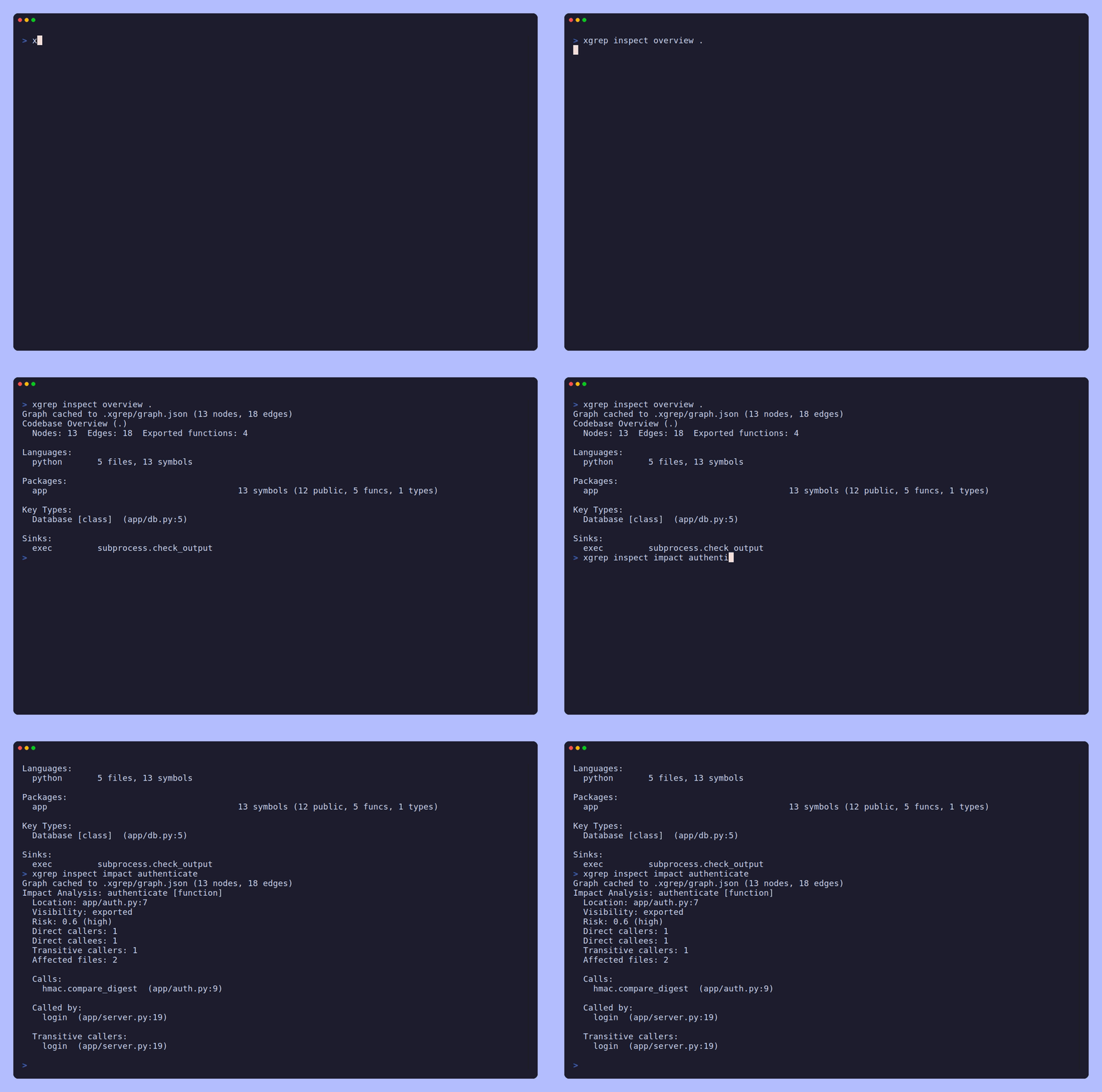
# Get a high-level overview of any codebase
xgrep inspect overview .

# Search for a symbol
xgrep inspect symbol "Router"

# Fast text search (sub-millisecond after first index)
xgrep inspect search "res.send" --file-pattern "*.js"

# Check what breaks if you change a function
xgrep inspect impact "matchLayer"
All commands support --json for machine-readable output. The code graph and search index
are built automatically on first use and cached in .xgrep/.
Commands
inspect overview [directory]
High-level summary of a codebase: languages, packages, entry points, and key types.
xgrep inspect overview .
xgrep inspect overview --json .Codebase Overview (.)
Nodes: 607 Edges: 398 Exported functions: 0
Languages:
javascript 147 files, 607 symbols
Packages:
test 268 symbols (244 public, 24 funcs, 0 types)
lib 93 symbols (81 public, 12 funcs, 0 types)
lib/router 34 symbols (22 public, 12 funcs, 0 types)
...
Sinks:
filesystem fs.readFileOutput includes:
- Languages with file and symbol counts
- Packages sorted by symbol count (public symbols, functions, types)
- Entry points (functions named
main/Main) - Key types (classes/interfaces with the most methods)
- Sinks — dangerous calls (network, exec, filesystem, env) found in the tree
inspect symbol <query>
Search for symbols by name. Tries exact match, then prefix, then substring (case-insensitive).
xgrep inspect symbol "Router"
xgrep inspect symbol "Route" --kind function
xgrep inspect symbol "app" --kind variable --json
Flags:
--kind— filter by symbol kind:function,method,class,interface,variable,field,constant
When no symbols match in the graph, inspect symbol automatically falls back to text
search (Zoekt) so you always get results.
inspect search <query>
Search the codebase by text, regex, or structural code pattern. Text and regex search is trigram-indexed (powered by Zoekt); a structural query is matched against the AST with the same pattern language rules use.
xgrep inspect search "res.send" --file-pattern "*.js"
xgrep inspect search "req\.(query|body|params)" --regex --lang javascript
xgrep inspect search "X-Powered-By" --case-sensitive --json
xgrep inspect search "require(" --file-pattern "lib/**/*.js" --limit 20
Flags:
-e, --regex— treat query as a regular expression-s, --case-sensitive— case-sensitive matching (default: case-insensitive)-l, --lang— filter by language (e.g.,go,python,javascript)--file-pattern— filter by file glob (e.g.,*.js,lib/**/*.js)--limit— maximum file matches (default: 100)-C, --context— context lines before/after each match--structural— match the query as a code pattern (requires--lang)-r, --replace— preview a structural rewrite of each match (implies--structural)--export-rule— print the query as a reusable rule instead of searching
Structural search
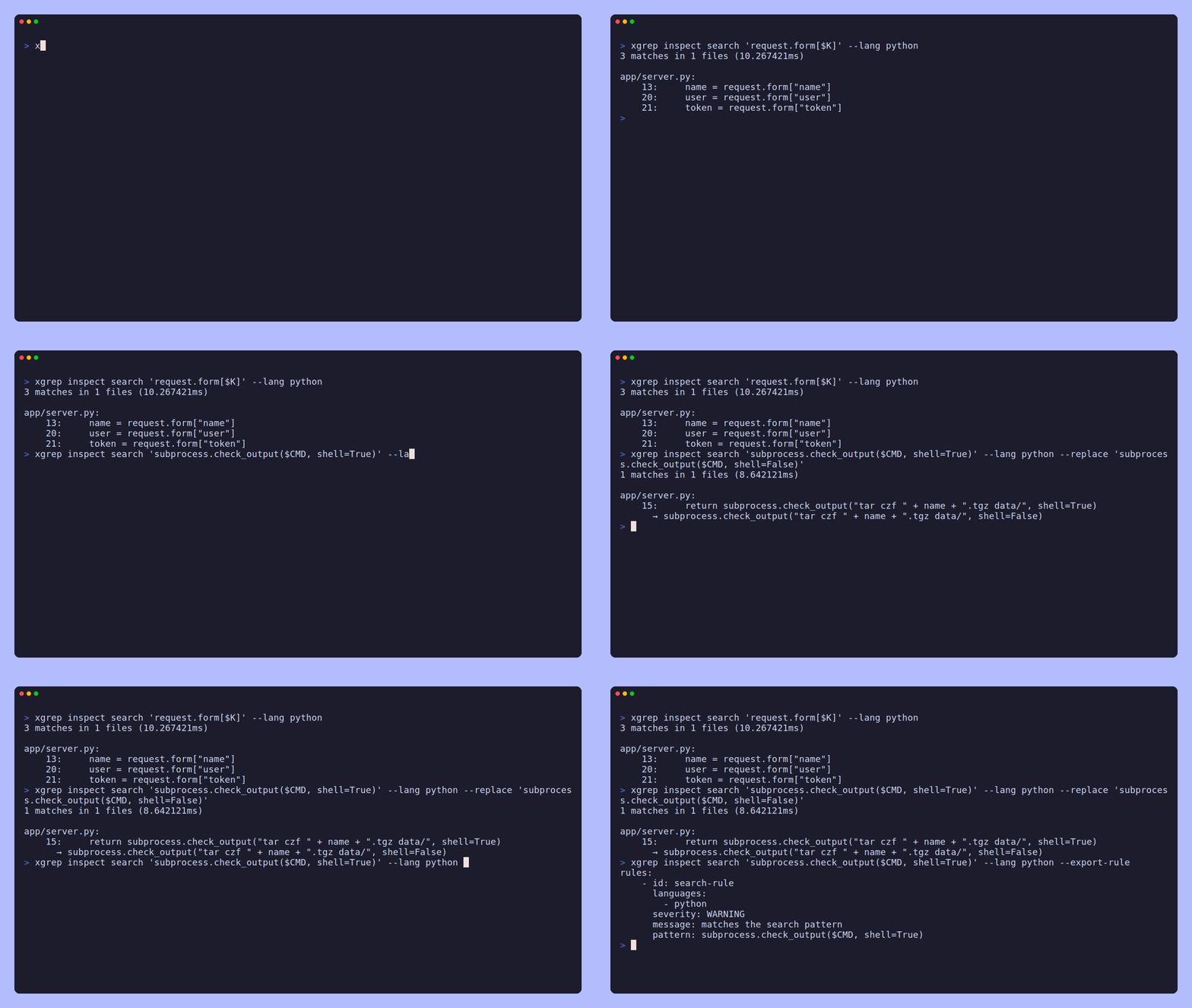
A query using $METAVARIABLES or ... is treated as a code pattern automatically;
--structural forces it. Matching is on the AST, so formatting, line breaks and
whitespace do not matter, and a metavariable binds the same code everywhere it
repeats:
xgrep inspect search 'exec.Command($CMD, ...)' --lang go
xgrep inspect search 'fmt.Sprintf($X, $Y)' --lang go --limit 3
Structural replace (preview)
--replace shows what the rewrite would look like, using the metavariables the
pattern bound. It is a preview only — inspect never writes to your source.
(Writing is xgrep fix, which goes through the verification harness.)
xgrep inspect search 'eval($X)' --lang python --replace 'safe_eval($X)'2 matches in 1 files (1.598805ms)
a.py:
3: eval(cmd)
→ safe_eval(cmd)
4: eval(os.environ["X"])
→ safe_eval(os.environ["X"])Turning a search into a rule
Once a pattern finds what you were looking for, --export-rule prints it as a
rule you can save, refine, and run with xgrep -f — the fastest path from "I found
this by hand" to "we check for this on every scan":
xgrep inspect search 'exec.Command($CMD, ...)' --lang go --export-rulerules:
- id: search-rule
languages:
- go
severity: WARNING
message: matches the search pattern
pattern: exec.Command($CMD, ...)Give it a real id, message and severity, then see
Writing rules to take it further.
inspect definition
Find the symbol at a specific source position. Useful for "what is this?" at a given location.
xgrep inspect definition --file lib/router/index.js --line 585
xgrep inspect definition --file lib/router/index.js --line 585 --col 12 --jsonmatchLayer [function] defined at lib/router/index.js:583
Params: layer, pathFlags:
--file— source file path (required)--line— line number (required)--col— column number (optional, for precision)
inspect hover
Show documentation and type info for the symbol at a given position. Like an IDE tooltip.
xgrep inspect hover --file lib/router/route.js --line 43
xgrep inspect hover --file lib/router/route.js --line 43 --json
Returns: name, kind, doc comment, type annotation, parameters, return type, visibility, parent name, and location.
Flags:
--file— source file path (required)--line— line number (required)--col— column number (optional)
inspect ranges <file>
Get all symbols in a line range of a file. Efficient bulk query for understanding file regions — returns all symbols with their documentation and type info in one call.
xgrep inspect ranges lib/router/route.js --start 43 --end 120
xgrep inspect ranges lib/router/route.js --json
Flags:
--start— start line (default: 1)--end— end line (default: end of file)
inspect references <name>
Find all callers, callees, and reference edges for a symbol.
xgrep inspect references "matchLayer"
xgrep inspect references "matchLayer" --jsonmatchLayer [function] at lib/router/index.js:583
Called by:
lib/router/index.js::next [certain]
Calls:
?::layer.match [inferred]An edge is certain (a resolved local call) or inferred (a target xgrep could
name but not resolve to a definition); a ?:: prefix marks an unresolved or
external target such as a method on a value or a global function.
inspect implementations <name>
Find all types implementing an interface (or extending a class). Most useful in interface/class-heavy codebases (Go, TypeScript, Java); a plain-JavaScript project like express, which uses constructor functions rather than declared interfaces, has few results.
xgrep inspect implementations "Router"
xgrep inspect implementations "Router" --json
inspect outline <file>
List all symbols defined in a file, sorted by line number. Shows functions, methods, classes, variables, fields, constants — with visibility and type annotations.
xgrep inspect outline lib/router/route.js
xgrep inspect outline lib/router/route.js --jsonOutline: lib/router/route.js (7 symbols)
16 variable debug [exported]
18 variable Layer [exported]
19 variable methods [exported]
43 function Route(path)inspect impact <name>
Assess the blast radius of changing a symbol. Shows direct callers/callees, transitive callers, affected files, and a risk score.
xgrep inspect impact "matchLayer"
xgrep inspect impact "matchLayer" --jsonImpact Analysis: matchLayer [function]
Location: lib/router/index.js:583
Risk: 0.4 (medium)
Direct callers: 1
Direct callees: 1
Transitive callers: 1
Affected files: 1
Calls:
layer.match (lib/router/index.js:585)
Called by:
next (lib/router/index.js:226)Before the call graph resolved nested callers, matchLayer showed 0 callers and
floored at low risk; it now correctly credits its caller next.
Risk scoring (0.0–1.0):
- Direct callers: +0.3
- Transitive callers (>5): +0.3
- Affected files (>3): +0.2
- Exported visibility: +0.2
- Levels: low (<0.3), medium (0.3–0.6), high (>0.6)
inspect deps <name>
Show call dependencies: what a function calls (downstream) and what calls it (upstream), transitively with distance annotations.
xgrep inspect deps "matchLayer"
xgrep inspect deps "matchLayer" --depth 3 --json
Flags:
--depth— maximum traversal depth (default: 5)
Caching and Performance
xgrep caches two artifacts in .xgrep/:
| Artifact | Location | Full build | Incremental |
|---|---|---|---|
| Code graph | .xgrep/graph.json | ~3s (2,500 files) | ~0.3s |
| Search index | .xgrep/search/ | ~2s (2,500 files) | ~0.1s |
Incremental updates: Both caches track file modification times. When files haven't changed, the cache is reused as-is. When a file changes, only that file is re-processed.
Cache invalidation: Delete .xgrep/ to force a full rebuild:
rm -rf .xgrep/MCP Server
All inspect commands are available as MCP tools when running xgrep mcp. The
server also exposes a scan tool and the graph_* tools — see the
MCP server reference for the full list and
their inputs.
| MCP Tool | CLI Equivalent |
|---|---|
codebase_overview | inspect overview |
symbol_search | inspect symbol |
text_search | inspect search |
go_to_definition | inspect definition |
hover | inspect hover |
get_ranges | inspect ranges |
find_references | inspect references |
find_implementations | inspect implementations |
file_symbols | inspect outline |
impact_analysis | inspect impact |
dependency_graph | inspect deps |
The MCP server loads the cached graph on startup for instant first queries.
Supported Languages
Full symbol extraction (variables, fields, constants, imports, doc comments, visibility):
- Go: functions, methods, types, struct fields, variables, constants, imports
- Python: functions, classes, attributes, module variables, constants, imports
- JavaScript/TypeScript: functions, classes, fields, variables, constants, imports
Basic extraction (functions, classes, call edges) for 30+ additional tree-sitter languages.
.gitignore
Add .xgrep/ to your .gitignore:
.xgrep/