Set up keyless authentication with AWS
AWS workloads authenticate using a pre-signed STS GetCallerIdentity request instead of an OIDC JWT. No raw credentials are transmitted to Mondoo.
Prerequisites
-
An AWS IAM role or user whose identity you want to use for authentication
-
Editor or Owner privileges in the Mondoo space, organization, or platform to which your workload needs access
Step A: Create an identity provider in Mondoo
-
In the Mondoo App, navigate to the space or organization in which you want to set up keyless access for non-human users.
-
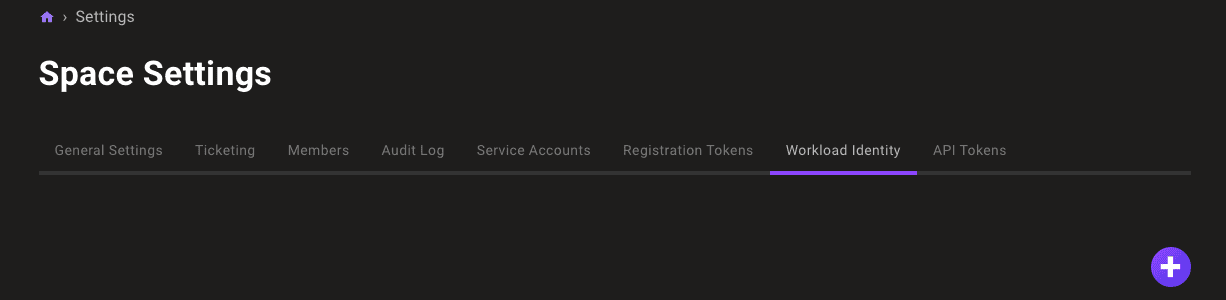
In the left navigation, select Settings. Then select the Identity Providers tab.
-
Select the ADD IDENTITY PROVIDER button or the plus (+) symbol near the top-right corner of the tab and select AWS.
-
In the Issuer URL box, keep the default
https://sts.amazonaws.com. -
In the Subject box, enter the ARN of the AWS identity that your workload uses. Use these patterns:
Caller type Subject pattern IAM User arn:aws:iam::123456789012:user/UserNameIAM Role (direct) arn:aws:iam::123456789012:role/RoleNameAssumed role (any session) arn:aws:sts::123456789012:assumed-role/RoleName/*Assumed role (specific session) arn:aws:sts::123456789012:assumed-role/RoleName/SessionNameIAM and STS ARNs omit the region field, resulting in consecutive colons (for example,
arn:aws:iam::<ACCOUNT>:role/...). This is the correct format.For assumed roles, use the
/*wildcard because session names change with each invocation. -
In the Expiration time list, choose the duration of sessions authenticated with this identity provider.
-
Optionally, add claim mappings to restrict access further. AWS supports these claim keys:
Key Description aws_claims.accountAWS account ID aws_claims.arnFull ARN of the caller aws_claims.useridUnique identifier of the caller -
In the Name and Description boxes, provide a short name and longer description that help you and your teammates recognize the source and purpose of the identity provider.
-
Select the ADD IDENTITY PROVIDER button.
Mondoo generates and displays the configuration values that you need to give your workload access.
Step B: Exchange your token for access
AWS authentication uses a pre-signed GetCallerIdentity request rather than a JWT. The process works like this:
-
Your workload signs a
GetCallerIdentityrequest using AWS Signature V4 with its locally available credentials. -
The serialized signed request is sent to Mondoo (no raw credentials are transmitted).
-
Mondoo executes the signed request against AWS STS to verify the caller's identity.
-
The returned ARN is matched against the identity provider's subject.
Despite the field name jwt_token, the value for AWS is not a JWT. Instead, it contains a JSON-serialized pre-signed request:
{
  "url": "https://sts.amazonaws.com/?Action=GetCallerIdentity&Version=2011-06-15",
  "method": "POST",
  "headers": [
    {
      "key": "Authorization",
      "value": "AWS4-HMAC-SHA256 Credential=AKIA.../us-east-1/sts/aws4_request, SignedHeaders=host;x-amz-date, Signature=..."
    },
    { "key": "host", "value": "sts.amazonaws.com" },
    { "key": "x-amz-date", "value": "20240101T000000Z" },
    { "key": "x-amz-security-token", "value": "FwoGZXIvY..." }
  ]
}
The x-amz-security-token header is only present when using temporary credentials (assumed roles, instance profiles).
Make a curl call to exchange the pre-signed request for a short-lived Mondoo service account:
curl --request POST \
  --url 'UNIVERSE_DOMAIN/SecureTokenService/ExchangeExternalToken' \
  --header 'content-type: application/json' \
  --data '{
  "audience": "AUDIENCE",
  "issuer_uri": "https://sts.amazonaws.com",
  "jwt_token": "PRE_SIGNED_REQUEST_JSON"
}'| For... | Substitute... |
|---|---|
| UNIVERSE_DOMAIN | The universeDomain value Mondoo provided when you created the identity provider |
| AUDIENCE | The audience value Mondoo provided when you created the identity provider |
| PRE_SIGNED_REQUEST_JSON | The JSON-serialized pre-signed GetCallerIdentity request |
This call returns a Mondoo service account in the form of a base64_credential value, which your workload can use to access Mondoo by setting MONDOO_CONFIG_BASE64 to the returned value.