Mondoo 8.4 is out!
🥳 Mondoo 8.4 is out! This release includes a new way to explore asset resources, Snowflake data exports, and more!
Get this release: Installation Docs | Package Downloads | Docker Container
🎉 NEW FEATURES
Asset resource explorer
Use the new asset resource explorer to dive deep into the configuration of all your favorite assets in Mondoo. From the services running on Windows servers to container registries used in Kubernetes deployments, the asset resource explorer lets you navigate the critical configuration data that makes up your infrastructure.
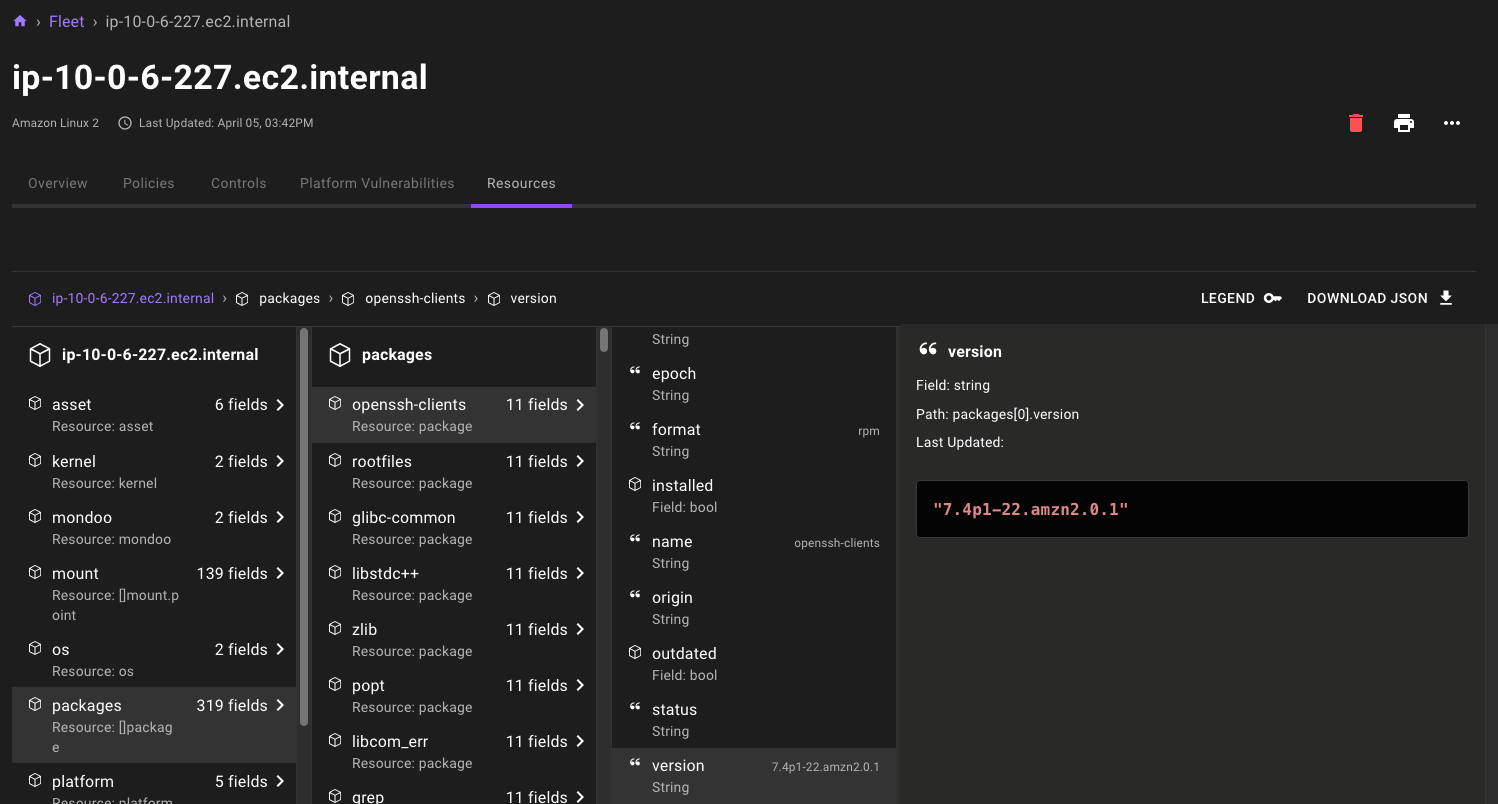
If the data output looks familiar, that's because this new feature is powered by the same MQL resources used by cnspec and cnquery on the command line. Data is automatically gathered with new out-of-the-box inventory query packs in the Policy Hub.
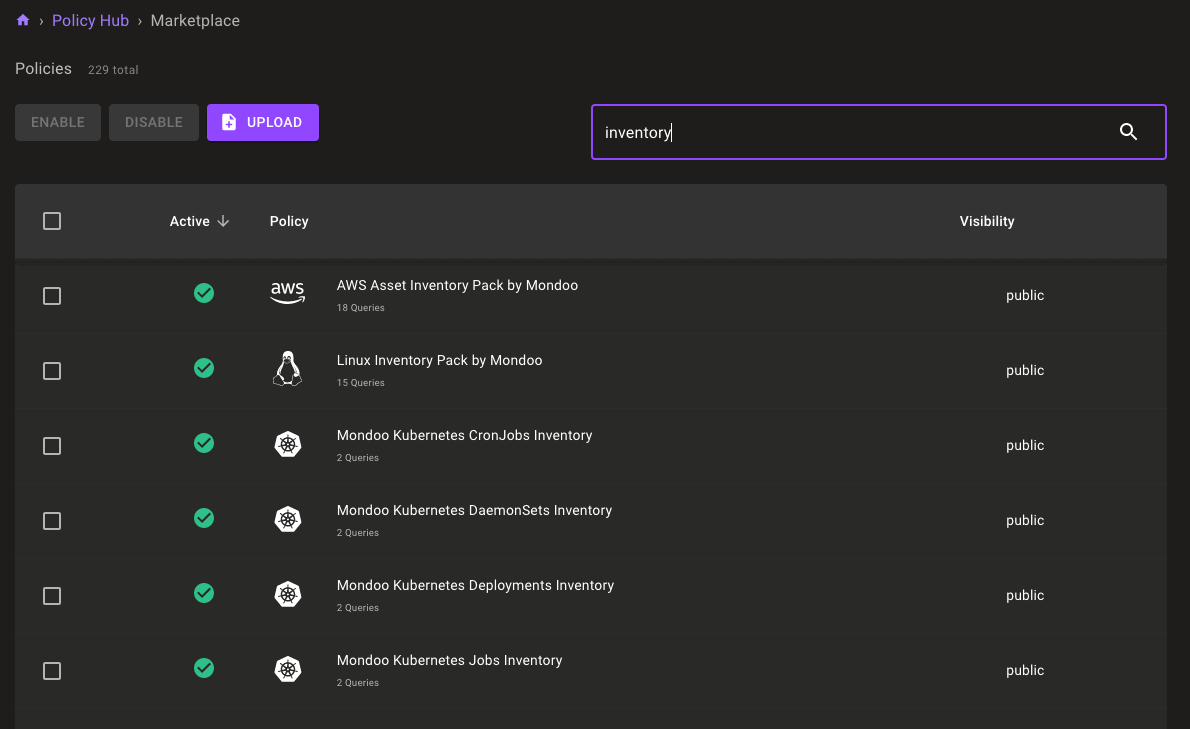
Just like security policies, you can enable as many inventory packs as you'd like, and they'll run on the appropriate assets automatically. With inventory packs enabled, you'll see inventory data automatically in the new Resources tab for each asset. If you want to gather even more inventory data, you can create custom inventory packs using the hundreds of available MQL resources. See examples of inventory packs in the cnquery-packs repository.
Snowflake data exports
With Mondoo 8.2 we shipped our first data export integration: Google BigQuery. This week everyone not running in GCP has reason to celebrate: new support for Snowflake data export.
Configure data exports just like other integrations in Mondoo, without installing anything in your infrastructure. They automatically export your Mondoo data daily.
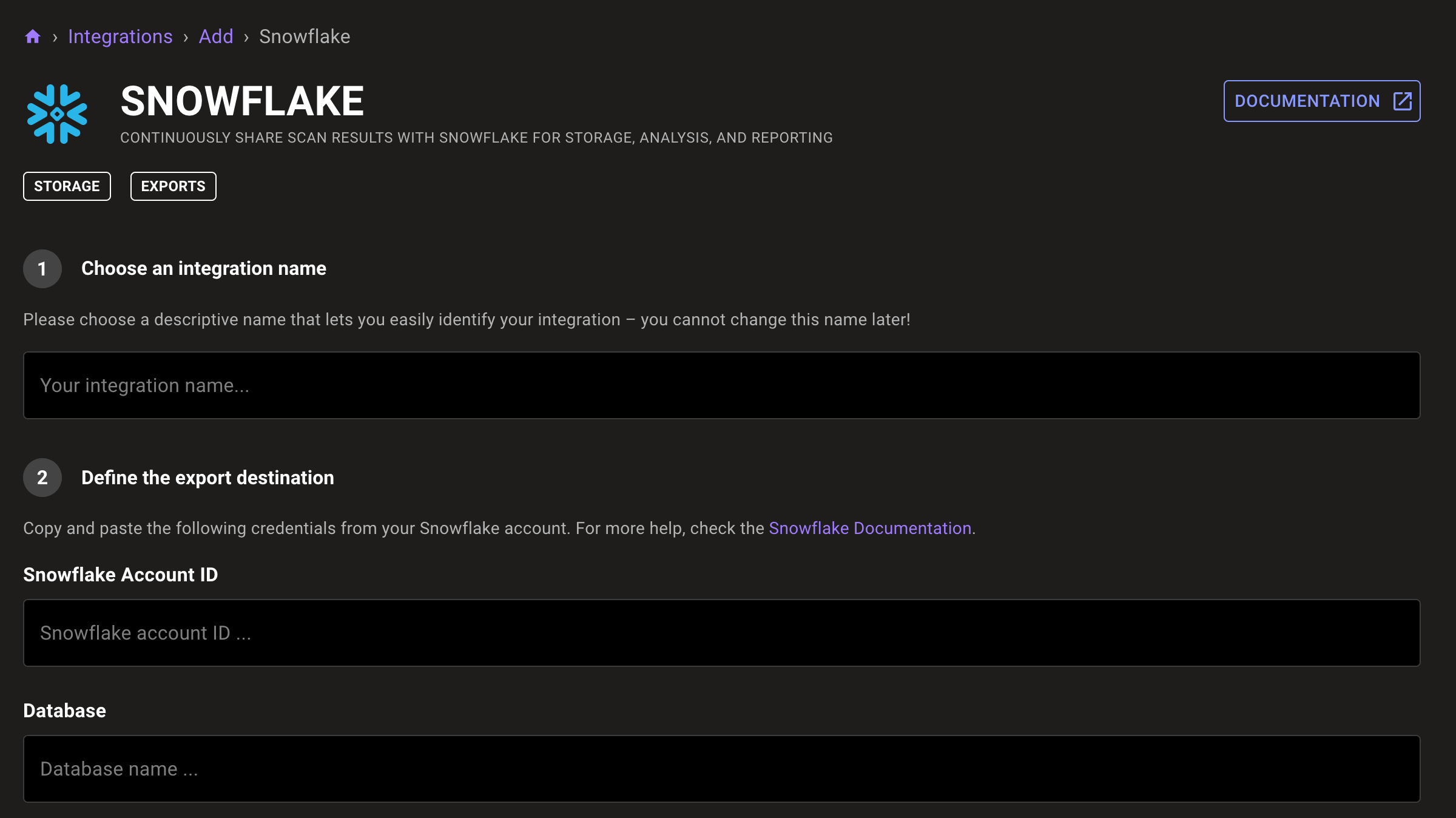
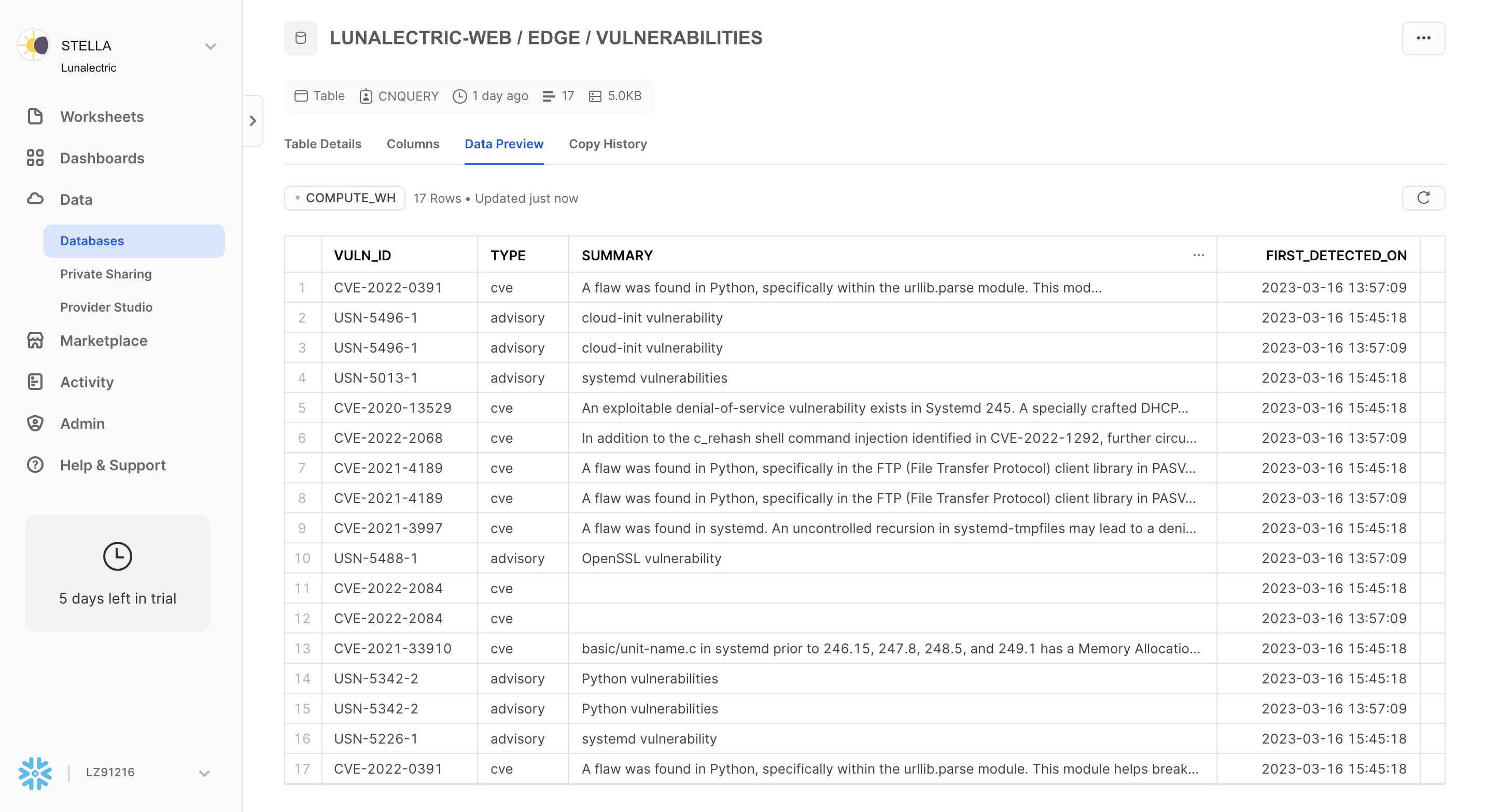
You can combine your exported Mondoo data with any other data in Snowflake and analyze it using Snowflake's machine learning and BI features.
Automatic Kubernetes Ingress scanning
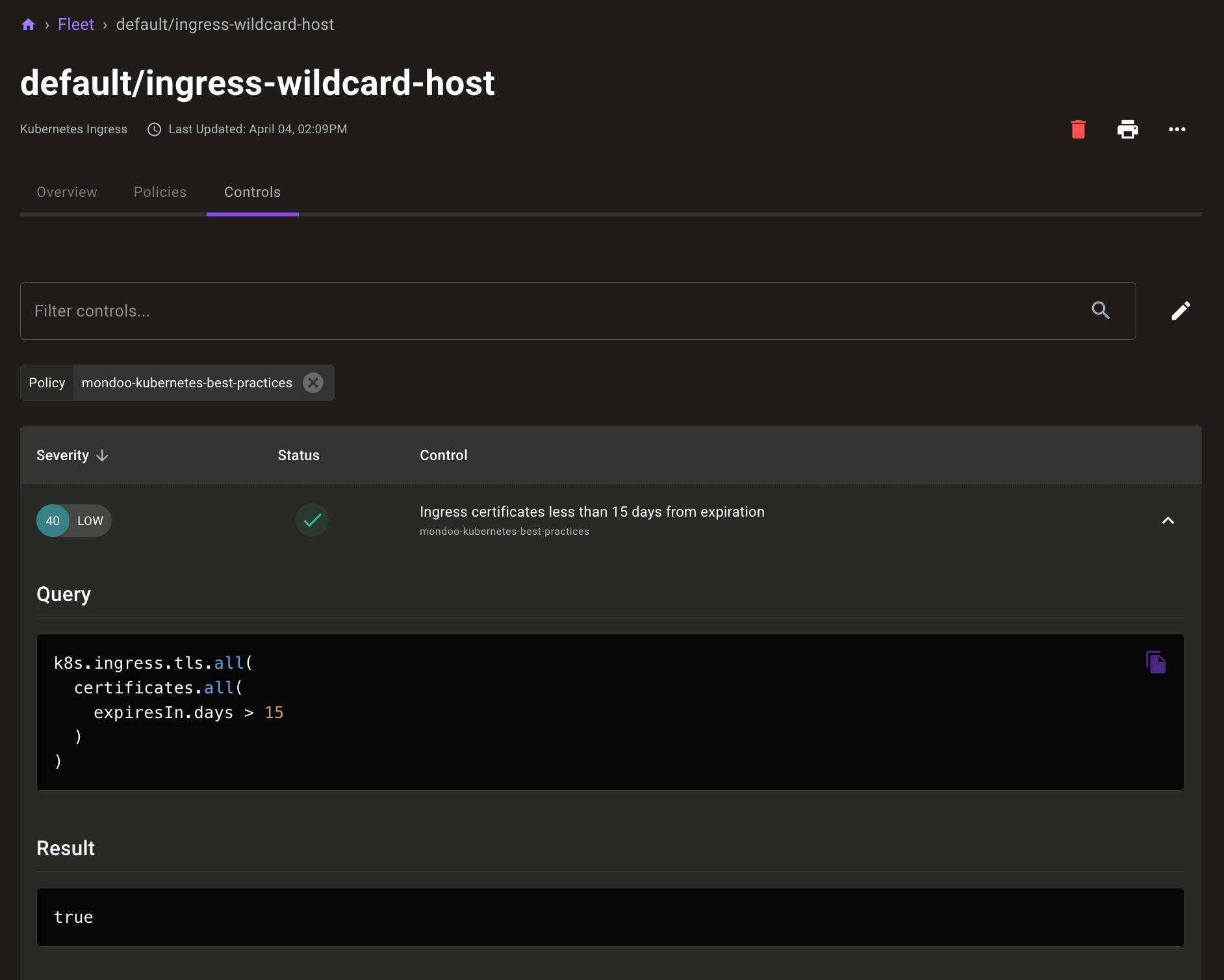
Both cnspec and the Mondoo Kubernetes Operator now automatically scan Kubernetes Ingress resources. With the Kubernetes Best Practices policy enabled, you can also now expose expiring TLS certificates in Ingress resources.
🧹 IMPROVEMENTS
Scan container images in .tar format
You can now use cnspec and cnquery to scan container images exported in .tar format with commands like docker save.
Plain Textdocker save luna-docs -o luna-docs.tarcnspec scan container tar luna-docs.tar→ discover related assets for 1 asset(s)→ resolved assets resolved-assets=1luna-docs.tar ━━━━━━━━━━━━━━━━━━━━━━━━━━━━━━━━━━━━━━━━━━━━━━━━━━━━━━━━━━━━━━━━━━━━━━━━━━━━━━━━━━━━━━━━━━━━━━━━━━━━━━━━━━━━━━━━━━━━━ 100% score: FAsset: luna-docs.tar--------------------...Scanned 1 assetsDebian GNU/Linux 8 (jessie)F luna-docs.tar
Expanded Okta MQL resources
cnquery and cnspec now include more Okta resources so you can query and secure every aspect of your organization.
Access billing contact of Okta organizations
MQLcnquery> okta.organization.billingContactokta.organization.billingContact: okta.user id="12345678910" profile[email]="chris@example.com"
Access technical contact of Okta organizations
MQLcnquery> okta.organization.technicalContactokta.organization.technicalContact: okta.user id="12345678910" profile[email]="chris@example.com"
Gather the settings of security notification emails
MQLcnquery> okta.organization.securityNotificationEmailsokta.organization.securityNotificationEmails: {reportSuspiciousActivityEnabled: truesendEmailForFactorEnrollmentEnabled: falsesendEmailForFactorResetEnabled: falsesendEmailForNewDeviceEnabled: falsesendEmailForPasswordChangedEnabled: false}
Gather Okta ThreatInsight settings
MQLcnquery> okta.organization.threatInsightSettings { * }okta.organization.threatInsightSettings: {excludeZones: [0: okta.network name="LegacyIpZone" type="IP"]created: 2022-11-01 18:30:34 +0000 UTCaction: "audit"lastUpdated: 2023-04-02 20:29:19 +0000 UTC}
Gather Okta networks
MQLokta.networks { * }okta.networks: [0: {locations: []lastUpdated: 2022-11-01 18:30:35 +0000 UTCasns: []created: 2022-11-01 18:30:35 +0000 UTCid: "12345678910"type: "IP"gateways: []status: "ACTIVE"system: trueproxies: []proxyType: ""usage: "BLOCKLIST"name: "BlockedIpZone"}1: {locations: []lastUpdated: 2022-11-01 18:30:35 +0000 UTCasns: []created: 2022-11-01 18:30:35 +0000 UTCid: "12345678910"type: "IP"gateways: []status: "ACTIVE"system: trueproxies: []proxyType: ""usage: "POLICY"name: "LegacyIpZone"}2: {locations: [0: {country: "AF"}]lastUpdated: 2023-04-02 18:58:13 +0000 UTCasns: []created: 2023-04-02 18:58:13 +0000 UTCid: "12345678910"type: "DYNAMIC"gateways: []status: "ACTIVE"system: falseproxies: []proxyType: "TorAnonymizer"usage: "POLICY"name: "Test"}]
🐛 BUG FIXES AND UPDATES
- Add missing impact scores to policies.
- Improve setup and remediation instructions in the Okta Organization Security by Mondoo policy
- Fix failures in Linux Security by Mondoo policy's Ensure auditing for processes that start prior to auditd is enabled check. Thanks @micheelengronne!
- Fix Linux Security by Mondoo policy's Ensure sudo logging is enabled check to support configs in the /etc/sudoers.d directory. Thanks @micheelengronne!
- Fix failures in Linux Security by Mondoo policy's Ensure mail transfer agent is configured for local-only mode check.
- Improve the reliability of multiple CIS policies.