Mondoo 6.3 is out!
🥳 Mondoo 6.3 is out! This release includes significant UI updates, a new Packer plugin, agentless scans of AWS infrastructure, querying across AWS Organizations, and substantial speed improvements in Kubernetes scans.
Get this release: Installation Docs | Package Downloads | Docker Container
🎉 NEW FEATURES
Refreshed Overview Page
Problem: Customers didn't have immediate access to the essential information about their infrastructure when logging into the Mondoo App.
Solution: The Overview page has been refreshed to focus only on the most pertinent information. Customers can now see information about their Kubernetes integrations directly from the Overview page. If customers are not using Mondoo with Kubernetes or Amazon AWS, the Overview page will no longer show cards for these technologies.
Look for additional improvements to the Overview page in the coming weeks.
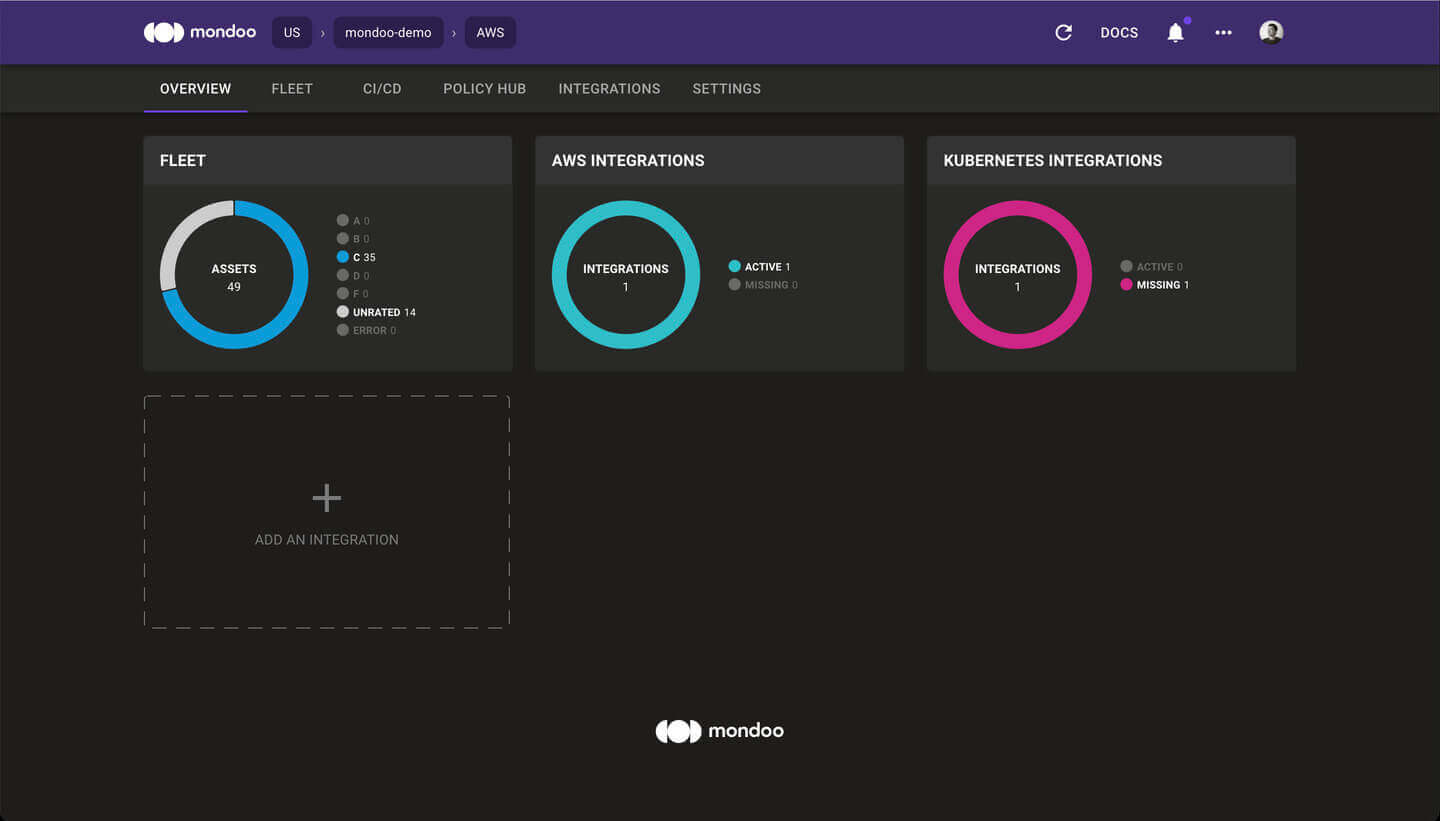
Information about managed clients is no longer part of the Overview page. Instead, you can now access the list of managed clients via the Integrations page.
Integrations Marketplace
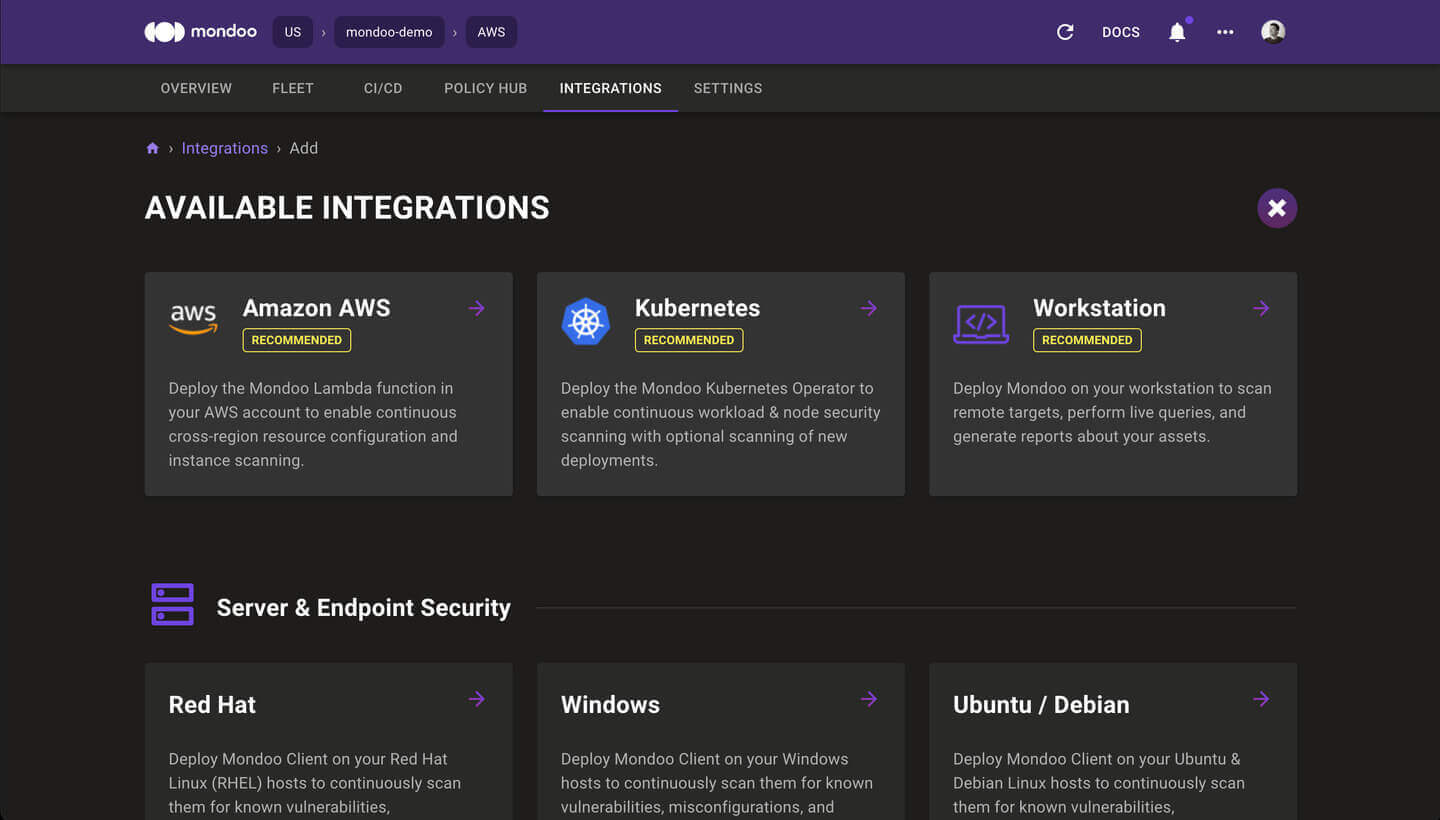
Problem: Customers find it difficult to install Mondoo in their infrastructure, so they can quickly get started with scans.
Solution: The Integrations page has been completely re-designed. With the new Integrations Marketplace, it's easy to find, install, and manage your Mondoo integrations and clients from this single location.
Packer Plugin Mondoo
Problem: Customers who want to use Mondoo to secure the machine images they create with HashiCorp Packer face a lot of complexity, manual downloads, and manual configuration.
Solution: Mondoo is now available as a native, open source Packer plugin. You can include Mondoo directly in any Packer 1.7 or higher build by adding these blocks to your template:
JSONpacker {required_plugins {mondoo = {version = ">= 0.2.1"source = "github.com/mondoohq/mondoo"}}}
JSONbuild {...provisioner "mondoo" {score_threshold = 80on_failure = "continue"asset_name = "${var.image_prefix}-${local.timestamp}"}}
Agentless AWS EBS Volume Scanning
Problem: Customers need to ensure that a specific EC2 instance meets security and policy standards but have no direct access to that instance. They need a way to inspect EC2 instances externally without losing scan fidelity.
Solution: Agentless AWS EBS Volume Scanning lets Mondoo perform agentless, read-only evaluation of EC2 instances without accessing the instances directly. Mondoo can quickly scan any instance, snapshot, or volume without accessing production workloads.
Requirements:
- Requires the ability to run mondoo client in the same AWS account as the infrastructure you wish to scan. (AWS CloudShell is excellent for this!)
- The scanner needs permission to list instances, copy snapshots, create volumes, and attach volumes to instances.
Here's an example AWS security policy to enable Agentless AWS EBS Volume Scanning. It's a little long, so we've collapsed it by default.
JSON{"Version": "2012-10-17","Statement": [{"Condition": {"StringEquals": {"aws:ResourceTag/Created By": "Mondoo"}},"Action": ["ec2:AttachVolume", "ec2:DetachVolume", "ec2:DeleteVolume", "ec2:DeleteSnapshot"],"Resource": "*","Effect": "Allow"},{"Action": ["ec2:CreateSnapshot","ec2:CreateVolume","ec2:CopySnapshot","ec2:CreateTags","ec2:DescribeInstances","ec2:DescribeVolumes","ec2:DescribeSnapshots","kms:Decrypt","kms:ReEncryptTo","kms:GenerateDataKeyWithoutPlaintext","kms:DescribeKey","kms:ReEncryptFrom"],"Resource": "*","Effect": "Allow"},{"Condition": {"Bool": {"kms:GrantIsForAWSResource": "true"}},"Action": "kms:CreateGrant","Resource": "*","Effect": "Allow"}]}
Example usage:
Bashmondoo scan aws ec2 ebs <INSTANCE_ID>mondoo scan aws ec2 ebs volume <VOLUME_ID>mondoo scan aws ec2 ebs snapshot <SNAPSHOT_ID>
AWS Cross-Organization Queries
Problem: Customers with many AWS accounts in their AWS Organization need to know about all of their infrastructure, regardless of the associated AWS account.
Solution: Using the Mondoo AWS integration, customers can now search across every AWS account associated with their AWS Organization. Find abandoned or untagged resources, or locate every resource tagged to a particular project or cost center quickly and easily.
Example: I need to find a particular S3 bucket, but I don't know in which AWS account it may be located. I only know part of the bucket name.
Bashmondoo exec --integration-mrn //integration.api.mondoo.app/spaces/<SPACE_ID>/aws/<INTEGRATION_ID> 'aws.s3.buckets.where(name.contains("lost-bucket"))'
🧹 IMPROVEMENTS
Kubernetes Scan Speed Improvements
Problem: Initial scans of Kubernetes clusters were too slow.
Solution: Optimizations in the Kubernetes scan code have reduced test scan duration from 2min 10s to only 9s!
🐛 BUG FIXES AND UPDATES
- Using the
processes.listMQL resource on a Docker container will no longer run the container out of file handles - Fleet-wide statistics now correctly include unscored assets
- The Mondoo App has been updated to use Mondoo's new logo