Identify Mondoo organization and space IDs
To find the ID of an organization and a space:
-
In the top navigation bar of the Mondoo App, select your region. Mondoo displays all organizations in the region.
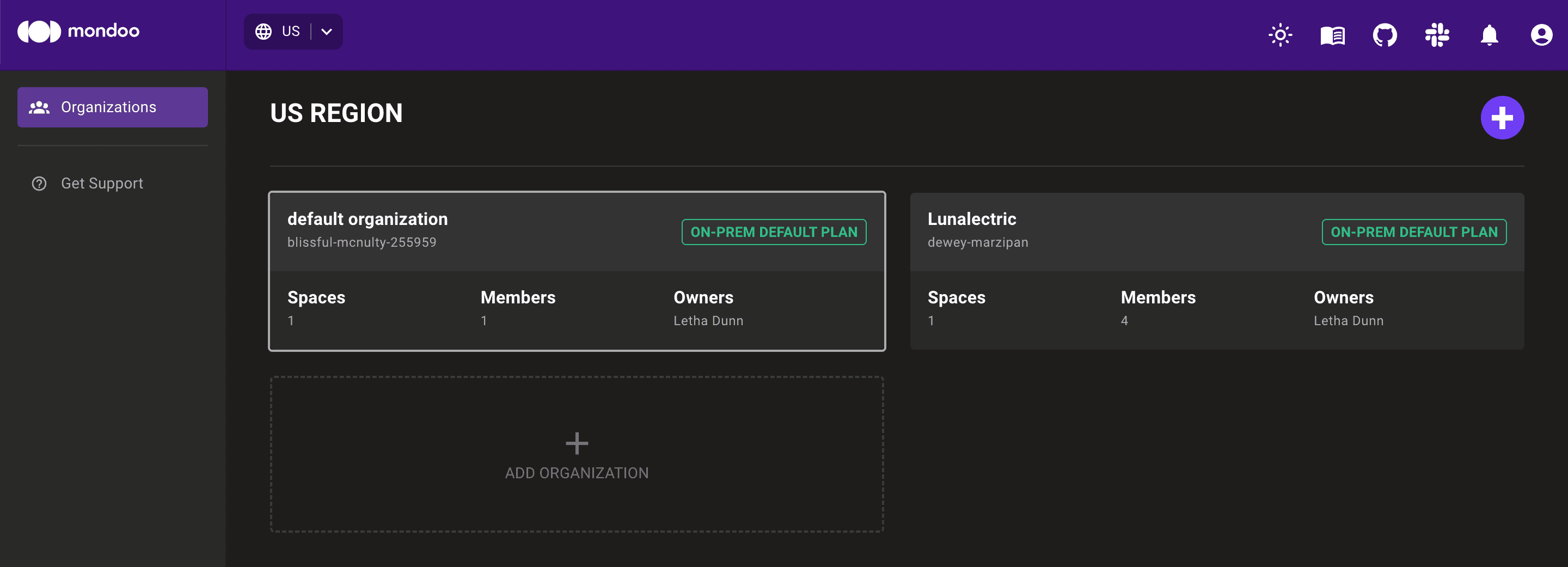
Note each organization's ID in smaller text below the organization name. In the image above, the organization IDs are
blissful-mcnulty-255959anddewey-marzipan. -
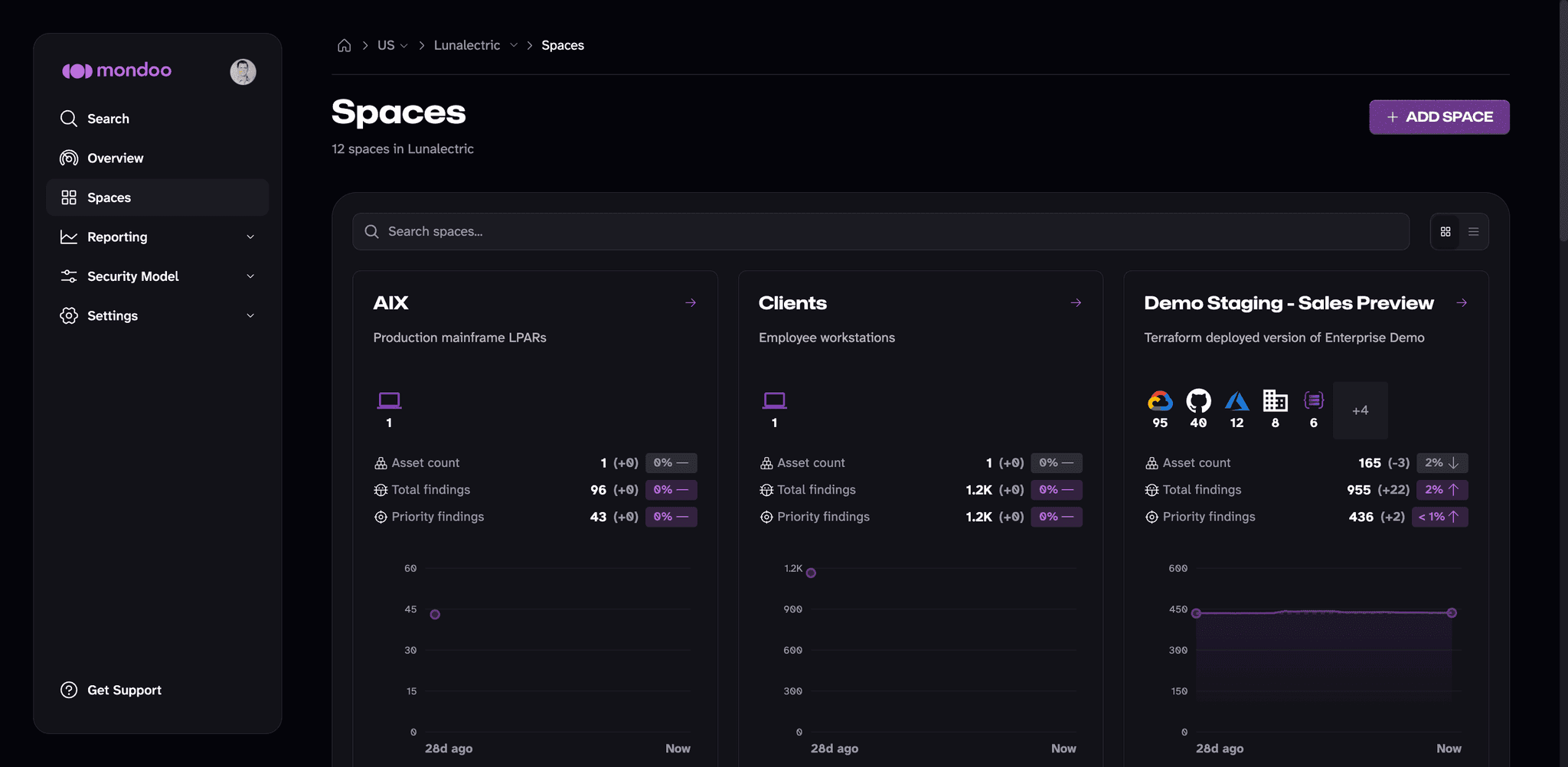
Select the organization containing the space you want and, in the side navigation bar, select Spaces.
-
Select the space you want and, in the side navigation bar, select Settings.
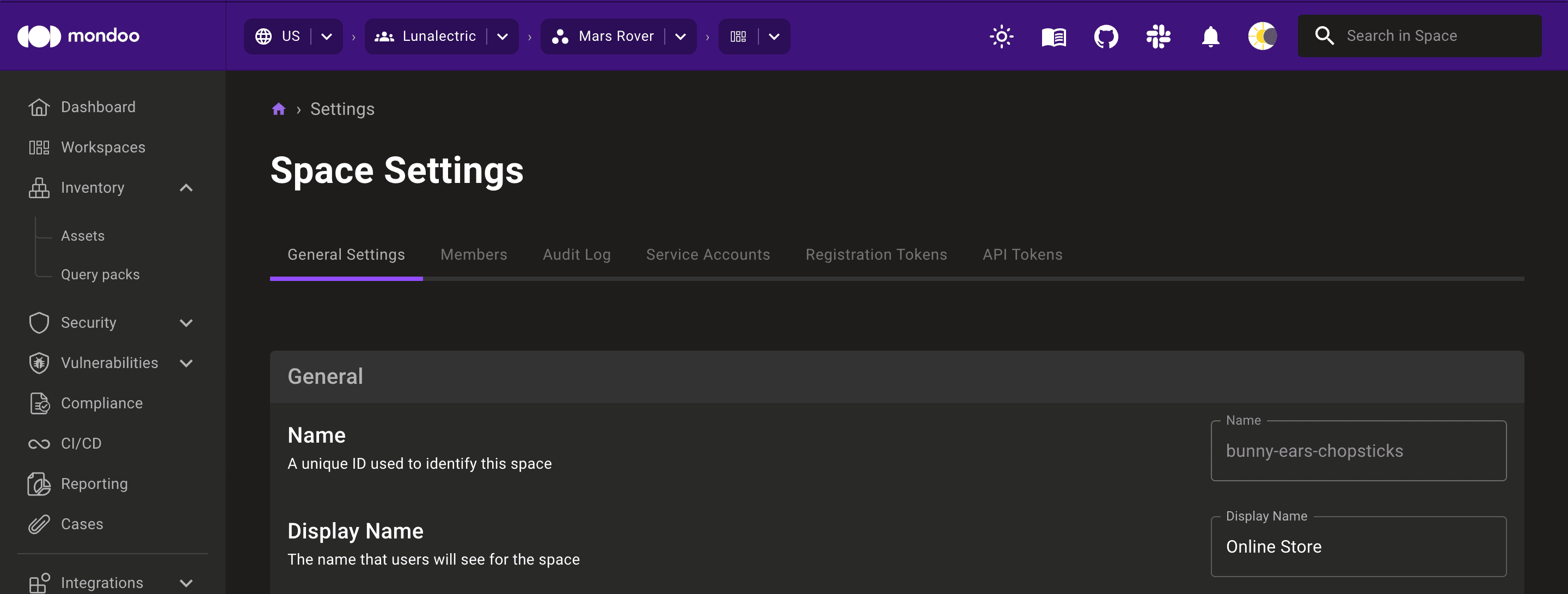
On the General Settings tab, note the ID of the space in the first field, Name (A unique ID used to identify this space). In the image above, the space ID is
bunny-ears-chopsticks.
Grant Mondoo organization and space access using cURL
Send a setScimGroupMapping GraphQL mutation based on this sample:
mutation {
  setScimGroupMapping(
    input: {
      orgMrn: "//captain.api.mondoo.app/organizations/YOUR-ORG-ID"
      group: "YOUR-IDP-GROUP"
      mappings: [
        {
          orgMrn: "//captain.api.mondoo.app/organizations/YOUR-ORG-ID"
          iamRole: "//iam.api.mondoo.app/roles/editor"
        }
        {
          spaceMrn: "//captain.api.mondoo.app/spaces/YOUR-SPACE-ID"
          iamRole: "//iam.api.mondoo.app/roles/editor"
        }
        {
          spaceMrn: "//captain.api.mondoo.app/spaces/YOUR-SPACE-ID"
          iamRole: "//iam.api.mondoo.app/roles/viewer"
        }
      ]
    }
  ) {
    group
  }
}
Each entry in mappings grants one role. Use orgMrn to grant the role across the whole organization, or spaceMrn to grant it in a single space. The sample above grants the group the editor role organization-wide, the editor role in one space, and the viewer role in that same space.
To send the mutation with cURL, save it as a JSON request body in a file named scim-mapping.gql. The API expects the mutation in the query field of a JSON object, so it is collapsed onto one line with the inner quotes escaped:
{
  "query": "mutation { setScimGroupMapping(input: { orgMrn: \"//captain.api.mondoo.app/organizations/YOUR-ORG-ID\", group: \"YOUR-IDP-GROUP\", mappings: [{ orgMrn: \"//captain.api.mondoo.app/organizations/YOUR-ORG-ID\", iamRole: \"//iam.api.mondoo.app/roles/editor\" }, { spaceMrn: \"//captain.api.mondoo.app/spaces/YOUR-SPACE-ID\", iamRole: \"//iam.api.mondoo.app/roles/editor\" }, { spaceMrn: \"//captain.api.mondoo.app/spaces/YOUR-SPACE-ID\", iamRole: \"//iam.api.mondoo.app/roles/viewer\" }] }) { group } }"
}| For... | Substitute... |
|---|---|
| YOUR-ORG-ID | The ID of the organization to which you want to grant a group access |
| YOUR-SPACE-ID | The ID of the space to which you want to grant a group access |
Execute the query:
$ export TOKEN='eyJhbGciOiJF...'
$ curl -i -X POST -H "content-type: application/json" \
  -H "authorization: Bearer $TOKEN" -d @scim-mapping.gql \
  https://api.YOUR-COMPANY-NAME.mondoo.com/query