PlatformInfraCloudAzure
-
In the navigation sidebar, select API permissions.
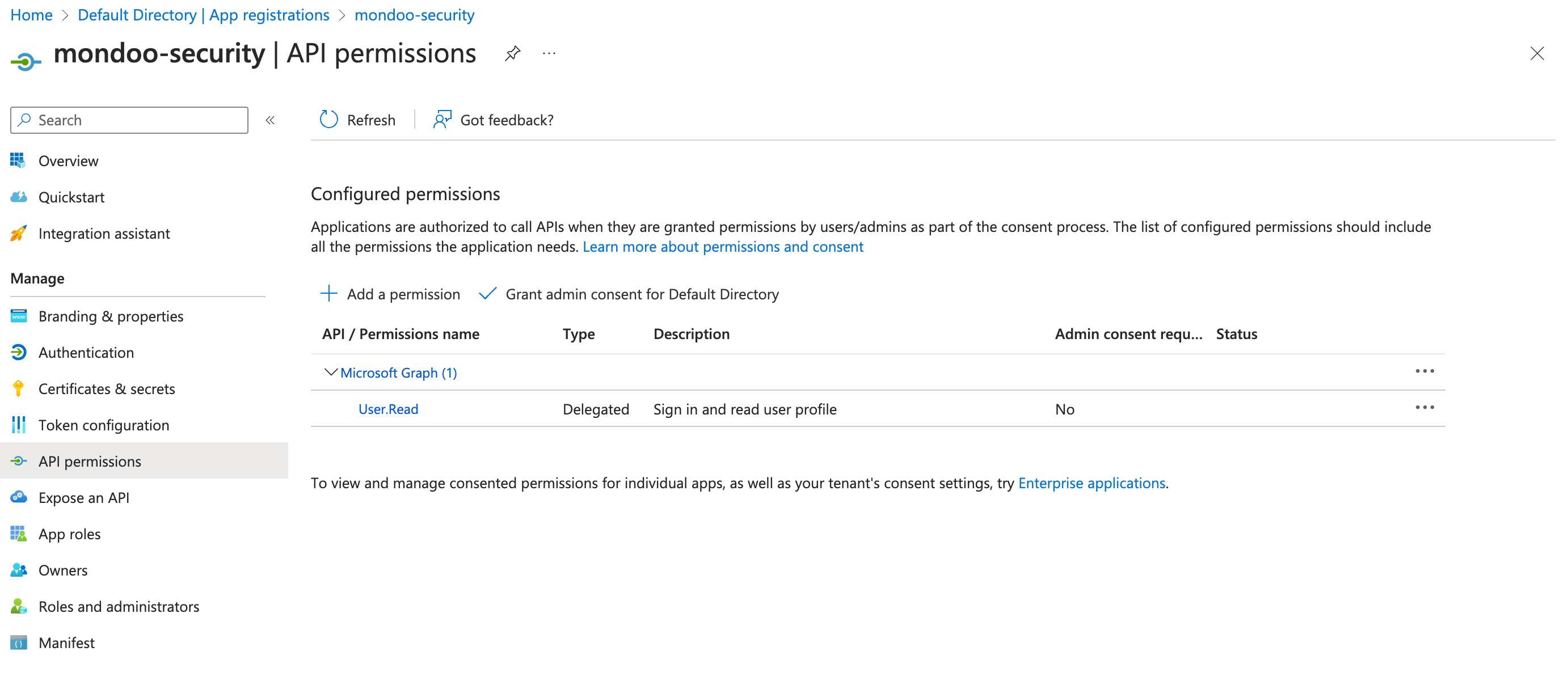
By default, Microsoft grants your new application
User.Readpermission for Microsoft Graph. It's not required for Mondoo, so you can remove it. -
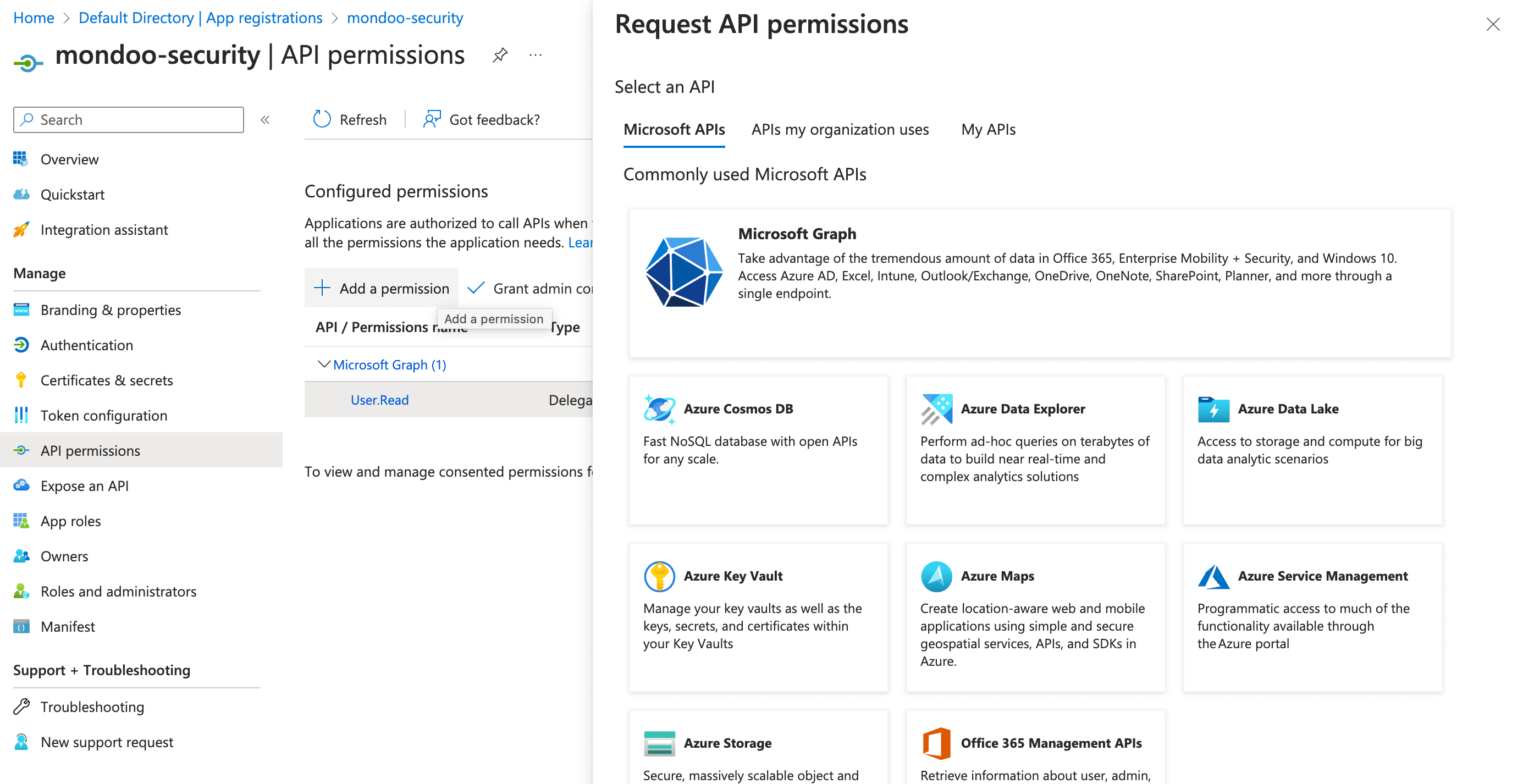
Select + Add a permission.
-
From the list of Commonly used Microsoft APIs, select Microsoft Graph.
-
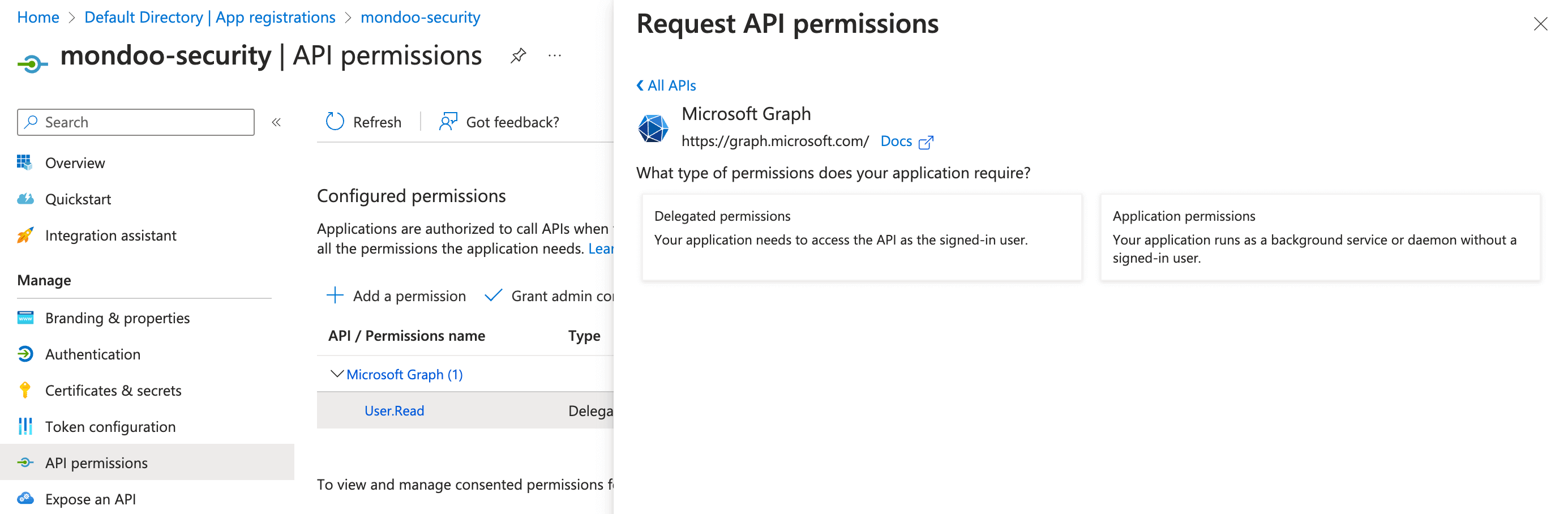
Because Mondoo acts as a service, select Application permissions.
-
Select expand all to see all permissions. Then select the required API permissions:
| Microsoft Graph | Type | Description |
|---|---|---|
| Application.Read.All | Application | Read all applications |
| Domain.Read.All | Application | Read domains |
| IdentityProvider.Read.All | Application | Read identity providers |
| IdentityRiskEvent.Read.All | Application | Read all identity risk event information |
| IdentityRiskyUser.Read.All | Application | Read all identity risky user information |
| Policy.Read.All | Application | Read your organization's policies |
| Policy.Read.ConditionalAccess | Application | Read your organization's conditional access policies |
| Policy.Read.PermissionGrant | Application | Read consent and permission grant policies |
| RoleManagement.Read.All | Application | Read role management data for all RBAC providers |
| SecurityActions.Read.All | Application | Read your organization's security actions |
| SecurityEvents.Read.All | Application | Read your organization's security events |
| ThreatAssessment.Read.All | Application | Read threat assessment requests |
| ThreatIndicators.Read.All | Application | Read all threat indicators |
-
Select the Add permissions button.
-
To complete the process, select Grant admin consent for (your tenant name) and select the Yes button to confirm.